Thursday, June 11, 2026
AI Agent Frameworks Compared: LangChain, CrewAI, AutoGen — What's Worth Using in 2026
Posted by
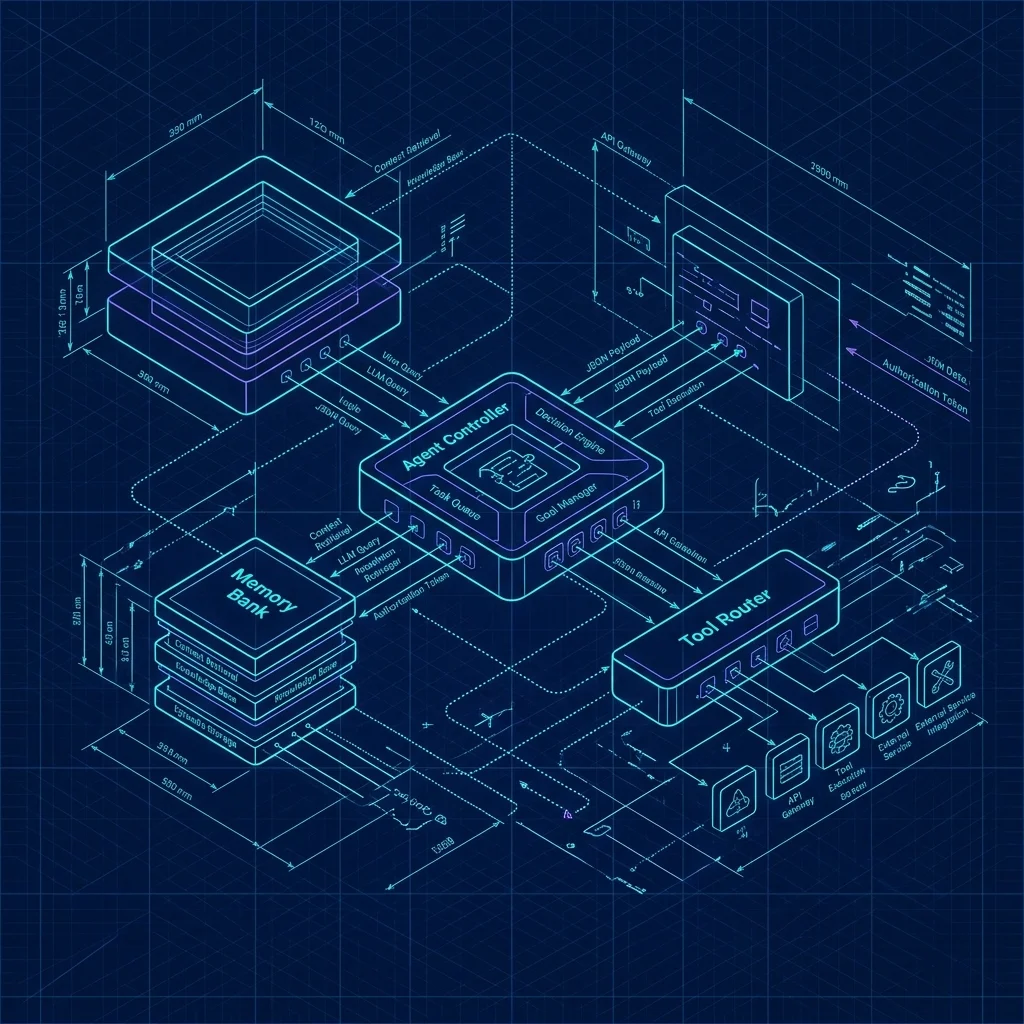
AI agent frameworks promise to turn a prompt into an autonomous system — agents that reason, use tools, and collaborate. But the gap between the tutorial ("build an agent in 5 lines!") and production ("why is this agent spending $30/day and producing garbage?") is enormous.
This comparison is for developers who've built the tutorial and are wondering what to actually use.
Do You Even Need a Framework?
Before comparing frameworks, ask whether you need one at all. Most "agent" workflows are just a few LLM calls with some if statements.
# This is not an agent framework. It's 15 lines.
def analyze_and_respond(query: str) -> str:
    intent = llm("Classify this query: " + query)
    if intent == "code_review":
        context = load_recent_commits()
        review = llm(f"Review these changes: {context}\n\nUser asked: {query}")
        return review
    elif intent == "bug_report":
        context = search_issues(query)
        return llm(f"Based on existing issues: {context}\n\nRespond to: {query}")
    else:
        return llm(f"Answer this question: {query}")
Add retry logic, a tool or two, and logging — you've got a production agent in under 100 lines. No framework.
Use a framework when:
- You need the agent to autonomously decide which tools to use and in what order (ReAct loop)
- You have multiple agents that need to coordinate (CrewAI, AutoGen)
- You need structured memory across sessions (LangChain's memory modules)
- You're building a pipeline that needs observability, tracing, and cost tracking
Skip the framework when:
- You have a fixed workflow with known steps (use prompt chaining)
- You're doing RAG (use a vector DB + direct LLM call)
- You only need one LLM call
- You're building an MVP and the framework's learning curve is the bottleneck
LangChain
LangChain is the oldest and most comprehensive agent framework. It's also the most complex. You can do anything with it — and you'll need to read a lot of documentation to figure out how.
What It Does Well
Ecosystem breadth. If you need to connect an agent to Postgres, Pinecone, Slack, Jira, and a custom API, LangChain has integrations for all of them. The ecosystem is deeper than any competitor's by an order of magnitude.
Tracing and observability. LangSmith (LangChain's observability platform) gives you per-step tracing, cost tracking, and latency breakdowns. For production agent pipelines where debugging a failure means reconstructing 50 LLM calls, this is table stakes.
Production patterns. LangChain has battle-tested patterns for things that are hard to get right: streaming output, retries with backoff, rate limiting, output parsing, structured tool calling.
Where It Falls Short
Complexity. The learning curve is real. LangChain's abstraction layers — chains, agents, tools, retrievers, memory, callbacks — create a steep onboarding. "I just want to call an LLM with a tool" can become a multi-file architecture.
Churn. LangChain's API has undergone multiple breaking changes. Tutorials from 6 months ago don't work. This is improving — the LCEL (LangChain Expression Language) stabilized the core — but the reputation for churn is earned.
Overengineering. Not every project needs LangChain. The framework encourages you to structure every LLM interaction as a chain, agent, or tool — even when a direct API call would be simpler and faster.
# LangChain version of "call an LLM" — 4 imports, 3 objects
from langchain_core.prompts import ChatPromptTemplate
from langchain_openai import ChatOpenAI
from langchain_core.output_parsers import StrOutputParser

prompt = ChatPromptTemplate.from_messages([("user", "{input}")])
model = ChatOpenAI(model="gpt-4o")
chain = prompt | model | StrOutputParser()
result = chain.invoke({"input": "Hello"})

# Direct version — 1 import, 1 call
from openai import OpenAI
client = OpenAI()
result = client.chat.completions.create(
    model="gpt-4o",
    messages=[{"role": "user", "content": "Hello"}]
)
If you don't need the orchestration, don't pay the abstraction tax.
Best For
- Production pipelines with multiple integrations
- Teams that need observability and tracing
- Projects where you'll benefit from the ecosystem (integrations, tools, community patterns)
- Organizations already using LangSmith for monitoring
CrewAI
CrewAI takes a different approach: define agents with roles, goals, and backstories, then give them tasks. It's designed for multi-agent coordination — think "a product manager agent, an engineer agent, and a QA agent collaborating on a feature."
What It Does Well
Role-based design. Defining agents by role and goal is a natural mental model for multi-agent systems. "You are a senior code reviewer. Review this PR for security issues." "You are a QA engineer. Write tests for these changes." The abstractions map directly to how teams think about work.
Rapid prototyping. A CrewAI agent definition is declarative and concise. You can build a multi-agent system in 30 lines. It's the fastest path from idea to working prototype among the frameworks compared here.
from crewai import Agent, Task, Crew

researcher = Agent(
    role="Research Analyst",
    goal="Find and analyze the latest AI trends",
    backstory="You're a senior analyst with 10 years of experience.",
)

writer = Agent(
    role="Tech Writer",
    goal="Write clear, engaging summaries",
    backstory="You're a writer who makes complex topics accessible.",
)

research_task = Task(
    description="Research the top 3 AI trends in 2026",
    agent=researcher,
)
write_task = Task(
    description="Write a 500-word summary of the research findings",
    agent=writer,
)

crew = Crew(agents=[researcher, writer], tasks=[research_task, write_task])
result = crew.kickoff()
Where It Falls Short
Shallow tool integration. CrewAI supports tools, but the integration is less mature than LangChain's. Custom tool definition is possible but the documentation is thinner and edge cases surface faster.
Opinionated architecture. CrewAI's sequential task execution model works well for linear workflows but falls apart when you need branching logic, parallel execution, or dynamic task allocation. For those cases, you end up fighting the framework.
Production readiness. CrewAI is younger than LangChain and shows it. Error handling is basic. Observability is limited. If you're building something that needs to run in production at scale, you'll be filling in gaps the framework leaves open.
Best For
- Prototyping multi-agent workflows
- Content generation pipelines (research → draft → review)
- Teams that want a simpler API than LangChain and are okay with sequential execution
- Internal tools and demos where 90% reliability is acceptable
AutoGen (Microsoft)
AutoGen is Microsoft's multi-agent framework. Its core metaphor is conversations between agents — one agent generates, another critiques, a third summarizes. The power is in emergent behavior from agent interactions.
What It Does Well
Conversation-driven architecture. AutoGen's agent-to-agent conversation pattern handles workflows that are hard to express as linear pipelines. An agent can initiate a conversation, another can inject a correction mid-conversation, and a third can ask follow-up questions before the final output.
Human-in-the-loop. AutoGen has first-class support for human approval steps. An agent proposes a change, a human reviews and approves or rejects, the agent adapts. This is critical for workflows where the cost of a wrong decision is high.
Research backing. AutoGen has published research behind its design decisions. The conversation patterns it implements — two-agent chat, group chat, nested chat — come from studying what real multi-agent workflows need.
Code generation and execution. AutoGen includes a code executor that can run generated code in a sandbox and feed results back into the conversation. This closes the loop for coding agents that need to test their own output.
Where It Falls Short
Complex setup. AutoGen requires more boilerplate than CrewAI and is less intuitive than LangChain. Defining conversation patterns, managing agent states, and handling conversation termination requires understanding the framework's internal model.
Experimentation pace. AutoGen is actively developed, but breaking changes between versions are common. Tutorials from 3 months ago may use deprecated APIs. For production systems, this creates maintenance overhead.
Narrower ecosystem. AutoGen's tool integrations and community extensions are less extensive than LangChain's. If your agent needs to connect to a specific database, API, or service, you're more likely to be writing the integration yourself.
Best For
- Research and experimentation with multi-agent coordination
- Workflows that need human-in-the-loop approval
- Code generation with execution verification
- Teams comfortable with Microsoft's ecosystem
Smaller Players Worth Knowing
Semantic Kernel (Microsoft)
Microsoft's other agent framework — lighter weight than AutoGen, more focused on orchestrating AI into existing applications. If you're building a .NET application and want to add agent capabilities, Semantic Kernel is the natural choice. It's less suited for standalone agent systems.
PydanticAI
Built on Pydantic, PydanticAI brings structured output guarantees to agent systems. Define your agent's output as a Pydantic model and get type-safe, validated responses. Best for: agents that need to produce structured data (JSON, function calls) where schema validation matters.
Agno
A lightweight agent framework that emphasizes simplicity over feature completeness. If LangChain feels like an aircraft carrier and CrewAI feels like a speedboat, Agno is a kayak — minimal, fast, and you're close to the water. Best for: developers who want agent capabilities without framework overhead.
Head-to-Head
| LangChain | CrewAI | AutoGen | PydanticAI | |
|---|---|---|---|---|
| Learning curve | Steep | Gentle | Moderate | Gentle |
| Multi-agent | Yes | Yes (core) | Yes (core) | No |
| Tool integration | Extensive | Basic | Moderate | Basic |
| Observability | LangSmith (best) | Limited | Limited | Limited |
| Human-in-loop | Via callbacks | Via tasks | First-class | No |
| MCP support | Via community | No | No | No |
| Production ready | Yes (with LCEL) | Approaching | Experimental | Approaching |
| Best model support | All major | OpenAI-focused | OpenAI-focused | All major |
| Pricing | Free + LangSmith paid | Free | Free | Free |
When to Skip the Framework
The most common mistake in agent development is reaching for a framework before understanding the problem. Here's when to step back:
The workflow is deterministic
If your "agent" follows the same steps every time — input → classify → route → respond — you don't need an agent framework. That's a prompt chain, and it's simpler, faster, and more reliable as direct API calls with if statements.
You only use one model
CrewAI and AutoGen's multi-agent coordination is useful when different agents need different models or prompts. If all your "agents" use the same model with slightly different prompts, you're paying the framework tax for abstraction you don't use.
You don't need autonomous tool selection
If the tool an agent should call is always determined by the input type (bug → search_issues, feature → check_roadmap), that's a router, not an agent. A simple classification prompt plus tool dispatch is 50 lines and zero framework dependency.
The cost of getting it wrong is high
Agent frameworks make it easy to build systems that autonomously chain LLM calls. They also make it easy to build systems that autonomously burn $50 in API costs on a single query. For high-stakes, high-cost workflows, start without a framework. Add it only when you've proven the workflow with direct calls.
Decision Framework
Are multiple agents coordinating on the same task?
├── Yes → Does the task require human approval steps?
│         ├── Yes → AutoGen
│         └── No  → CrewAI (prototype), LangChain (production)
└── No  → Is the agent connecting to many external services?
          ├── Yes → LangChain (best ecosystem)
          └── No  → Do you need structured, type-safe output?
                    ├── Yes → PydanticAI
                    └── No  → Raw LLM calls. You don't need a framework.
The Bottom Line
Start without a framework. The best agent framework in 2026 is the one you don't need. Raw LLM calls with explicit control flow are simpler, faster, and less likely to surprise you in production.
LangChain for production. If you're building an agent system that will serve real users, with multiple integrations and observability requirements, LangChain is the most mature option. The learning curve is real but the production patterns are battle-tested.
CrewAI for prototyping. If you want to experiment with multi-agent systems and get something working in an afternoon, CrewAI is the fastest path. Just know the gap between prototype and production is wider than with LangChain.
AutoGen for human-in-the-loop. If your workflow needs humans reviewing and approving agent decisions — code review, content approval, data analysis — AutoGen's conversation model handles this more naturally than the alternatives.
For more on agentic prompting patterns, see our Agentic Prompting technique guide and Prompt Chaining patterns.
Related: compare a concrete implementation in the Multi-Agent Orchestrator blueprint.
Related Articles & Deep Dives
 #llm
#llmThe Flash Wars: Three Chinese Models Just Reset the Price of Intelligence
GLM-5.3-Flash, DeepSeek-V4.1-Flash, and Qwen3.8-Flash-Next landed within seventeen days. What they share, where they actually win, and what it means for your AI bill.
 #jev
#jevTypeSafe's Jev: The Decision Model Everyone Is Talking About
TypeSafe's new decision model Jev went from zero to 27M+ views in four days. What it is, what it can't do, and whether it fits your stack.
 #agent-skills
Malicious Agent Skills & Supply Chain Attacks: Securing the SKILL.md Ecosystem
How third-party AI agent skills introduce hidden RCE, environment variable exfiltration, and prompt injection — and how to sandbox and audit SKILL.md packages.