AI Coding Tools — Prompt Engineering & Configuration
Complete guides for Claude Code, OpenCode, Gemini CLI, Cursor, GitHub Copilot, and more. Tool-specific prompt patterns, configuration files, and setup guides for every major AI coding assistant.
AI Coding Tools
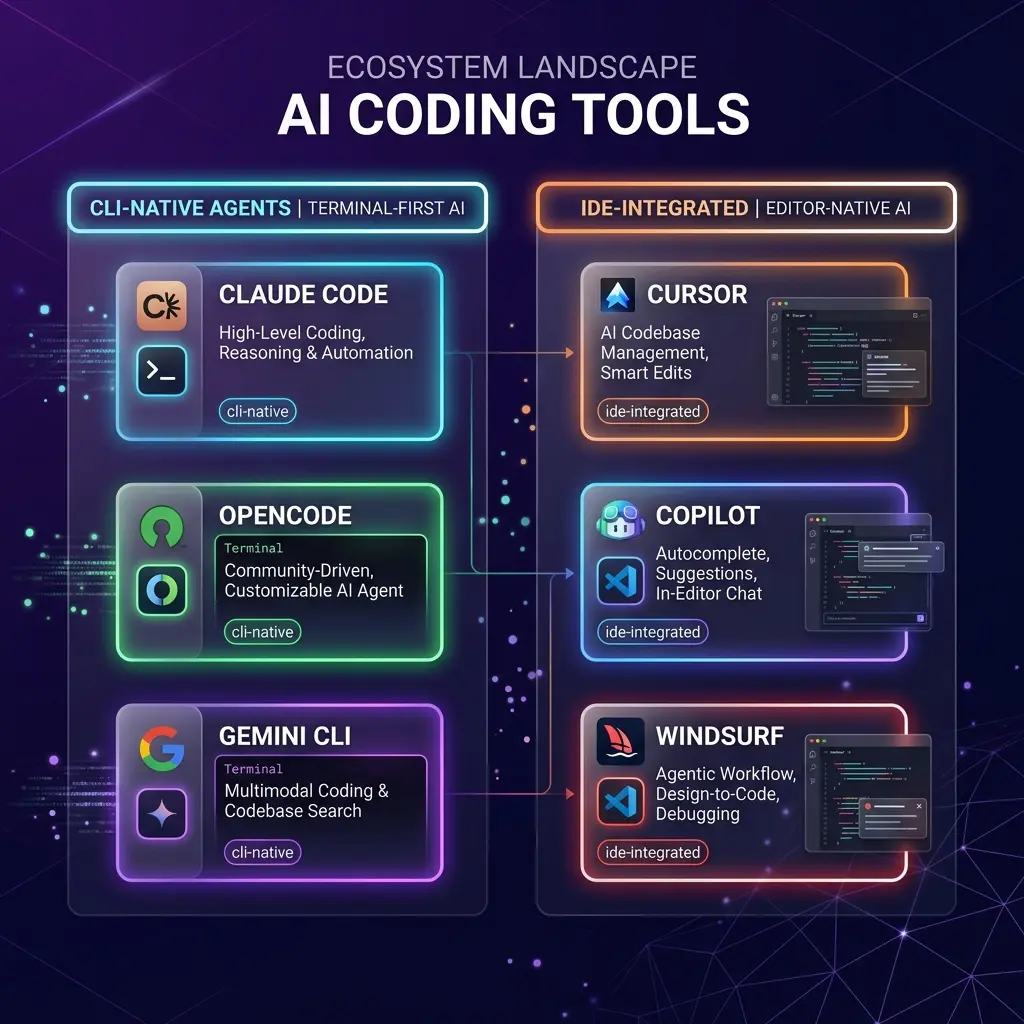
Choose the right AI coding tool and learn how to write effective prompts for each one. Every tool has different prompt patterns, configuration files, and capabilities. This section covers them all.
Quick Comparison
| Feature | Claude Code | OpenCode | Gemini CLI | Cursor | Copilot |
|---|---|---|---|---|---|
| Price | Pay-per-token (API) | Free/Paid tiers | Free | $20/mo Pro | Free / $10/mo |
| Context Window | 200K | Provider-dependent | 1M+ | 200K | 32K |
| MCP Support | Full | Full | Full | Partial | Minimal |
| Custom Rules | CLAUDE.md | AGENTS.md | GEMINI.md | .cursorrules | copilot-instructions.md |
| Agentic Mode | Yes | Yes | Yes (Ralph loop) | Yes (Agent) | Yes (Agent) |
| Best For | Complex reasoning | Provider flexibility | Google ecosystem | IDE integration | Microsoft ecosystem |
Which Tool Is Right for You?
Claude Code
Best for complex multi-file refactors, autonomous coding sessions, and extended thinking. Requires an Anthropic API key. Terminal-only. Full guide → Patterns →
OpenCode
Best for provider flexibility and cost optimization. Supports 75+ LLM providers, switch mid-session, custom skills. Free/Zen/Go pricing tiers. Full guide → Patterns →
Gemini CLI
Best for Google ecosystem users and large codebases. Free, 1M+ context window, sandbox modes, Google Drive/Calendar/Gmail extensions. Full guide →
Cursor
Best for IDE-first developers. Tab completions, inline editing, agent mode, composer. Best .cursorrules ecosystem. $20/mo. Full guide →
GitHub Copilot
Best for Microsoft ecosystem and GitHub workflow integration. Workspace context, agent mode, PR/issue integration. Free/$10/mo. Full guide →
Tool-Specific Prompt Engineering
Each tool has unique prompt patterns and configuration systems. Master them:
- Claude Code — CLAUDE.md patterns, extended thinking, hook scripts
- OpenCode — AGENTS.md conventions, /slash commands, provider switching
- Gemini CLI — Ralph loop, sandboxing, system instruction files
- Cursor — Agent mode vs inline, .cursorrules, composer prompts
- GitHub Copilot — copilot-instructions.md, workspace context, agent mode
Decision Guide
| If you need... | Use this tool | Why |
|---|---|---|
| Best reasoning quality | Claude Code | Sonnet 4, extended thinking, hooks |
| Lowest cost for routine coding | OpenCode + DeepSeek | 95% cheaper, switch providers mid-session |
| Full codebase analysis | Gemini CLI | 1M+ context reads entire project |
| Best IDE experience | Cursor | Inline editing, tab completion, visual diffs |
| GitHub workflow integration | Copilot | PR/issue context, GitHub Actions |
| Privacy / air-gapped | Continue.dev | Local models via Ollama, open-source |
| Cheap, repeated judgments | Jev | Typed decisions at ~$0.00001/call, no generation step |
| Search by meaning, no pipeline | Evoke | One index for keywords + meaning, 30M model on CPUs inside Postgres |
Decision Models
Not every AI call is a coding call. Jev is TypeSafe's System One decision model: send typed state and questions, get probabilities instead of prose. Use it to classify, route, gate, verify, and score — the decisions an agent currently pays a chat model to make. See the Jev guide for setup, prompting rules, and integration patterns.
And not every agent finding needs a vector stack. Evoke is an Apache-2.0 Postgres extension for learned-sparse retrieval: keyword and meaning evidence share one inverted index and one score, with a 30M-parameter model on CPUs inside the database. Exact codes still lead while "the words I didn't write" get found. See the Evoke guide for install, use cases, and the exact-vs-paraphrase pattern.
Other Notable Tools
- Windsurf — Cascade AI flow, multi-file editing, rules system
- Continue.dev — Open-source, local models, custom slash commands
- Aider — Git-native, map-refine architecture, polyglot
- Cline — VS Code plugin, autonomous coding, browser automation
- Codex CLI — OpenAI's CLI agent, reasoning strategies, sandbox
- Roo Code — Cline fork, specialized modes, VS Code plugin
- Tabnine — Enterprise AI assistant, code privacy, on-premise
Not Sure Where to Start?
See the Tool Comparison guide for a detailed head-to-head analysis across pricing, context windows, prompt patterns, MCP support, and more. Pick the right tool for your stack and workflow.
Related Articles & Guides
 #anime
Make a Narrated Anime Short with AI: Keyframes, Chained Video, Foley, Score & Voice
Build a 45-second narrated anime short on one Colab A100: Anima keyframes, Wan 2.1 first/last-frame clips, Stable Audio Open foley, ACE-Step score, Kokoro narration, one FFmpeg mix.
 #google-colab
Test Image and Video Models on Colab GPUs: One VM, Mix and Match
Run keyframe and image-to-video models on one Colab VM, swap models and GPUs through one storyboard, and measure time, VRAM and quality to find the best fit.
Faceless YouTube Pipeline with Claude: Scripts, Voice, Frames & Compliance
Build a faceless YouTube pipeline: Claude retention scripts, free Kokoro or Chatterbox voice, Whisper captions, Flux frames on Colab, and YouTube's AI rules.