Wednesday, June 17, 2026
Wolfram Language & Mathematica 15 — Built-in AI Assistant and What It Means for Developers
Posted by
The Headline
On June 16, 2026, Wolfram Research launched Version 15 of Wolfram Language and Mathematica — nearly 38 years after Version 1.0 shipped on June 23, 1988. The release is notable for one feature in particular: a built-in AI Assistant that ships with every notebook, requires no configuration, and at the Basic tier requires no additional subscription.
This is a significant milestone. Wolfram Language is the first major computational platform to embed an AI assistant as a core platform feature rather than a plugin or API wrapper. But the AI Assistant is only the marquee item in a release that also introduces a Wolfram Agent Tools framework for AI environment integration, computation-augmented generation (CAG) exposed through LLM functions, symbolic music computation, a unified ModelFit superfunction, and substantial upgrades to TimeSeries, categorical data handling, and notebook infrastructure.
This article breaks down the AI-relevant features in detail, compares Wolfram's approach to other development AI tools, and gives you the practical details you need to evaluate whether Version 15 matters for your workflow.
The AI Assistant: Three Tiers, Built into Every Notebook
The AI Assistant is not an add-on. It is a native UI element in the notebook interface.
How It Works
Create a new notebook in Version 15 and a chatbar appears at the bottom — a persistent text input connected to the AI Assistant. Type a query (including pasted images), hit Enter, and the assistant returns Wolfram Language code that it inserts into a chat cell and executes inline.
Key characteristics:
- Chatbar is always available unless disabled in Preferences. Can be minimized to a button.
- Chat cells (first introduced in Version 14.2) remain as the underlying mechanism. The chatbar is a convenience layer on top. You can also create a chat cell directly by typing
'to start a new cell. - Context-aware: Chat cells created from the chatbar inherit notebook context from cells above. Break context by inserting a chat delimiter (
~) between cells. - Inline execution: Generated code runs immediately in the notebook. You can inspect, modify, and re-run it.
- Sidebar mode: A separate button in the notebook toolbar opens a side chat that doesn't affect the main notebook content — useful for quick questions without polluting your working document.
Three Pricing Tiers
| Tier | Cost | Capability |
|---|---|---|
| Basic | Included with Mathematica/Wolfram | One license |
| Pro | Subscription | Larger and more sophisticated projects |
| Research | Subscription | Access to latest frontier AI capabilities |
Existing Notebook Assistant subscribers are automatically transferred to AI Assistant Pro.
The Basic tier alone is meaningful: if you already have a Wolfram license, you get an AI assistant capable of translating natural language into Wolfram Language code and executing it. No API keys, no configuration, no separate billing.
What the AI Assistant Actually Does
Stephen Wolfram's launch post draws a careful distinction between the AI Assistant and general-purpose AI coding tools (Claude Code, Codex, Cursor):
- The AI Assistant generates Wolfram Language code, not generic code. This is a critical difference because Wolfram Language is a computational language with 7,000+ built-in primitives — the generated code is precise, human-readable, and executable.
- The assistant is designed for users who know what they want to compute but need help mapping that to the right Wolfram Language primitives. It is not designed to autonomously build applications.
- Wolfram's existing automation philosophy (decades of building higher-level primitives) overlaps with what AI coding tools do for traditional languages, but from a different direction. Wolfram already automated much of what AI coding tools now help with — the AI Assistant fills the remaining gap for discovery and learning.
For developers evaluating this: if you are fluent in Wolfram Language, you may find the AI Assistant less useful than a newcomer would. The language itself is already a medium for thinking, and the AI Assistant primarily helps with the "forgotten function name" and "how do I express this computational concept" class of problems.
Wolfram Agent Tools: Use Wolfram from Your AI Environment
The AI Assistant brings AI into Wolfram notebooks. The Wolfram Agent Tools framework does the inverse: it lets external AI environments — Claude Code, Codex, Cursor — call into a local Wolfram kernel.
Setup Flow
Version 15 detects AI environments on your system automatically. The welcome screen displays a stripe if it finds Claude Code or Codex. Clicking it opens the Services for AIs preference pane, where one click configures all detected environments with Wolfram tools.
Programmatically, the equivalent is:
DeployAgentTools[]  (* detects and configures all AI environments *)
DeployAgentTools["ClaudeCode"]  (* specific environment *)
What Tools Are Exposed
The framework registers several tools with the AI environment:
- Wolfram Language evaluation — run arbitrary Wolfram Language code from the AI's context
- Notebook read/write — create, read, and modify notebooks programmatically
- Wolfram Language code analysis — inspect and explain existing Wolfram code
- Search Wolfram documentation — find functions, examples, and usage patterns
- Computation-augmented generation — route computation-aware queries through Wolfram|Alpha and Wolfram Language before returning results
MCP Server for Local Wolfram Applications
Wolfram also maintains a dedicated MCP Server for local desktop Wolfram installations. Configure it in any MCP-compatible agent's config file:
{
  "mcpServers": {
    "wolfram": {
      "command": "wolfram",
      "args": ["-mcp"],
      "env": {}
    }
  }
}
This exposes the same tools (evaluation, notebook I/O, documentation search) to any MCP-compatible client — Claude Code, Cursor, VS Code, and others.
Wolfram Cloud MCP Service
For environments without a local Wolfram kernel, Wolfram offers a remote MCP service:
Name: Wolfram MCP Server
URL: https://services.wolfram.com/api/mcp
Transport: Streamable HTTPS
Authentication: API Key (Bearer header)
This provides the same capabilities over the network using API key authentication — useful for cloud-hosted agents or CI/CD pipelines.
What This Actually Enables
The concrete workflow: you're working in Claude Code on a data analysis task. Claude needs to compute something analytically — a Fourier transform, a symbolic integral, a statistical fit. Instead of Claude guessing at Python code (which may or may not be correct), it delegates to the Wolfram kernel and gets back a precise, computed result.
This is Wolfram's distinct advantage in the AI-tooling space: precision over "looks right." When an AI generates Python code for a numerical computation, you are left hoping the implementation is correct. When an AI delegates execution to the Wolfram kernel, the result is computationally guaranteed — at least to the extent that the primitives themselves are correct.
CAG: Computation-Augmented Generation
Wolfram's AI strategy extends beyond the chatbar. The architectural differentiator is computation-augmented generation (CAG) — what Stephen Wolfram calls "an infinite analog of retrieval-augmented generation."
The idea: instead of retrieving text chunks from a vector store, CAG performs real-time computation using Wolfram Language and the Wolfram Knowledgebase to generate responses. The result is factually grounded and mathematically precise — not probabilistically plausible.
CAG powers the AI Assistant internally, but in Version 15 it's exposed to developers through the LLMEvaluator option on all LLM-adjacent functions:
(* Use the complete Wolfram Agent One system for LLM synthesis *)
LLMSynthesize["compute the period of a pendulum of length 2m on Mars",
 LLMEvaluator -> "AgentOne"]

(* Use the AI Assistant's CAG system for Wolfram Language help *)
LLMSynthesize["how do I compute a moving average over irregular time data?",
 LLMEvaluator -> "WolframAIAssistant"]

(* Set globally *)
$LLMEvaluator = "WolframAIAssistant"
You can also use "AgentOne" in LLMFunction, ChatEvaluate, and LLMGraph. This is the same infrastructure behind the Wolfram Foundation Tool suite released in February 2026 — now fully integrated into the core language.
What This Means vs. Other AI Coding Tools
Wolfram's approach to AI integration is philosophically different from the rest of the development tools landscape, and the differences are worth understanding.
The Core Distinction: Precision vs. Approximation
Current AI coding tools (Cursor, Claude Code, Codex, GitHub Copilot) operate on a simple premise: generate code that compiles/runs, and let the developer verify correctness. This works well for web development, scripting, and general-purpose programming where "looks right" is a reasonable heuristic.
It does not work well for technical computation, where the correctness of the result depends on mathematical and algorithmic precision that cannot be inferred from appearance. Wolfram Language was designed for this exact problem: its 7,000+ primitives encode known-correct algorithms, and the language's symbolic nature allows computation to be represented and verified precisely.
How It Compares
| Aspect | Wolfram Agent Tools | General AI Coding Tools |
|---|---|---|
| Output language | Wolfram Language | Python, JS, TS, etc. |
| Correctness model | Symbolic computation, 7K+ primitives | "Looks right" / passes tests |
| Execution | Delegates to Wolfram kernel | User runs generated code |
| Scope | Technical computation, data science, math | General-purpose programming |
| Integration depth | Full language eval, notebook I/O, docs | Tool-call only |
| Local/remote | Both (local MCP + Cloud MCP services) | MCP (local servers) |
| Subscription model | Basic included; Pro/Research paid | Claude Pro/Team or free tiers |
Where Each Excels
Use AI coding tools when: building applications, writing infrastructure code, prototyping user interfaces, or working in domains where correctness is verified through testing and visual inspection.
Use the Wolfram AI Assistant when: performing mathematical computation, analyzing data where precision matters, developing symbolic models, or any workflow where an incorrect result is worse than no result.
The two are complementary, and the Wolfram Agent Tools framework explicitly embraces this — you can use Claude Code for application logic and delegate Wolfram Language for the computation-heavy parts.
Beyond AI: What Else Ships in Version 15
The AI features are the headline, but Version 15 includes substantial core functionality improvements that matter for developers using Wolfram Language.
TimeSeries and EventSeries Overhaul
The TimeSeries framework has been rebuilt on top of the Tabular infrastructure introduced in Version 14.2. Key improvements:
- Multi-component time series — each timestamp can have many named components (columns in a Tabular)
- Missing data handling — inherits Tabular's missing-data infrastructure
- Automatic interpolation — interpolates when appropriate (numbers, quantities) and skips when not (strings, entities)
- Granularity-aware — asking for weekly average from daily data does the right aggregation automatically
- Millions of entries — the new framework handles datasets at scale, with routine multi-million entry support
(* Import GPS track data as a TimeSeries *)
ts = Import["track.gpx", {"TimeSeries"}]
(* Moving average with 15-minute window *)
MovingAverage[ts["Elevation"], Quantity[15, "Minutes"]]
(* Event detection *)
TimeSeriesEvents[ts, "LocalMaxima", Quantity[10, "Minutes"]]
EventSeries is a new companion construct for discrete events (server logs, keystrokes, earthquakes) with TimeSeriesEvents, EventSeriesAccumulate, and EventSeriesLookup.
ModelFit Superfunction
ModelFit unifies Wolfram's previously scattered fitting functionality into a single interface. You provide a "symbolic outline" of a model and ModelFit fills in the parameters:
(* Fit exponential model *)
ModelFit[data, ExponentialModel[a, b, c, x]]

(* Try multiple models up to degree 5, get the best *)
ModelFit[data, PolynomialModel[UpTo[5]]]

(* Fit periodic data *)
ModelFit[data, PeriodicModel[2]]

(* Decision tree from tabular data *)
ModelFit[tabular, DecisionTreeModel[depth -> 2]]
Supported model types include ExponentialModel, LogModel, PowerModel, PolynomialModel, LinearModel, FormulaModel, PeriodicModel, NearestModel, DecisionTreeModel, and neural network architectures (multilayer perceptron).
Symbolic Music
A new computational representation for music spans from individual pitches to full scores:
(* Musical pitch *)
MusicPitch["C4"]
(* Note with duration *)
MusicNote[MusicPitch["C4"], MusicDuration["Half"]]
(* Chord *)
MusicChord[{MusicPitch["C"], MusicPitch["E"], MusicPitch["G"]}]
(* Full score *)
MusicScore[{voice1, voice2, ...}]
MIDI files import directly as MusicScore objects. MusicPlot, MusicMeasurements, and MusicKey provide analysis — histograms of pitch classes, key detection, duration analysis.
Categorical Data
Nominal and Ordinal types provide first-class symbolic support for categorical data — both standalone and within Tabular, TimeSeries, and EventSeries. Integration with CategoricalDistribution, random selection, and visualization.
(* Define ordinal data *)
Ordinal[{"small", "medium", "large"}]
(* Max works on ordered categories *)
Max[{c1, c2, c3}]
Notebook Infrastructure
- Gigabyte-sized notebooks — the notebook engine now handles files larger than 2 GB using multi-pass parsing and multicore infrastructure
- Visual themes — Monokai, Solarized, Dracula, Wolfram Saturated, Stargazer (each in light and dark mode)
- Sidebars — notebooks get their first sidebar capability (Notebook Properties, AI Assistant side chat)
- Real-time Find — redesigned search with live match counts as you type, even on gigabyte-sized files
- Torn-off cells — detach arbitrarily large cell outputs into floating tear-off panels
Symbolic Exceptions
Version 15 introduces a hierarchical exception system with ThrowException, CatchExceptions, RegisterExceptionType, and typed symbolic Exception objects, replacing the Throw/Catch tagging overhead with structured error handling:
(* Define an exception type *)
RegisterExceptionType[OverflowException -> ComputationException]

(* Throw and catch with typed exceptions *)
CatchExceptions[OverflowException, f[x]]
AI Methods in DSolve
For the first time, DSolve uses neural-net methods to guess solutions, then verifies them symbolically. In benchmarks this solves approximately 0.003% more equations than traditional algorithms alone — but it's often faster and produces simpler solutions where it succeeds. The pipeline (train on generated function/equation pairs, use transformers, verify symbolically) sets a pattern for other mathematical functions in future releases.
Other Notable Additions
- Structured Package Format —
PackageInitialize,PackageExported,PackageScoped,PackageImportfor multi-file libraries with private-by-default symbols - MultipleZeta, MultiplePolyLog, MultipleHarmonicNumber — multivariate generalizations for quantum field theory and analytic number theory
- Grassmann, Clifford, Weyl algebra —
GrassmannAlgebra,CliffordAlgebra,WeylAlgebrawith defined (anti)commutation relations - Matrix decompositions —
LDLDecomposition,BunchKaufmanDecomposition,PolarDecomposition,PopovDecomposition,RankDecomposition - PDE solvers — curvilinear coordinate support (polar, spherical), derived quantities (
EquivalentStrain,FluidViscousStress) - Q-learning for control systems —
LQRegulatorTrain - CUDA kernels as external functions — write CUDA C++ code inline, get
ExternalFunctionobjects - GPU support for Wolfram Compute Services —
RemoteBatchSubmitwithTargetDevice -> "GPU" - WebSocket support — real-time bidirectional connections, including streaming LLM responses
- Improved Python interoperability — session management, transportable dependencies
- GeoAxes — latitude/longitude axes on any map projection
- FindSolarEclipse — inverse eclipse computation for any location
- Import/Export — TOML, YAML, HEIF, AVIF, AVM (astronomy), Markdown enhancements
Pricing and Licensing
The AI Assistant pricing structure is the most relevant new cost consideration:
- Basic tier: Free with existing Wolfram license (Mathematica or Wolfram|One). No additional subscription. Requires Version 15.
- Pro tier: Paid subscription. Transfers existing Notebook Assistant subscribers automatically.
- Research tier: Paid subscription. Access to frontier AI models.
Wolfram has not published exact Pro/Research pricing as of launch. The important decision point is that Basic is genuinely useful for day-to-day Wolfram Language development — it is not a crippled trial. The paid tiers add capacity and model quality.
The Wolfram Agent Tools framework, MCP integration, and CAG capabilities through LLMEvaluator are included in the base Version 15 license with no extra cost.
Pitfalls
- The AI Assistant is not a general-purpose coding assistant. It generates Wolfram Language code only. If you need Python, JavaScript, or TypeScript generation, the AI Assistant will not help — use Claude Code or Codex for that.
DeployAgentToolsrequires the Wolfram desktop application — it doesn't work from Wolfram Cloud alone. For cloud-only setups, use the Wolfram Cloud MCP service instead.- Pro/Research pricing is unannounced. The launch reveals three tiers but only Basic pricing (free) is clear. Wait for published pricing before committing to a paid tier.
- The AI Assistant requires the notebook interface. If you work entirely from the command line (Wolfram Kernel in terminal, batch scripts, automated pipelines), the Wolfram Agent Tools framework is the relevant feature, not the chatbar.
- Wolfram Language fluency reduces AI Assistant utility. The real value is for newcomers, infrequent users, or exploration in unfamiliar domains.
- MCP server setup paths vary by platform. The
wolfram -mcpcommand assumes the Wolfram kernel is on your PATH. On Windows, adjust to the full path toMathKernel.exe. - ModelFit neural net models are not interpretable — use
DecisionTreeModelif you need explainability. - AI methods in DSolve solve ~0.003% more equations than traditional methods — this is a welcome supplement, not a replacement. The real value is speed and solution simplicity.
- License cost. If you do not already have a Wolfram license, the barrier to entry is the cost of Mathematica or Wolfram|One itself.
The Takeaway
Version 15 is Wolfram Research's strongest statement yet about the convergence of computational language and AI. The AI Assistant makes Wolfram Language more accessible to newcomers. The Wolfram Agent Tools framework makes Wolfram Language's computational precision available to AI agents in external environments. The CAG infrastructure exposes computation-augmented generation to any LLM function call programmatically.
For developers already using Wolfram Language, the AI Assistant is a quality-of-life improvement and the core functionality upgrades (TimeSeries, ModelFit, symbolic music) are the real value. For developers evaluating Wolfram Language for the first time, the AI Assistant lowers the learning curve considerably.
For the PromptGenius audience building with Claude Code, Codex, and Cursor: the Wolfram Agent Tools and MCP Server are worth wiring up if your work touches math, science, or any domain where "looks right" isn't good enough and you need answers that are actually computed.
The broader signal is that Wolfram is betting precision computation and AI are complementary, not competitive. While most AI coding tools optimize for speed and approximation, Wolfram optimizes for correctness and verifiability. The Wolfram Agent Tools framework's explicit support for bridging between them is the most pragmatic outcome of this release — use Claude Code for the application logic and delegate Wolfram Language for the computation.
Version 15 is available now from the Wolfram website. A webinar overview is scheduled for June 24, 2026.
Related Articles & Deep Dives
 #anthropic
Anthropic brings Artifacts to Claude Code — sharing interactive pages from coding sessions
Claude Code can now turn session output into shareable, interactive web pages called artifacts. Complete guide to how it works, what you can build, sharing and permissions, and practical use cases for teams.
 #mcp
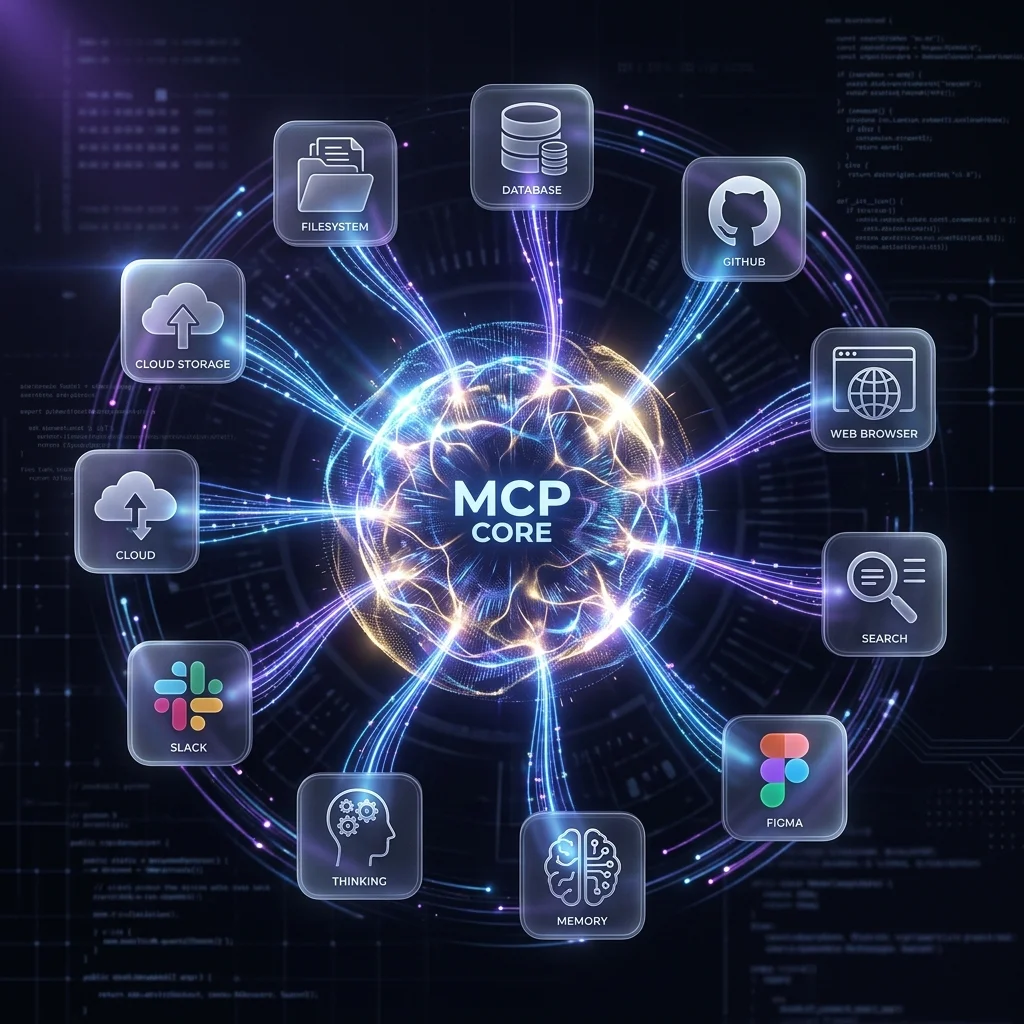
#mcp10 MCP Servers Every Developer Needs
The essential Model Context Protocol servers for AI coding agents — GitHub, Postgres, Filesystem, Brave Search, Figma, and more — with setup instructions for Claude Code, Gemini CLI, and OpenCode.
 #gemini
The Ultimate Guide to Mastering Gemini CLI: Your AI-Powered Software Engineering Assistant
An exhaustive guide to installing, configuring, and maximizing Gemini CLI. Learn about advanced sandboxing, custom extensions, CI/CD integration, and how it stacks up against Claude Code and Copilot CLI.