Sunday, July 12, 2026
Claude Code's built-in browser — AI coding agents can now read, click, and type on the web
Posted by
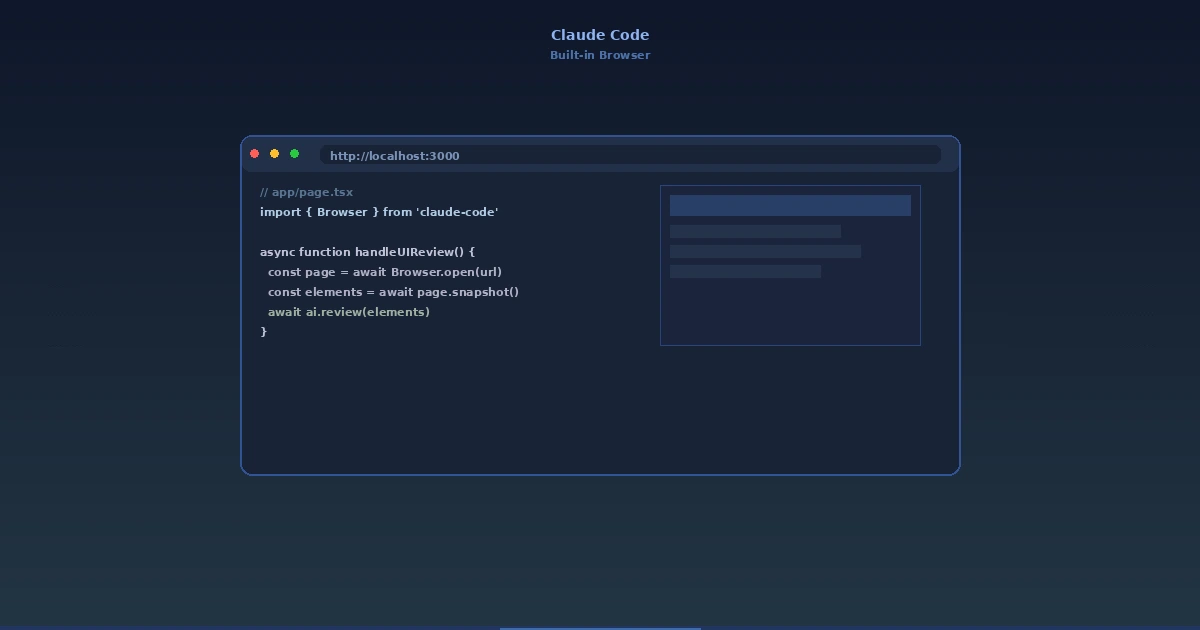
Claude Code's built-in browser — your AI coding agent can now read, click, and type on the web
Here's how most of my coding sessions go: I'm deep in a terminal session, Claude Code is working through something, and then — roadblock. I need to check an API reference. Or read a Stack Overflow thread. Or verify a CSS property against current browser support. So I alt-tab, open a browser, search, find the page, copy a URL, paste it back into the chat, and say "look at this."
That friction adds up fast. Studies peg the context-switching cost at around 23 minutes to fully re-immerse after an interruption. Every tab you open is a tax on your flow state.
Anthropic just removed that tax.
Claude Code on desktop now has a built-in browser. The AI can open, read, click, and interact with web pages directly inside the app — the same way it already interacts with your local dev servers. No alt-tabbing. No copying URLs. No browser tabs you'll never close.
What's new
Anthropic added a full, tabbed browser pane to the Claude Code desktop app. It's accessible via Ctrl+Shift+B (Windows/Linux) or Cmd+Shift+B (macOS), and it renders real web pages — HTML, CSS, JavaScript, SPAs, the works.
This isn't a glorified curl command. Claude gets the rendered DOM, so it sees the same page you'd see in a regular browser. That means it can:
- Read documentation against live, current sites — no more training data cutoffs on an API ref
- Click through multi-page workflows — navigate docs, follow links, explore
- Inspect designs — check how a component actually renders in production
- Test local dev servers — open localhost URLs, click around, verify behavior
- Handle OAuth flows — supports standard login pop-ups including Google OAuth
- Cross-reference sources — open multiple tabs simultaneously and synthesize across them
The first time you ask Claude to open a URL, you get a permission prompt: Allow once / Always allow / Deny. Permissions are stored per-site and fully revocable from settings. That prompt also makes it clear that write actions on external sites are screened by classifiers — Claude can read freely, but posting data, submitting forms, or making changes requires explicit user consent.
The safety model — what Claude can't do
Anthropic designed the sandbox with clear, hard boundaries:
- No purchases. Claude cannot buy anything, on any site, under any circumstances.
- No account creation. Sign-up flows are blocked.
- No CAPTCHA solving. Those "I am not a robot" checkboxes stay your job.
- Clean profile. The built-in browser uses a completely separate profile from your personal browser. No saved logins, no browsing history, no cookies carried over.
- Org controls. Enterprise customers can restrict access through an allowlist or disable the browser tools entirely.
This is important context: the built-in browser is not a replacement for the Claude in Chrome extension. The extension shares your browser's login state, so Claude can act as you in authenticated sessions — filling forms, drafting docs, managing your logged-in accounts. The in-app browser is the opposite: a clean, isolated environment for building, testing, and researching without your personal identity leaking in.
Anthropic's differentiation is clear: use the in-app browser for dev work and unauthenticated research. Use the Chrome extension when you need Claude to operate within your existing sessions. They're complementary, not overlapping.
| Feature | In-App Browser | Chrome Extension |
|---|---|---|
| Best use | Dev/testing, docs research, unauthenticated browsing | Logged-in sessions, acting as you in web apps |
| Profile | Clean, isolated, no saved logins | Shares your Chrome login state |
| Environment | Claude Code desktop app | Google Chrome |
| Session persistence | Configurable (you choose) | Uses Chrome's session |
Why this is a big deal
At first glance this looks like a convenience feature — fewer alt-tabs, less friction. But I think it signals something more significant about where AI coding tools are headed.
We're watching coding assistants evolve into full development agents.
The first generation of AI coding tools (Copilot tab-complete, early GPT chat) was about code generation. Generate a function, paste it in, move on. The second generation (Claude Code, Cursor, Codex CLI) added agentic loops — the AI can edit files, run commands, and verify its own work. But that loop was still constrained to the filesystem and the terminal.
A browser changes the equation. Now Claude can:
- Verify code against live documentation — Is this API call correct? Let me check the current docs.
- Research error messages — Drop a stack trace into the query, let Claude find the fix on Stack Overflow or GitHub Issues, and apply it.
- Cross-reference implementation against design — Open the staging site, compare with the Figma link, identify discrepancies.
- Pull from multiple sources simultaneously — Open API docs, a migration guide, and a blog post about best practices, then synthesize a plan.
This is the difference between a tool that writes code and an agent that ships software. The latter requires understanding the full context — and a huge part of that context lives on the web.
Where this lands competitively
The browser feature lands at an interesting moment in the AI coding tool landscape. Cursor has been the speed king, focused on latency and inline completions. Copilot is betting on deep IDE integration. Gemini CLI leans into reasoning depth.
Anthropic's play here is increasingly clear: context. Claude Code already had the richest context window of any coding agent (Claude Opus / Fable). Adding a browser means that context isn't limited to what happened to be in the training data or what the user manually pasted in. It can pull live information from anywhere on the web, in real-time, and fold it directly into its reasoning.
That's a genuine competitive moat. A coding agent that can browse the web doesn't just answer questions about code — it answers questions about the current state of the world that affects that code.
One more thing: session recording
The Chrome extension also picked up a feature this week that pairs nicely with the browser: session recording as GIFs. Claude can now record its browser interactions and save them as animated GIFs — useful for demoing workflows, documenting bug repro steps, or sharing visual test results with your team. Another signal that Anthropic is thinking about the full developer workflow, not just the edit-compile-debug loop.
The takeaway
Claude Code's built-in browser doesn't change what the tool is at its core. It's still a terminal-first AI coding agent. But it dramatically expands what the tool can reach — from the files on your disk to every page on the web.
The practical impact is immediate: fewer context switches, better research, more informed code. But the strategic signal is bigger. We're past the point where AI coding tools are just autocomplete on steroids. They're becoming agents that can navigate the full surface area of software development — code, docs, designs, issues, deployments — without needing a human to shuttle information between them.
Less browser tabs. More shipping.
— The Scout
Sources:
- The Decoder: "Claude Code now has a built-in browser" (July 10, 2026)
- Digital Trends: "Claude Code can now browse the web without opening Chrome" (July 10, 2026)
- 9to5Mac: "Anthropic highlights Claude Code's in-app browser on the desktop" (July 10, 2026)
- Progressive Robot: "Anthropic Claude Code Browser: Built-In Web Browser for Developers" (July 10, 2026)
- Claude Code Docs: "Use Claude Code with Chrome"
- Anthropic / ClaudeDevs on X: Announcement of in-app browser
Related Articles & Deep Dives
 #claude-code
How to Stop Claude from Saying 'Load-Bearing' — and What It Teaches Us About Prompt Engineering
Claude Code's obsession with the word 'load-bearing' has become a developer meme. The fix reveals something important about controlling AI style.
 #claude-code
Let Fable Cook: The Claude Code Team's Best Advice for AI-Assisted Development
At AIE 2026, Cat Wu and Thariq Shihipar shared a counterintuitive tip: stop micromanaging Fable and let it use its own judgement. Here's what that looks like in practice — and how to save tokens doing it.
 #anthropic
Anthropic brings Artifacts to Claude Code — sharing interactive pages from coding sessions
Claude Code can now turn session output into shareable, interactive web pages called artifacts. Complete guide to how it works, what you can build, sharing and permissions, and practical use cases for teams.