Thursday, June 11, 2026
Claude Code vs Gemini CLI vs OpenCode: Which AI Coding Agent Is Right for You?
Posted by

Gemini CLI deprecated for consumers:
Gemini CLI is no longer available for individual consumers as of June 18, 2026.
It has been replaced by Google Antigravity CLI (agy).
Enterprise customers with Vertex AI / Code Assist licenses are unaffected.
See the transition overview and migration guide
and migration guide.
AI coding agents have moved from browser tabs to the terminal. Three tools dominate the CLI agent space in 2026: Claude Code (Anthropic), Gemini CLI (Google, now replaced by Antigravity CLI), and OpenCode (open source). Each takes a fundamentally different approach to the same problem — give an AI access to your terminal and let it write code.
This comparison isn't about which tool has more stars or the fastest benchmark. It's about matching the tool to your workflow, your budget, and your tolerance for vendor lock-in.
At a Glance
| Claude Code | Gemini CLI / Antigravity CLI | OpenCode | |
|---|---|---|---|
| Creator | Anthropic | Open source (Anomaly) | |
| Open source | No | Yes (Apache 2.0) | Yes (MIT) |
| Install | npm install -g @anthropic-ai/claude-code | curl -fsSL https://antigravity.google/cli/install.sh | bash | curl -fsSL https://opencode.ai/install | bash |
| Available models | Claude 3.5 Sonnet, Claude Opus, Haiku | Gemini 3.5 Flash/Pro, Claude Sonnet, Opus, GPT-OSS | 75+ providers — Claude, GPT, Gemini, local |
| Max context | 200K tokens | 1M-2M tokens | Depends on model (up to 2M via Gemini) |
| Free tier | No | Yes (60 req/min, 1,000 req/day) | Yes (Zen free tier) |
| Paid tiers | Pro $20/mo, Max $100-200/mo | Google AI Pro $19.99/mo, Vertex AI pay-per-use | Go $10/mo, Zen pay-as-you-go |
| Bring your own key | No (Anthropic models only) | Yes (Google API key) | Yes (any provider) |
| Local model support | No | Via MCP endpoint | Yes (Ollama, LM Studio, llama.cpp) |
| Privacy stance | Code sent to Anthropic | Code sent to Google | No code or context stored |
| MCP support | First-class, extensive | Yes, with extensions | Yes, via opencode.json |
| GitHub stars | N/A (closed source) | ~15K | ~160K |
| Key differentiator | Deepest reasoning | Largest context window | Provider flexibility + privacy |
Claude Code: The Reasoning Engine
Claude Code is Anthropic's official CLI tool. If you've used Claude in the browser, you know the core capability: deep, careful analysis of complex code. Claude Code brings that into the terminal and gives it access to your file system, git history, and shell.
What It Excels At
Complex refactors with architectural understanding. Give Claude Code a 50-file refactor and it doesn't just pattern-match. It traces callers and callees, identifies the implicit contracts between modules, and catches edge cases that a simpler tool would miss. This is where Claude's reasoning shines — problems that require holding multiple constraints in mind and reasoning about their interactions.
Legacy code comprehension. Drop Claude Code into an unfamiliar 5-year-old codebase and ask it to explain the auth flow. It reads the relevant files, traces the request path through middleware → controllers → services → database, and produces an explanation that captures the why behind the design, not just the what.
MCP ecosystem. Anthropic invested heavily in the Model Context Protocol, and Claude Code has the most mature MCP integration. Tools for GitHub, Postgres, Figma, Jira, Slack — the ecosystem is deeper than either competitor's. If your workflow depends on connecting your agent to external services, Claude Code has the most polished experience.
Where It Falls Short
Vendor lock-in. Claude Code talks only to Claude. If you want to experiment with GPT-5 or Gemini 3 or a fine-tuned Llama, you cannot. You're on Anthropic's model roadmap, period.
Context ceiling. 200K tokens is generous for most tasks, but compared to Gemini CLI's 1M+ token window, it's constrained. Working with a large monorepo or analyzing a complete codebase in one pass is harder.
Price. Claude Max at $100-200/month is the most expensive entry in this comparison. For solo developers and small teams, that's a significant commitment before you write a line of code.
No local models. You cannot run Claude Code against a local Ollama instance. All inference goes to Anthropic's servers.
Best For
- Teams that value deep reasoning over raw speed or provider flexibility
- Complex refactors and architecture decisions where getting it wrong is expensive
- Organizations already on Anthropic's enterprise plan
Gemini CLI and Antigravity CLI: The Context Kings
Gemini CLI deprecated:
Gemini CLI is deprecated for individual consumers as of June 18, 2026.
Replaced by Antigravity CLI (agy).
This section covers both — Gemini CLI (enterprise) and Antigravity CLI (everyone).
Gemini CLI was Google's entry into the terminal agent space, now succeeded by Antigravity CLI. Both share the same headline feature: the context window — up to 2 million tokens on Gemini 3 Flash — roughly 10x what Claude Code offers. Antigravity CLI adds multi-model support (Claude, GPT-OSS), async background tasks, and a Go-native binary.
What They Excel At
Monorepo-scale analysis. The massive context window means you can load your entire codebase — all 500+ files, the full dependency tree, every test — and reason about it holistically. Claude Code and OpenCode both handle this by selectively loading relevant files. Google's tools can skip the selection step entirely and just consume everything.
Speed. Gemini 3 Flash returns responses in under a second for most queries. In an interactive coding session, that responsiveness matters — you maintain flow state instead of waiting for the model to think.
Free tier that's actually usable. Sign up for a Google AI Studio API key and you get free access to Gemini models with generous rate limits. For students, open source contributors, and developers who want to evaluate before committing, this lowers the barrier to zero.
Sandboxing. Both CLIs offer three sandbox profiles — Standard, Restricted (no network, temp directory writes only), and Docker. The Docker sandbox launches every command inside a fresh container, which is the gold standard for running untrusted AI-generated code. Neither Claude Code nor OpenCode have equivalent built-in sandboxing.
Multi-model (Antigravity CLI only). Unlike Gemini CLI which was Google-only, Antigravity CLI natively supports Claude Sonnet 4.6, Claude Opus 4.6, and GPT-OSS 120B alongside Gemini 3.5 Flash/Pro. Switch mid-session with /model or via --model flag.
Async background tasks (Antigravity CLI only). Delegate long-running work to subagents and keep working. Gemini CLI didn't support this.
Where They Fall Short
Single-vendor for the core experience (Gemini CLI). The old Gemini CLI was Google-only. Antigravity CLI partially addresses this with multi-model support, but the tool is designed around Google's ecosystem.
Reasoning depth. Gemini models are strong, but on complex architectural problems requiring multi-step logic and careful trade-off analysis, Claude still leads.
Ralph Loop removed (Antigravity CLI). The Ralph Loop extension didn't make the transition. Replaced by subagents + hooks pattern.
Google ecosystem expectations. Deep integration with Google Cloud, Vertex AI, and Google's auth system means non-Google-shop teams face friction. If your org runs on AWS and uses GitHub Actions, the Google-first design adds configuration overhead.
Best For
- Developers working with large codebases where context size is the bottleneck
- Google Cloud / GCP shops that already live in the Google ecosystem
- Teams that want a strong free tier before committing budget
- Workflows where response speed matters more than maximal reasoning depth
OpenCode: The Swiss Army Knife
OpenCode is the only fully open-source option in this comparison, and it takes a fundamentally different approach: instead of building the best model, build the best agent framework and let the user bring whichever model they want.
What It Excels At
Provider flexibility. This is OpenCode's killer feature. Connect Claude Pro/Max, ChatGPT Plus/Pro, GitHub Copilot, OpenRouter, or any of 75+ LLM providers — including local models via Ollama, LM Studio, or llama.cpp. You're not locked into any single vendor's model roadmap, pricing changes, or outages.
Privacy-first design. OpenCode does not store your code or context data. For teams in regulated industries (healthcare, finance, defense) or anyone who doesn't want their codebase shipped to a third-party server for inference, this is a hard requirement. Claude Code and Gemini CLI both send your code to external servers; OpenCode can run entirely locally if you bring a local model.
Multi-model workflows. Because OpenCode supports multiple providers simultaneously, you can do things neither competitor can. Run Claude for architecture decisions, GPT-5 for code generation, and Gemini for large-context analysis — all from the same tool, mid-session, without switching applications.
Plan Mode. OpenCode has a dedicated Plan mode (Tab key to toggle) where the agent suggests approaches but cannot edit files. This is distinct from Claude Code's and Gemini CLI's behavior, where planning and execution are the same mode. The explicit separation prevents the agent from jumping to implementation before you've agreed on the approach.
Multi-session and sharing. Run multiple independent agents on the same project simultaneously. Generate a shareable link for any session with /share. Neither Claude Code nor Gemini CLI have equivalent collaboration features.
Desktop app and IDE extensions. Beyond the terminal TUI, OpenCode offers a native desktop app (macOS, Windows, Linux in beta) and IDE extensions for VS Code. You're not restricted to the terminal.
Pricing. Go is $10/month and includes generous usage of models like GLM-5.1, Kimi K2.6, Qwen3.6 Plus, and DeepSeek V4 Pro — models that the OpenCode team has tested and benchmarked specifically for coding agent workloads. Zen is free with pay-as-you-go for premium models. And if you already pay for ChatGPT Plus or Claude Pro, you can use those subscriptions through OpenCode at no additional cost.
Where It Falls Short
Newer and rougher edges. OpenCode shipped more recently than Claude Code and Gemini CLI. The UX is improving rapidly, but you'll encounter more rough edges and missing polish than the two corporate-backed tools.
Configuration surface area. Flexibility comes with complexity. Setting up multiple providers, custom tools, MCP servers, and per-project opencode.json configs is more work than Claude Code's "npm install and go" or Gemini CLI's "npm install and auth with Google." The power is there, but you have to configure it.
Model quality variance. When you bring your own models, you're responsible for model selection. Not every provider's models are equally good at coding. Claude Code and Gemini CLI solve this by only exposing models they've tuned for the task. With OpenCode, you might accidentally pick a weak model and blame the tool.
Smaller community (but growing fast). 160K GitHub stars and 900+ contributors is impressive, but the support ecosystem — community extensions, third-party tools, Stack Overflow answers — is still building out compared to the corporate-backed alternatives.
Best For
- Developers who want model flexibility and refuse vendor lock-in
- Privacy-sensitive teams that can't ship code to external servers
- Anyone already paying for ChatGPT Plus or Claude Pro — use those subscriptions here at no extra cost
- Teams that want to experiment with different models without switching tools
Decision Framework
Match your situation to the right tool:
| Your Situation | Pick This | Why |
|---|---|---|
| Architecture decisions, complex refactors, "why is this built this way?" | Claude Code | Claude's reasoning depth is unmatched for architectural analysis. |
| Large monorepo, need to analyze entire codebase at once | Antigravity CLI / Gemini CLI (enterprise) | 1M+ token context window lets you load everything. No other tool comes close. |
| I want to use my existing ChatGPT/Claude subscription | OpenCode | Bring your own keys. No additional cost if you already pay for another service. |
| Privacy is non-negotiable, code must stay local | OpenCode | Only tool that doesn't store or transmit your code. Pair with local Ollama models for fully offline operation. |
| Tight budget ($0-10/month) | Antigravity CLI or OpenCode Go | Antigravity CLI has a strong free tier. OpenCode Go at $10/month is the best value for paid. |
| Google Cloud shop, already using Vertex AI | Antigravity CLI or Gemini CLI (enterprise) | Native integration. Auth, billing, and model access are already configured. |
| I want to experiment with different models without switching tools | OpenCode | 75+ providers, swap models mid-session with /models. |
| I need the agent to work autonomously for hours on a large migration | Gemini CLI (enterprise) or Antigravity CLI (with subagents + hooks) | The Ralph Loop (Gemini CLI) or subagents + hooks (Antigravity CLI) is purpose-built for this. |
| I work in VS Code and want the agent there, not just the terminal | OpenCode | IDE extensions for VS Code plus a desktop app. Claude Code and Gemini CLI are terminal-first. |
| I need to show my work to teammates or share sessions | OpenCode | /share generates a link to any session. Multi-session lets multiple agents run on the same project. |
| I want the lowest-configuration, works-out-of-the-box experience | Claude Code | npm install → claude → start coding. Minimal setup. |
| I need Docker sandboxing for running untrusted AI-generated commands | Antigravity CLI or Gemini CLI (enterprise) | Built-in Docker sandbox profile. Neither competitor has equivalent. |
Pricing Breakdown
What you actually pay per month for daily coding use:
| Tool | Free Tier | Individual | Team / Heavy Use | Notes |
|---|---|---|---|---|
| Claude Code | None | Pro $20/mo | Max $100/mo (individual), $200/mo (team) | Rate limits tighten on Pro. Max for daily use. |
| Antigravity CLI (consumer) / Gemini CLI (enterprise) | Yes (60 req/min, 1,000 req/day) | $19.99/mo (Pro), or free with API key | Vertex AI pay-per-use (enterprise) | Free tier is genuinely usable. Antigravity CLI for consumers, Gemini CLI for enterprise. |
| OpenCode | Zen free tier | Go $10/mo, Zen pay-as-you-go | Same | Can also use existing ChatGPT/Claude subscriptions at $0 extra. |
The cheat code: If you already pay for ChatGPT Plus ($20/mo) or Claude Pro ($20/mo), OpenCode costs $0 extra — /connect → authenticate → use your existing subscription through a better agent framework. Neither Claude Code nor Antigravity CLI can do this.
MCP and Extensibility
All three tools support the Model Context Protocol, but at different levels of maturity:
| Claude Code | Antigravity CLI / Gemini CLI (enterprise) | OpenCode | |
|---|---|---|---|
| MCP integration | First-class, via claude.json or .claude/mcp.json | Via agy mcp add or gemini mcp add | Via opencode.json mcpServers block |
| Extension marketplace | No official marketplace | Plugins via agy plugin install or extensions via gemini extensions install | Plugins via opencode plugin |
| Custom tools | Via MCP servers | Via MCP servers + plugins/extensions | Custom tools in opencode.json |
| LSP support | Via MCP | Via MCP | Built-in, automatic detection |
| CI/CD integration | Scriptable via claude CLI | Native headless mode (agy -p or gemini -p) | opencode run "message" for headless |
Claude Code has the deepest MCP ecosystem by virtue of being the reference implementation. Antigravity CLI's plugin system is more accessible (install from GitHub repos with one command) and supports multi-model routing natively — Claude for reasoning, Gemini for speed, GPT-OSS for open-source. OpenCode's strength is flexibility — custom tools and MCP servers are configured in the same JSON file as everything else.
The Bottom Line
Pick Claude Code if reasoning depth is your primary constraint and you're willing to commit to the Anthropic ecosystem. It's the best tool for understanding and transforming complex codebases where getting the architecture wrong costs more than the subscription.
Pick Antigravity CLI (or Gemini CLI if you're an enterprise Vertex AI customer) if you work with large codebases and context size is the bottleneck, if you're in the Google Cloud ecosystem, or if you want a strong free tier to start. The 1M+ token window changes what's possible — problems that require whole-codebase analysis move from "can't do" to "one command." Antigravity CLI's multi-model support also means you get Claude-level reasoning and Gemini-level speed in one tool.
Pick OpenCode if you want model flexibility, refuse vendor lock-in, or need privacy guarantees. At $10/month (or $0 if you bring existing subscriptions), it's also the cheapest option for most developers. The trade-off is more configuration and newer, less polished UX.
The real answer for many teams is two tools. OpenCode for daily coding with model flexibility and privacy, plus Claude Code or Antigravity CLI for specific tasks that play to their strengths — Claude for architectural analysis, Antigravity/Gemini for large-context codebase work.
For deep dives on individual tools: Mastering Gemini CLI covers extensions, Ralph Loop, and sandboxing in detail (updated with deprecation notice). Antigravity CLI Docs — Full documentation for Gemini CLI's successor. Migration Guide — Step-by-step instructions for moving from Gemini CLI to Antigravity CLI. OpenCode Guide walks through provider setup, config, and Zen vs Go. Claude Code MCP setup is covered in our MCP implementation guide.
Related Articles & Deep Dives
 #claude-code
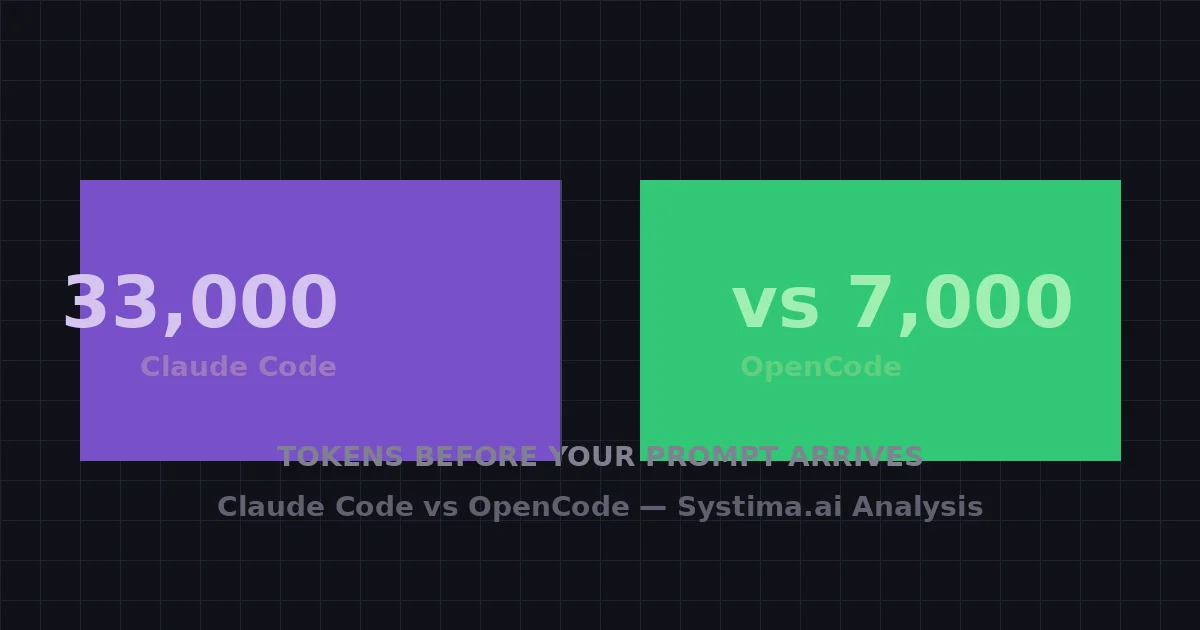
Claude Code Burns 33,000 Tokens Before Your Prompt Arrives — We Counted Every One
A systima.ai API-level analysis reveals Claude Code sends 33k tokens of system prompt and tool schemas per request vs 7k for OpenCode. Cache instability makes it worse — up to 54x more cache writes. Here's what it means for your daily workflow.
 #mcp
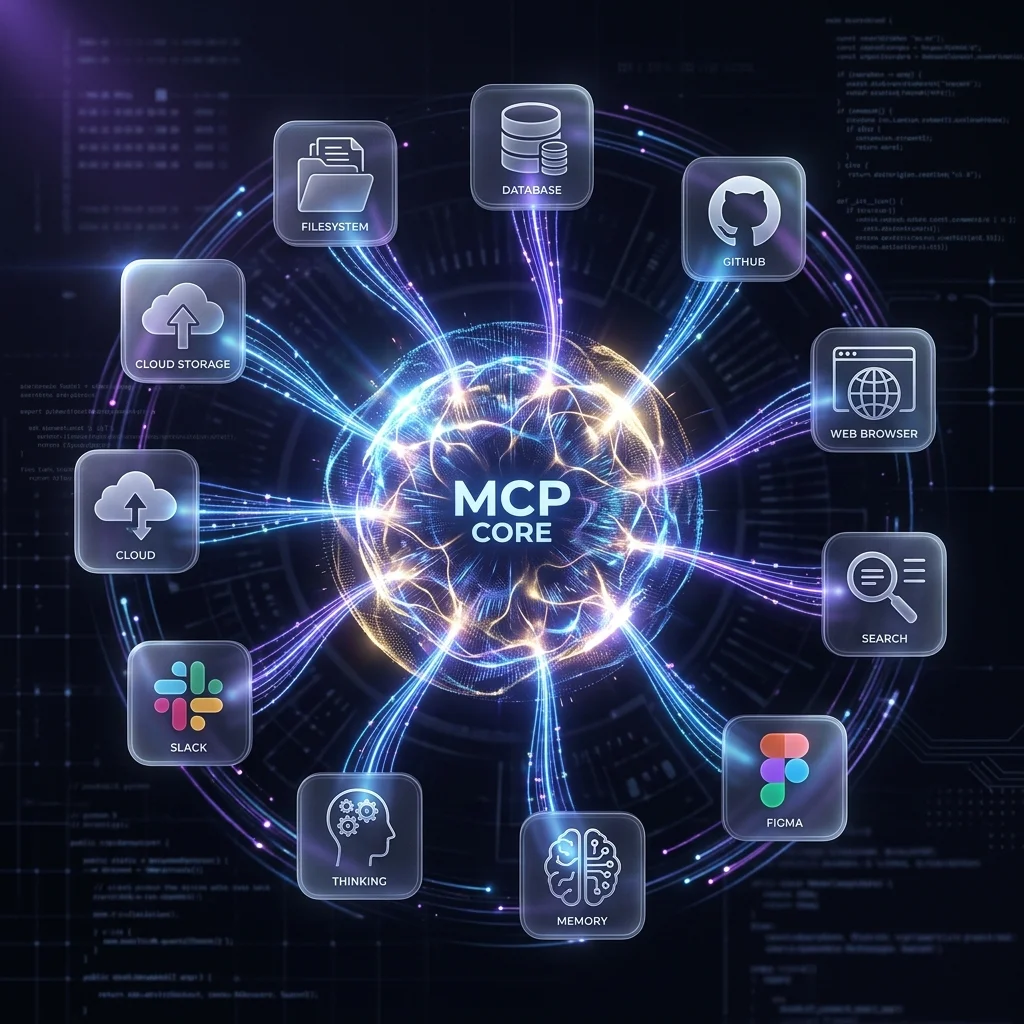
#mcp10 MCP Servers Every Developer Needs
The essential Model Context Protocol servers for AI coding agents — GitHub, Postgres, Filesystem, Brave Search, Figma, and more — with setup instructions for Claude Code, Gemini CLI, and OpenCode.
 #agent-skills
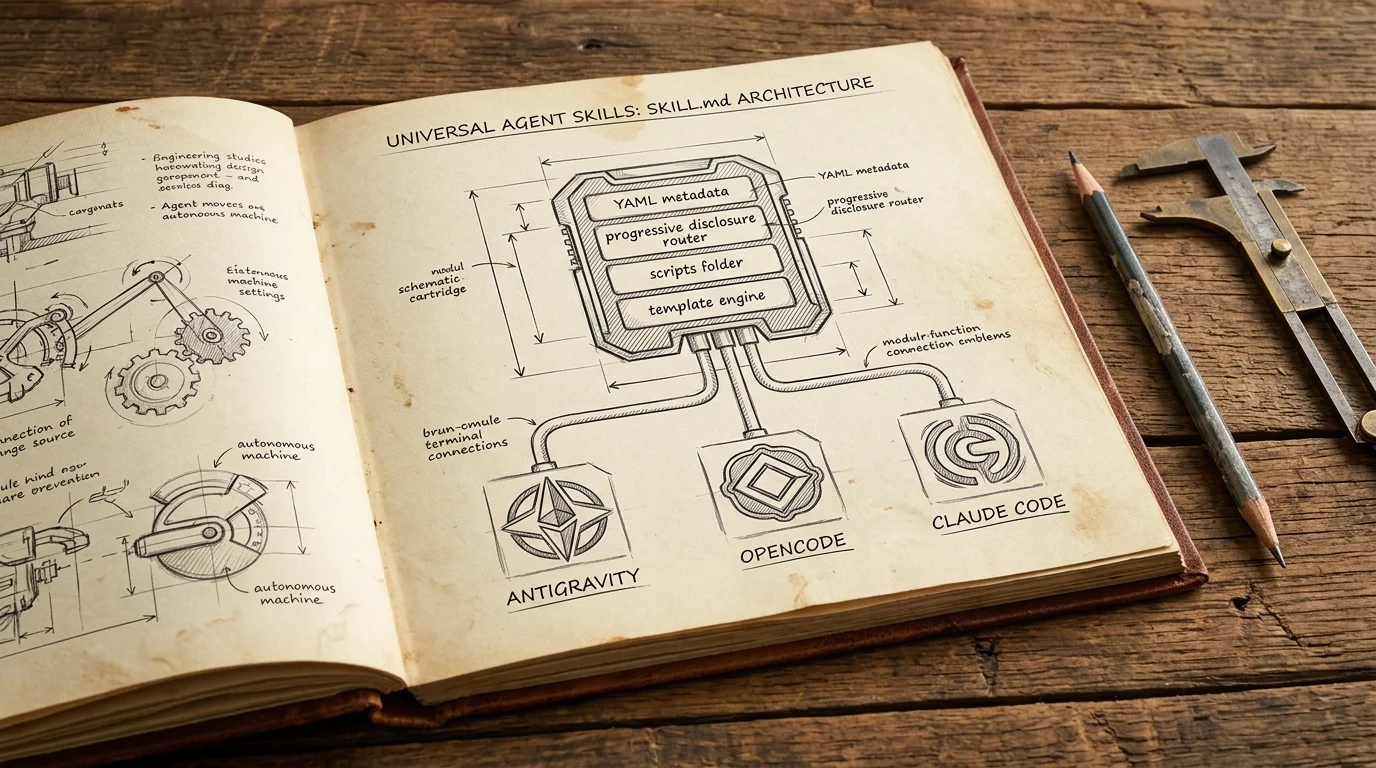
Cross-Platform Agent Skills: Writing Universal SKILL.md for Antigravity, OpenCode & Claude Code
A complete guide to authoring portable Agent Skills that run seamlessly across Google Antigravity, OpenCode, Claude Code, and Cursor without rewrite.