Tuesday, June 16, 2026
OpenAI Agents SDK: Architecture Deep-Dive and Framework Comparison
Posted by
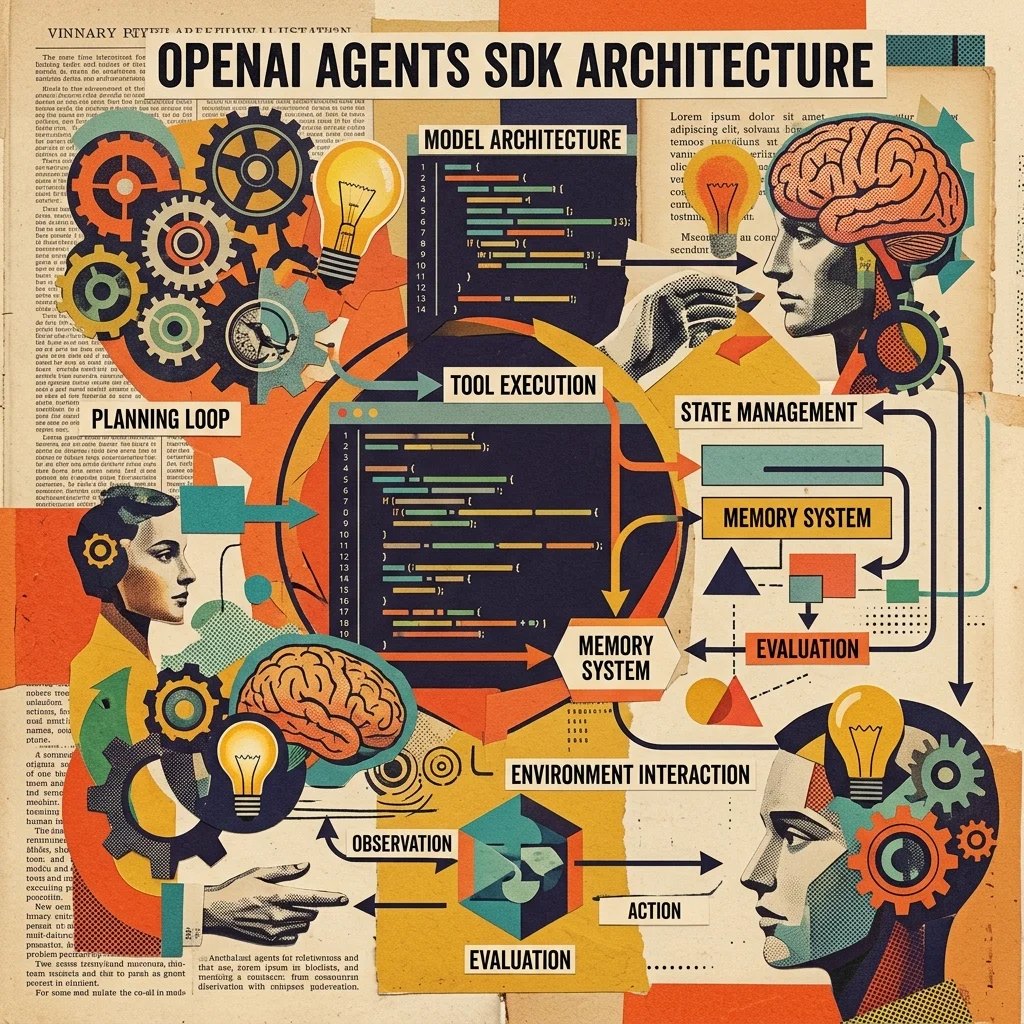
What Is the OpenAI Agents SDK?
The OpenAI Agents SDK is an orchestration framework for designing, building, and deploying LLM-powered agents. Released as a lightweight Python package (pip install openai-agents), it's a production-grade evolution of OpenAI's earlier Swarm experiment — same minimal API surface, but built for real-world reliability.
The SDK occupies a specific spot in the stack. It's not a model API (that's the Responses API and Chat Completions API). It's not a platform tool (that's the now-deprecated Agent Builder). It's an agent runtime — a library that manages the agent loop, dispatches tools, executes handoffs, runs guardrails, and collects traces.
Your Application
    ↓ SDK (Agent + Runner)
    ↓ Models (Responses API / Chat Completions / LiteLLM)
    ↓ Tools (function_tool / MCP / Hosted Tools)
This matters because OpenAI is deprecating the Assistants API (sunset August 26, 2026). The SDK is the recommended path forward for anyone who was building on Assistants and needs a framework to manage multi-turn, multi-tool, multi-agent workflows.
What It Isn't
- Not a replacement for direct API calls. If you need one LLM call with one tool, call the Responses API directly. The SDK adds 0 value and 1 dependency.
- Not a graph engine. LangGraph this is not. The SDK doesn't model workflows as directed graphs with state nodes and edges. It models agents as autonomous tools that can call other agents.
- Not a platform. You host it. OpenAI doesn't run your agent loop.
Architecture: Four Primitives
The SDK is built on a deliberately small set of abstractions. The entire framework fits in your head after reading one page of docs.
1. Agent
An Agent is an LLM configured with instructions, tools, and optional runtime behavior:
from agents import Agent

support_agent = Agent(
    name="Support Agent",
    instructions="You handle general support inquiries.",
    tools=[search_knowledge_base, escalate_to_human],
    model="gpt-4o-mini",  # per-agent model override
)
The agent owns:
- Instructions — system prompt. Can use prompt injection for dynamic behavior.
- Tools — function tools, hosted tools (WebSearch, FileSearch, Computer), MCP servers.
- Handoffs — references to other
Agentobjects. The LLM can choose to delegate. - Guardrails — input and output validation functions that run alongside execution.
- Output type — optional Pydantic model for structured output.
- Model override — each agent can use a different model.
The key insight: an Agent is a lightweight descriptor, not a long-lived process. It defines LLM instructions and capabilities. The Runner brings it to life.
2. Runner
The Runner is the execution engine. It manages the agent loop:
- Call the LLM with the agent's instructions and conversation history
- If the LLM returns tool calls, execute them
- Feed tool results back to the LLM
- If the LLM returns a handoff, transfer control to the target agent
- Repeat until done or max_turns reached
from agents import Agent, Runner

result = Runner.run_sync(
    support_agent,
    "I was charged twice for my subscription.",
)
print(result.final_output)
Runner.run() is the async version. Both return a RunResult that includes final_output, the full conversation history, and trace metadata.
The runner is where the SDK earns its keep. Without it, you'd write this loop yourself — calling the API, parsing tool calls, executing functions, checking for handoffs, re-entering the conversation. With it, you define the agents and the SDK manages state transitions.
3. Tools
Tools come in three flavors:
Function Tools — any Python function decorated with @function_tool:
from agents import function_tool

@function_tool
def get_weather(city: str) -> str:
    """Get the weather for a given city."""
    return f"The weather in {city} is sunny."
The SDK uses Python's inspect module for signature extraction, griffe for docstring parsing, and pydantic for schema generation. The OpenAI function-calling schema is generated automatically.
The @function_tool(defer_loading=True) option hides a function tool until a ToolSearchTool() runtime helper loads it — useful for agent toolkits where you want to register dozens of tools but only make the relevant ones visible.
Hosted Tools — OpenAI-managed tools that require no code:
WebSearchTool()— browse the webFileSearchTool()— search uploaded filesComputerTool()— computer-use actions (beta)CodeInterpreterTool()— execute code in a sandbox
MCP Tools — any Model Context Protocol server:
from agents.mcp import MCPServerStdio

async with MCPServerStdio(
    name="Filesystem Server",
    params={"command": "npx", "args": ["-y", "@modelcontextprotocol/server-filesystem", "/tmp"]}
) as server:
    agent = Agent(
        name="File Agent",
        instructions="Manage files for the user.",
        mcp_servers=[server],
    )
4. Handoffs
Handoffs are the SDK's multi-agent mechanism. An agent delegates to another by including the target agent in its handoffs list. The LLM decides when to hand off — the SDK recognizes the handoff signal in the LLM's response and transfers control automatically.
billing_agent = Agent(
    name="Billing Agent",
    instructions="Handle billing inquiries: charges, invoices, payment methods, refunds.",
)

triage_agent = Agent(
    name="Triage Agent",
    instructions="Route users to the right agent. For billing, hand off to Billing Agent.",
    handoffs=[billing_agent],
)

result = Runner.run_sync(triage_agent, "I was charged twice.")
Under the hood, handoffs work by rewriting the conversation to simulate a clean handoff context. The incoming agent sees only the relevant conversation history — not every previous turn from every agent. The SDK provides built-in handoff prompt templates (agents.extensions.handoff_prompt.prompt_with_handoff_instructions) to make this natural.
Handoffs stay within a single Runner.run() call. Input guardrails apply only to the first agent in the chain; output guardrails only to the agent producing the final output.
Guardrails: Safety at Every Layer
Guardrails are validation functions that run in parallel with agent execution. The SDK supports three scopes:
| Guardrail Type | When It Runs | What It Guards |
|---|---|---|
@input_guardrail | Before the LLM processes user input | Prevents bad prompts from reaching the model |
@output_guardrail | Before output reaches the user | Blocks harmful or off-topic responses |
| Tool guardrails | Before/after each custom function-tool call | Validates tool inputs and outputs |
from agents import input_guardrail, output_guardrail, GuardrailFunctionOutput

@input_guardrail
async def no_pii_guardrail(context, agent, input):
    if any(p in str(input).lower() for p in ["credit card", "ssn", "social security"]):
        return GuardrailFunctionOutput(tripwire_triggered=True)
    return GuardrailFunctionOutput(allow=True)
A guardrail with tripwire_triggered=True halts execution immediately. This is the SDK's primary safety mechanism and it's refreshingly simple — a guardrail is just a function that returns a boolean.
Sessions: Persistent Memory
Sessions maintain working context across agent turns. The SDK supports pluggable backends:
- SQLite — development and single-process deployments
- Redis — multi-process, multi-instance persistence
- Postgres (via SQLAlchemy) — production deployments with HA requirements
from agents import Agent, Runner, SQLAlchemySession

session = await SQLAlchemySession.create(
    connection_string="sqlite:///agent_memory.db"
)

agent = Agent(name="Memory Agent", instructions="Remember user preferences.")

result = await Runner.run(agent, "My name is Alice.", session=session)
result = await Runner.run(agent, "What's my name?", session=session)
# → "Your name is Alice."
Sessions store conversation history, tool call results, and any application context you inject via RunContextWrapper. The SDK handles serialization and deserialization — you provide the connection string.
Tracing: Observability Built In
Every agent run is automatically traced. The SDK collects:
- LLM generations (prompt, completion, token counts)
- Tool calls (function name, input, output, duration)
- Handoffs (source, target, reason)
- Guardrail checks (which guardrail, result, duration)
- Custom events you add with
agents.trace()
Traces are sent to OpenAI's Traces dashboard by default. You can also export to your observability stack — Datadog, Grafana, or a custom processor via TraceProcessor.
from agents import trace

with trace(workflow_name="Customer Support"):
    result = Runner.run_sync(triage_agent, "I need help with billing.")
This is one of the SDK's strongest features. Most agent frameworks ship tracing as an add-on or leave it to third-party tools. The SDK makes it free and automatic — you get it from the first Runner.run_sync().
Multi-Agent Orchestration Patterns
The SDK supports three distinct multi-agent patterns:
Pattern 1: Router/Supervisor
A supervisor agent routes requests to specialist agents. This is the most common pattern and the one the SDK handles best:
User → Triage Agent → [Billing Agent, Support Agent, Sales Agent]
Pattern 2: Agent as Tool
One agent exposes another agent as a tool it can call. The parent agent decides when to invoke the child, and the child runs with its own instructions and tools:
@function_tool
def delegate_to_research(query: str) -> str:
    result = Runner.run_sync(research_agent, query)
    return result.final_output

coordinator = Agent(
    name="Coordinator",
    instructions="You coordinate research tasks.",
    tools=[delegate_to_research],
)
Pattern 3: Parallel Agents
Multiple agents work on independent subtasks, and a final agent synthesizes results. The SDK doesn't have built-in parallel execution — you manage this yourself with Python's asyncio.gather() or a task queue:
import asyncio
from agents import Agent, Runner

research_agent = Agent(name="Researcher", instructions="Research the topic.")
writing_agent = Agent(name="Writer", instructions="Write the draft.")
review_agent = Agent(name="Reviewer", instructions="Review and improve.")

async def run_parallel():
    research, draft, review = await asyncio.gather(
        Runner.run(research_agent, "Topic: LLM agents"),
        Runner.run(writing_agent, "Write about LLM agents"),
        Runner.run(review_agent, "Review this article"),
    )
    return synthesize(research.final_output, draft.final_output, review.final_output)
This works but lacks built-in coordination. If you need parallel agents with shared state, dependency ordering, and error propagation, LangGraph's graph model may be a better fit.
How It Compares
LangGraph (LangChain)
LangGraph models agent workflows as directed graphs with explicit state nodes, edges, and conditional transitions. It's the most powerful and most complex option.
| Dimension | LangGraph | OpenAI Agents SDK |
|---|---|---|
| Core abstraction | State graph with nodes and edges | Agent descriptor + Runner loop |
| Control flow | Explicit via graph edges | Implicit via LLM+handoffs |
| State management | Manual — you design the state schema | Automatic via Runner + Sessions |
| Parallel execution | Built-in (fan-out/fan-in via nodes) | Manual (asyncio.gather) |
| Human-in-the-loop | First-class (checkpoints, approval nodes) | Via guardrails (limited) |
| Observability | LangSmith (comprehensive, paid tier) | Built-in tracing (free with API key) |
| Learning curve | Steep — graph design, state, routing | Gentle — agents, tools, handoffs |
| LLM support | 50+ providers via LangChain | OpenAI + 100+ via LiteLLM |
Pick LangGraph when: you need explicit control over execution flow, durable state for long-running workflows, sophisticated human-in-the-loop approval chains, or parallel agent execution with dependency management.
Pick OpenAI SDK when: you want a fast start with handoff-based multi-agent, built-in tracing is sufficient, your workflows are tree-shaped (router → specialist) rather than graph-shaped, and you're already on OpenAI infrastructure.
AutoGen (Microsoft)
AutoGen models multi-agent workflows as conversations between agents. An agent generates, another critiques, a third summarizes. The emergent behavior from conversation patterns is AutoGen's superpower.
| Dimension | AutoGen | OpenAI Agents SDK |
|---|---|---|
| Core abstraction | Conversational agent groups | Agent + Runner |
| Multi-agent model | Group chat, nested chat, two-agent chat | Handoffs (agent calls agent) |
| Human-in-the-loop | First-class — agent proposes, human approves | Via guardrails (basic) |
| Code execution | Built-in sandbox | Via SandboxAgent (beta) |
| Research backing | Published papers on conversation patterns | Production-oriented, less research |
| Stability | Active development with breaking changes | Production-focused, stable API |
| LLM support | OpenAI-focused via config | OpenAI + 100+ via LiteLLM |
Pick AutoGen when: your workflow benefits from emergent behavior through agent conversation — code review cycles where critic and author iterate, or research loops where agents challenge each other's assumptions. AutoGen's conversation patterns handle reciprocal direction changes naturally (agent A → agent B → agent A), which handoffs don't.
Pick OpenAI SDK when: you want deterministic handoffs between clearly defined specialists, your workflow is tree-shaped (one agent routes to one specialist), or you need built-in tracing without setting up a separate observability stack.
CrewAI
CrewAI models multi-agent systems as teams with roles. Agents have roles, goals, and backstories. Tasks have clear owners. This maps beautifully to how humans think about team workflows.
| Dimension | CrewAI | OpenAI Agents SDK |
|---|---|---|
| Core abstraction | Roles + Tasks + Crew | Agent + Runner |
| Prototyping speed | Fastest — 30 lines for multi-agent | Fast — 50 lines for multi-agent |
| Tool integration | Basic, thinner docs | Rich (function_tool, MCP, hosted tools) |
| Execution model | Sequential tasks per role | Handoff-driven, less structured |
| Observability | Limited | Built-in tracing |
| Production readiness | Approaching — limited checkpointing | High — tracing, guardrails, sessions |
| LLM support | OpenAI-focused | OpenAI + 100+ via LiteLLM |
Pick CrewAI when: you need to prototype a multi-agent workflow in an afternoon, your agents have clear role-based responsibilities that map to sequential tasks (research → write → review), and you accept the gap between prototype and production.
Pick OpenAI SDK when: production reliability matters — guardrails, tracing, and session persistence are priorities; you need rich tool integration with MCP; or your multi-agent pattern is routing/supervisor rather than role-based pipelines.
Feature Comparison Matrix
| Feature | OpenAI SDK | LangGraph | AutoGen | CrewAI |
|---|---|---|---|---|
| Agent definition | Python class | Graph node | Agent class | Role-based |
| Tool registration | @function_tool, MCP, hosted | Tool decorator | Tool class | Tool class |
| Multi-agent orchestration | Handoffs | Graph edges | Group chat | Sequential tasks |
| Guardrails | Built-in (3 scopes) | Via callbacks | Limited | None |
| Tracing | Built-in, free | LangSmith (paid tiers) | Third-party | Limited |
| Human-in-the-loop | Via guardrails | First-class (checkpoints) | First-class | Via tasks |
| MCP support | Native | Community adapters | Community adapters | Via plugins |
| Parallel execution | Manual (asyncio) | Built-in (fan-out) | Via group chat | Sequential only |
| Sessions/memory | Built-in (SQLite/Redis/PG) | Built-in (checkpointer) | Via agents | Limited |
| LLM provider support | OpenAI + 100+ via LiteLLM | 50+ providers | OpenAI-focused | OpenAI-focused |
| Production readiness | High | Highest | Medium | Approaching |
| Learning curve | Low | High | Medium | Low |
| License | MIT | MIT | MIT (AG2) | MIT |
Limitations
The SDK is not a silver bullet. Here's what it doesn't do well:
Vendor lock-in. The SDK is provider-agnostic on paper (it supports any LLM via LiteLLM), but in practice the best features — tracing dashboard, hosted tools, sandbox agents — are OpenAI-only. Non-OpenAI models lose the built-in hosted tools and may not get full tracing fidelity.
No parallel execution. The SDK runs one agent at a time. Handoffs are sequential. If you need parallel agents with result merging, you write the coordination yourself. LangGraph handles this natively with fan-out/fan-in graph nodes.
Limited human-in-the-loop. Guardrails can halt execution, but they can't pause and resume. AutoGen's model — where an agent proposes, a human approves, the agent continues — isn't achievable with the current SDK. You'd need to build a custom workflow around the guardrail tripwire.
OpenAI model pricing. Running the SDK with OpenAI models means paying per-token at standard API rates. For high-volume agent deployments with many turns per session, costs can add up quickly. The SDK doesn't include cost control or budgeting.
Sandbox agents are beta. The isolated workspace execution (Docker sandbox for code running) is in beta. The API and capabilities are expected to change before GA.
No TypeScript support yet. The SDK is Python-only. TypeScript is "planned for a future release."
Pitfalls
What I learned the hard way evaluating this SDK:
Max turns matters. The default max_turns=10 in Runner.run_sync() is easy to hit in multi-handoff workflows. Each handoff costs a turn. Three agents with two tools each can exhaust 10 turns before producing output. Either raise max_turns or set max_turns=None to disable the limit entirely (available in recent SDK versions).
Tracing costs nothing but requires an OpenAI API key. You can use tracing with non-OpenAI models — the SDK lets you set a separate tracing key via set_tracing_export_api_key(). But you need at least one valid OpenAI API key even if you're running on Anthropic or local models.
Handoff history management. By default, when agent A hands off to agent B, the conversation rewrites to give B a clean context. The SDK provides filters in agents.extensions.handoff_filters for common rewrite strategies. If you need the full conversation visible to all agents, you'll need a custom handoff filter.
Tool guardrails fire on every call. If you register a tool guardrail on a frequently-used function, it runs on every invocation. Keep guardrail logic cheap — no heavy model calls or external API requests in the guardrail path.
Session serialization can surprise you. Sessions persist everything including tool outputs. If your tools return large data (files, images, long search results), the session database grows fast. Set a retention policy or prune old sessions.
When to Use the OpenAI Agents SDK
Good Fit
- You're building on OpenAI infrastructure. If your stack already uses OpenAI models and the Responses API, the SDK adds agent orchestration with minimal new surface area.
- Your workflow is router-based. A supervisor agent that hands off to specialists is the SDK's best pattern. It handles this naturally and efficiently.
- You need built-in guardrails and tracing. If these are compliance requirements, the SDK ships them ready to go. No assembly required.
- You're migrating from the Assistants API. The August 2026 sunset makes this urgent. The SDK is the recommended migration path.
Bad Fit
- You need parallel agents with coordinated results. LangGraph handles this better with graph-structured fan-out/fan-in.
- Your workflow needs multi-step human approval. AutoGen's conversation model with embedded human review is a better fit.
- You're on a tight token budget. The SDK abstracts away token tracking per step. You can inspect traces post-hoc, but there's no built-in cost governor.
- You need TypeScript support. It's coming but not here yet.
The Bottom Line
The OpenAI Agents SDK is the most batteries-included agent framework on the market for OpenAI-native stacks. Guardrails, tracing, sessions, MCP integration, and handoff-based multi-agent orchestration ship in a single pip install. The SDK's minimal abstraction layer — agents, tools, handoffs, guardrails — lets you build production agent workflows without learning a complex framework API.
But the SDK is opinionated. Handoffs are the only multi-agent pattern. Parallel execution is your responsibility. Human-in-the-loop beyond simple tripwires requires custom work. And for all its provider-agnostic claims, the SDK's best features are OpenAI-only.
Reach for the OpenAI Agents SDK when: you're on OpenAI, your multi-agent pattern is router-to-specialist, and you want guardrails and tracing without configuring external tools.
Reach for LangGraph when: you need explicit state control, parallel execution, and durable checkpoints — and you can invest in learning the graph model.
Reach for AutoGen when: your value is in emergent conversation patterns — agents that critique, iterate, and converge through dialogue.
Reach for CrewAI when: you're prototyping and need a multi-agent system working in an afternoon. Then evaluate whether the pattern justifies a production framework investment.
For a practical setup guide covering installation, agent configuration, and common patterns, see the OpenAI Agents SDK Setup Guide. For the broader agent framework landscape including LangChain and smaller players, see AI Agent Frameworks Compared (2026).