SQL Agent Blueprint
Converts natural language questions into SQL, runs them on SQLite, validates results, and explains findings. Self-contained, no external DB.

SQL Agent
An AI agent that answers business questions by writing and running SQL. It reads your database schema, generates queries from natural language, executes them on SQLite, validates that results make sense, and explains findings in plain English. No external database setup — SQLite is built into Python.
Note:
Point this agent at any SQLite database (or convert CSVs to SQLite with sqlite3 data.db ".import mydata.csv table_name"). It works with existing application databases too — just point database_path at your .db file.
This is Part 2 of the Data Pipeline series: File-Based ETL Agent → SQL Agent (this page) → Data Insights Agent. Point it at the cleaned output of Part 1, or at any SQLite file you already have.
What You'll End Up With
- A natural-language interface to any SQLite database: ask a question, get a validated answer with supporting numbers
- A five-tool agent loop that reads schemas before writing SQL — never guessing table or column names
- Guardrails: SELECT-only enforcement, result caps, and a sanity-check pass on every result set
- Plain-English explanations of findings written for a business audience, not a DBA
By the end of this guide you'll have built and understood each layer: schema introspection, query generation, guarded execution, validation, and explanation.
The Problem
Text-to-SQL demos are easy; trustworthy text-to-SQL is not. A model that writes SQL directly against guessed column names produces confident garbage — wrong JOINs, silent NULL propagation, aggregations over half-empty columns. And even a correct query can mislead: one row back for "how many?" usually means a bug, but nothing catches it. For how the frontier labs solve this, see the Gemini-SQL2 architecture breakdown.
The fix is architectural, not prompt-hoping. Give the model tools that force the right sequence — read the schema first, execute through a guardrail, then run sanity checks on results before explaining them. The loop turns "usually right" into "wrong out loud": failed queries come back as tracebacks the model must fix, and suspicious results get flagged before they reach the business user.
Step 1: Scaffold the Project
Step 2: Configure and Verify
Install Dependencies
The agent only needs the OpenAI client. SQLite is built into Python's standard library.
pip install openai
Create config.json
Point the agent at your SQLite database.
{
  "openai_api_key": "sk-...",
  "model": "gpt-4o",
  "max_iterations": 6,
  "database_path": "./data/sales.db",
  "max_result_rows": 50
}
Note:
The agent runs read-only queries by default. It will refuse to execute INSERT, UPDATE, DELETE, DROP, or ALTER statements. This is enforced in the system prompt, not at the SQL level — treat it as a safety net, not a guarantee.
Verify
Ask a test question to verify setup.
python agent.py --query "What tables are in the database and how many rows does each have?"
The agent should read the schema and return table names with row counts.
Step 3: The System Prompt
The prompt encodes the discipline the tools enforce: schema before query, SELECT-only, CTEs for debuggability, and a FINAL_ANSWER: sentinel that ends the loop.
You are a senior data analyst who answers questions by writing and running SQL
queries against a SQLite database. Follow this protocol:

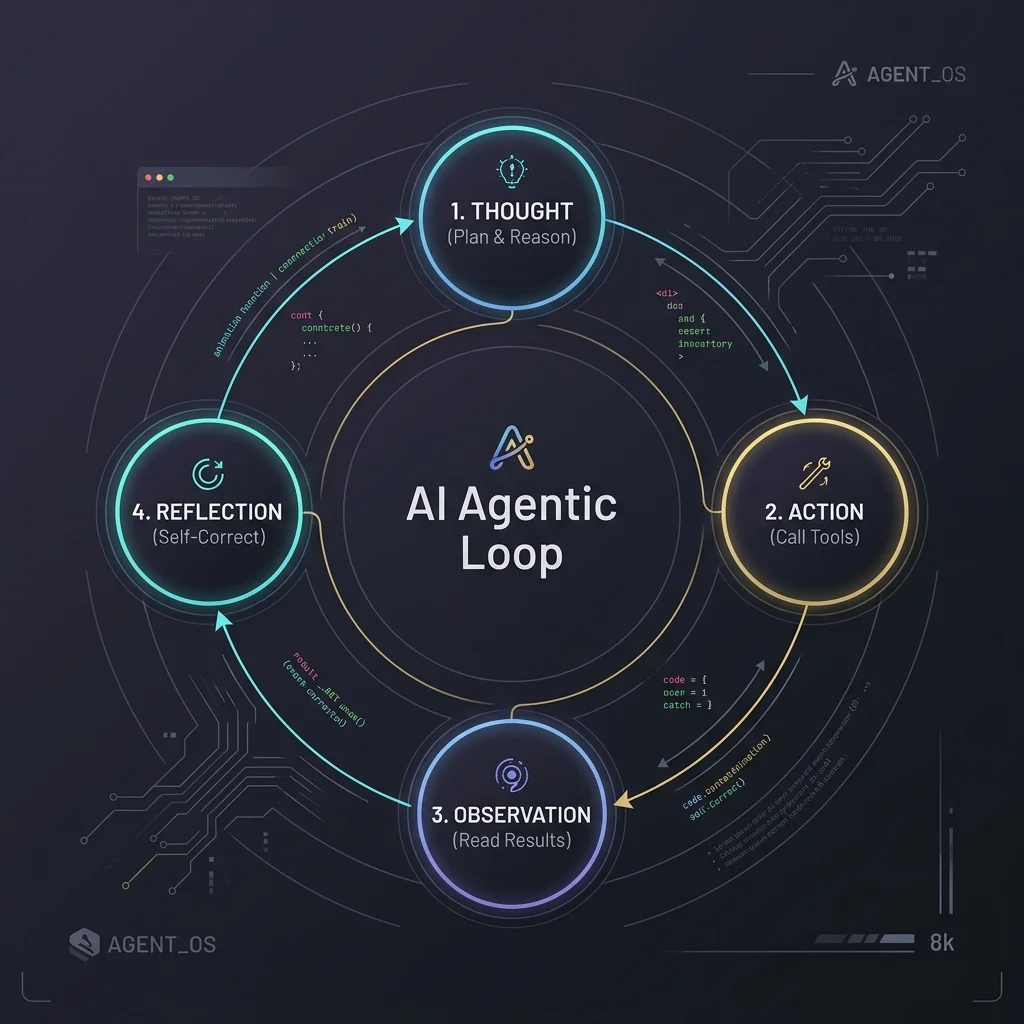
1. THOUGHT: What does the user want to know? What tables and columns are involved?
2. ACTION: Read the database schema to understand available tables, columns, and types
3. Write a SQL query to answer the question
4. Run the query — if it fails, analyze the error and fix the query
5. Validate that the results make sense (row counts, value ranges, no obvious SQL mistakes)
6. Explain the findings in plain English
7. FINAL_ANSWER: The user's question answered, with supporting data

Rules:
- Always read the schema before writing any query — never guess table or column names
- Use ONLY SELECT statements. Never write INSERT, UPDATE, DELETE, DROP, or ALTER
- Limit results with LIMIT 50 unless the user asks for more
- Use CTEs (WITH clauses) for complex queries — they're more readable and debuggable
- If a query returns empty results, check whether the data exists before assuming it doesn't
- Explain what the query does in plain English, not just the SQL
Step 4: Define the Tools
Agent Tools
Values: none
Values: question: string
Values: query: string
Values: query: string, results: string
Values: question: string, query: string, results: string
Five tools, one per stage of the loop. Two of them (generate_query, explain_findings) call the LLM internally — nested completion calls are fine here because their jobs are narrow and single-shot.
Schema Introspection: read_schema
Always the first tool called. It renders tables, columns, types, keys, and live row counts as plain text — everything the model needs to plan a correct JOIN.
# tools.py
import os
import re
import sqlite3

DATABASE_PATH = None
MAX_RESULT_ROWS = 50

def read_schema():
    if not os.path.exists(DATABASE_PATH):
        return f"ERROR: Database not found: {DATABASE_PATH}"
    try:
        conn = sqlite3.connect(DATABASE_PATH)
        cursor = conn.cursor()

        # Get all tables
        cursor.execute("SELECT name FROM sqlite_master WHERE type='table' ORDER BY name")
        tables = [row[0] for row in cursor.fetchall()]

        output = []
        for table in tables:
            # Column info
            cursor.execute(f"PRAGMA table_info('{table}')")
            cols = cursor.fetchall()
            col_lines = [f"  {c[1]} {c[2]}{' PRIMARY KEY' if c[5] else ''}{' NOT NULL' if c[3] else ''}" for c in cols]

            # Row count
            cursor.execute(f"SELECT COUNT(*) FROM [{table}]")
            count = cursor.fetchone()[0]

            # Foreign keys
            cursor.execute(f"PRAGMA foreign_key_list('{table}')")
            fks = cursor.fetchall()
            fk_lines = [f"  → {fk[3]}.{fk[4]} (ON DELETE {fk[5] or 'NO ACTION'})" for fk in fks] if fks else []

            output.append(f"TABLE: {table} ({count} rows)")
            output.extend(col_lines)
            if fk_lines:
                output.append("  Foreign keys:")
                output.extend(fk_lines)
            output.append("")

        conn.close()
        return "\n".join(output)
    except Exception as e:
        return f"ERROR reading schema: {e}"
The row counts matter more than they look: knowing orders has 12,430 rows and products has 340 tells the model which table drives cardinality before it writes a line of SQL.
Query Generation: generate_query
A scoped second LLM call — schema in, SQL out. Temperature 0.1 and an explicit "return ONLY the query" rule keep this deterministic; the fence-stripping handles models that wrap output in markdown blocks anyway.
def generate_query(client, model, question):
    schema = read_schema()
    prompt = f"""Write a SQLite SELECT query to answer this question. Use ONLY SELECT.

Database schema:
{schema}

Question: {question}

Rules:
- Use ONLY SELECT statements
- Use explicit column names, not SELECT *
- Add LIMIT {MAX_RESULT_ROWS} unless the question asks for a count or aggregation
- Use CTEs (WITH clauses) for multi-step queries
- Qualify column names with table names when joining
- Return ONLY the SQL query, no explanation"""

    response = client.chat.completions.create(
        model=model,
        messages=[{"role": "user", "content": prompt}],
        temperature=0.1
    )
    text = response.choices[0].message.content.strip()
    # Strip markdown code fences if present
    if text.startswith("```"):
        text = re.sub(r'^```\w*\n?', '', text)
        text = re.sub(r'\n?```$', '', text)
    return text
Guarded Execution: run_query
The safety layer. A regex gate rejects anything that isn't a SELECT before it touches SQLite, results are capped at MAX_RESULT_ROWS, and failures return the full query and the error — so the model can fix what it wrote.
def run_query(query):
    query = query.strip()
    # Reject non-SELECT queries
    if not re.match(r'^\s*SELECT\b', query, re.IGNORECASE):
        return f"ERROR: Only SELECT queries are allowed. Rejected: {query[:80]}..."

    if not os.path.exists(DATABASE_PATH):
        return f"ERROR: Database not found: {DATABASE_PATH}"

    try:
        conn = sqlite3.connect(DATABASE_PATH)
        conn.row_factory = sqlite3.Row
        cursor = conn.cursor()
        cursor.execute(query)
        rows = cursor.fetchall()

        if not rows:
            conn.close()
            return "Query returned 0 rows."

        cols = [desc[0] for desc in cursor.description]
        result = " | ".join(cols) + "\n"
        result += "-" * len(result) + "\n"
        for row in rows[:MAX_RESULT_ROWS]:
            result += " | ".join(str(v) for v in row) + "\n"

        if len(rows) > MAX_RESULT_ROWS:
            result += f"\n... ({len(rows) - MAX_RESULT_ROWS} more rows not shown)"

        conn.close()
        return result
    except Exception as e:
        return f"QUERY ERROR: {e}\n\nQuery was:\n{query}"
A rejected mutation comes back as a plain refusal:
ERROR: Only SELECT queries are allowed. Rejected: DELETE FROM orders WHERE ...
(Illustrative.) The model sees this string in the tool result and corrects course — the guardrail works because it's visible to the agent, not because it's silent.
Sanity Checks: validate_results
This tool catches the failure mode raw SQL can't: queries that succeed but return nonsense — one row when you asked "how many", truncation at the cap, columns that are more than half NULL (classic OUTER JOIN symptom).
def validate_results(query, results):
    issues = []

    if "Query returned 0 rows" in results:
        issues.append("Query returned no rows. Check if filter conditions are too strict.")
    elif "ERROR" in results:
        issues.append("Query failed with an error. Fix the SQL and retry.")
        return "\n".join(issues)

    lines = results.strip().split("\n")
    if len(lines) > 1:
        data_lines = [l for l in lines[2:] if l and not l.startswith("...") and not l.startswith("-")]
        if len(data_lines) == 1:
            issues.append(f"Only 1 result row — results may be a scalar. Confirm this is expected.")
        if len(data_lines) >= MAX_RESULT_ROWS:
            issues.append(f"Results truncated at {MAX_RESULT_ROWS} rows. Consider a more specific query.")

    # Check for NULL-heavy columns
    if not issues:
        col_count = len(lines[0].split("|")) if lines else 0
        data_lines = [l for l in lines[2:] if l and not l.startswith("...") and not l.startswith("-")]
        nulls = {}
        for line in data_lines:
            for i, val in enumerate(line.split("|")):
                if val.strip() in ("None", "", "NULL"):
                    nulls[i] = nulls.get(i, 0) + 1
        for idx, count in nulls.items():
            if count > len(data_lines) * 0.5:
                col_name = lines[0].split("|")[idx].strip() if idx < col_count else f"col_{idx}"
                issues.append(f"Column '{col_name}' has {count}/{len(data_lines)} NULLs. Check for data quality issues or OUTER JOIN problems.")

    return "\n".join(issues) if issues else "Results look valid."
Example output when something is wrong:
Column 'region' has 31/50 NULLs. Check for data quality issues or OUTER JOIN problems.
(Illustrative.) This is the string that stops confident garbage from reaching the explanation stage.
Plain-English Layer: explain_findings
The last tool translates validated results into business language — capped at 200 words, structured as finding → key numbers → surprises.
def explain_findings(client, model, question, query, results):
    prompt = f"""Explain these SQL results in plain English for a business audience.

Original question: {question}

SQL query run:
{query}

Results:
{results}

Explain:
1. What the query found (in plain English, not SQL)
2. The key numbers and what they mean
3. Any notable patterns or surprises
Keep it under 200 words."""

    response = client.chat.completions.create(
        model=model,
        messages=[{"role": "user", "content": prompt}],
        temperature=0.2
    )
    return response.choices[0].message.content
Step 5: Run the Agent Loop
Same shape as the ETL agent: call the model, dispatch tool calls, feed results back, stop at the sentinel. The dispatcher maps each tool name to its implementation — including the two nested-LLM tools.
# agent.py
import json
import argparse
from openai import OpenAI
import tools as agent_tools

TOOL_SCHEMAS = [
    {
        "type": "function",
        "function": {
            "name": "read_schema",
            "description": "Read the full database schema with tables, columns, types, keys, and row counts",
            "parameters": {"type": "object", "properties": {}, "required": []}
        }
    },
    {
        "type": "function",
        "function": {
            "name": "generate_query",
            "description": "Generate a SQL SELECT query from a natural language question using the database schema",
            "parameters": {
                "type": "object",
                "properties": {"question": {"type": "string"}},
                "required": ["question"]
            }
        }
    },
    {
        "type": "function",
        "function": {
            "name": "run_query",
            "description": "Execute a SQL SELECT query on the database. Only SELECT statements are allowed.",
            "parameters": {
                "type": "object",
                "properties": {"query": {"type": "string"}},
                "required": ["query"]
            }
        }
    },
    {
        "type": "function",
        "function": {
            "name": "validate_results",
            "description": "Check query results for sanity: row counts, nulls, value ranges",
            "parameters": {
                "type": "object",
                "properties": {
                    "query": {"type": "string"},
                    "results": {"type": "string"}
                },
                "required": ["query", "results"]
            }
        }
    },
    {
        "type": "function",
        "function": {
            "name": "explain_findings",
            "description": "Explain query results in plain English for a business audience",
            "parameters": {
                "type": "object",
                "properties": {
                    "question": {"type": "string"},
                    "query": {"type": "string"},
                    "results": {"type": "string"}
                },
                "required": ["question", "query", "results"]
            }
        }
    }
]

SYSTEM_PROMPT = """You are a senior data analyst who answers questions by writing
and running SQL queries against a SQLite database. Follow this protocol:

1. THOUGHT: What does the user want to know? What tables and columns are involved?
2. ACTION: Read the database schema
3. Write a SQL query to answer the question
4. Run the query — if it fails, analyze the error and fix the query
5. Validate that the results make sense
6. Explain the findings in plain English
7. FINAL_ANSWER: The user's question answered, with supporting data

Rules:
- Always read the schema before writing any query
- Use ONLY SELECT statements
- Limit results unless the user asks for more
- Use CTEs (WITH clauses) for complex queries
- Qualify column names with table names when joining
- If a query returns empty results, verify whether data exists
- Explain what the query does in plain English"""


def run_agent(question: str, config: dict):
    client = OpenAI(api_key=config["openai_api_key"])
    model = config.get("model", "gpt-4o")

    agent_tools.DATABASE_PATH = config.get("database_path", "./data/sales.db")
    agent_tools.MAX_RESULT_ROWS = config.get("max_result_rows", 50)

    messages = [
        {"role": "system", "content": SYSTEM_PROMPT},
        {"role": "user", "content": f"Answer this question using the database: {question}"}
    ]

    for i in range(config.get("max_iterations", 6)):
        response = client.chat.completions.create(
            model=model,
            messages=messages,
            tools=TOOL_SCHEMAS,
            temperature=0.1
        )

        msg = response.choices[0].message
        messages.append(msg)

        if msg.content and "FINAL_ANSWER:" in msg.content:
            return msg.content.split("FINAL_ANSWER:", 1)[1].strip()

        if not msg.tool_calls:
            messages.append({
                "role": "user",
                "content": "Continue. Read the schema, generate and run a query, validate results, explain findings. End with FINAL_ANSWER."
            })
            continue

        for tool_call in msg.tool_calls:
            func_name = tool_call.function.name
            func_args = json.loads(tool_call.function.arguments)

            if func_name == "read_schema":
                result = agent_tools.read_schema()
            elif func_name == "generate_query":
                result = agent_tools.generate_query(
                    client, model, func_args.get("question", ""))
            elif func_name == "run_query":
                result = agent_tools.run_query(
                    func_args.get("query", ""))
            elif func_name == "validate_results":
                result = agent_tools.validate_results(
                    func_args.get("query", ""),
                    func_args.get("results", ""))
            elif func_name == "explain_findings":
                result = agent_tools.explain_findings(
                    client, model,
                    func_args.get("question", ""),
                    func_args.get("query", ""),
                    func_args.get("results", ""))
            else:
                result = f"Unknown tool: {func_name}"

            messages.append({
                "role": "tool",
                "tool_call_id": tool_call.id,
                "content": result
            })

    return "Agent reached max iterations."


if __name__ == "__main__":
    parser = argparse.ArgumentParser()
    parser.add_argument("--query", required=True, help="Natural language question to answer")
    parser.add_argument("--config", default="config.json")
    args = parser.parse_args()

    with open(args.config) as f:
        config = json.load(f)

    result = run_agent(args.query, config)
    print(result)
Step 6: Watch It Answer a Question
Answering "Which product categories grew more than 20% quarter-over-quarter?" against a sales database — including the schema ambiguity the agent has to resolve in step 1.
Agent reads the schema
read_schema() returns:
TABLE: orders (12,430 rows)
  order_id INTEGER PRIMARY KEY
  product_id INTEGER NOT NULL
  category TEXT NOT NULL
  amount REAL NOT NULL
  order_date TEXT NOT NULL
  → products.product_id (ON DELETE NO ACTION)

TABLE: products (340 rows)
  product_id INTEGER PRIMARY KEY
  name TEXT NOT NULL
  category TEXT NOT NULL
The agent notes: category exists in both tables — needs to understand which one drives the question. Orders has per-transaction data, products has metadata.
Generates the query
generate_query("Which product categories grew >20% QoQ?") produces:
WITH quarterly AS (
  SELECT
    p.category,
    strftime('%Y', o.order_date) AS year,
    ((cast(strftime('%m', o.order_date) AS integer) - 1) / 3) + 1 AS quarter,
    SUM(o.amount) AS total_revenue
  FROM orders o
  JOIN products p ON o.product_id = p.product_id
  GROUP BY p.category, year, quarter
),
qoq AS (
  SELECT
    category,
    year,
    quarter,
    total_revenue,
    LAG(total_revenue) OVER (
      PARTITION BY category ORDER BY year, quarter
    ) AS prev_revenue
  FROM quarterly
)
SELECT
  category,
  year,
  quarter,
  total_revenue,
  prev_revenue,
  ROUND((total_revenue - prev_revenue) / prev_revenue * 100, 1) AS growth_pct
FROM qoq
WHERE prev_revenue IS NOT NULL
  AND (total_revenue - prev_revenue) / prev_revenue > 0.20
ORDER BY growth_pct DESC
Runs and validates
run_query returns 4 rows. validate_results notes: "Results look valid — 4 categories show >20% growth, no NULL columns."
But the agent double-checks: "Q1 2026 has no prior quarter — LAG returns NULL. The WHERE prev_revenue IS NOT NULL handles this correctly."
Delivers FINAL_ANSWER
FINAL_ANSWER:

4 product categories grew more than 20% quarter-over-quarter:

1. Electronics: +34.2% (Q1 2026 vs Q4 2025) — $142K → $191K
2. Home & Garden: +28.7% (Q1 2026 vs Q4 2025) — $89K → $115K
3. Sports: +24.1% (Q4 2025 vs Q3 2025) — $67K → $83K
4. Books: +21.5% (Q1 2026 vs Q4 2025) — $41K → $50K

Electronics is the standout, growing 34% QoQ. All growth was in the most
recent quarter (Q1 2026 vs Q4 2025), which may reflect seasonal holiday
momentum rather than structural growth — check Q2 2026 data when available.
Limitations
- Read-only enforcement is prompt-based, not SQL-level. The regex gate plus system prompt stop honest mistakes, not adversarial ones. For production, open the connection read-only (
sqlite3.connect("file:data.db?mode=ro", uri=True)) or use a read replica. - SQLite dialect only. Generated SQL uses SQLite functions (
strftime,PRAGMA); porting to Postgres/MySQL means adjustinggenerate_query's prompt and validating dialect-specific syntax. - Schema-size ceiling.
read_schemadumps every table into context; databases with hundreds of tables will need table filtering or retrieval before this loop stays cheap. - Validation is heuristic.
validate_resultscatches structural smells (row counts, NULL-heavy columns), not semantic errors like a wrong date boundary.
Customization
Database Settings
Values: path to .db file
Values: gpt-4o, gpt-4o-mini
Values: 10-200 (default 50)
Values: 1-10 (default 6)
Note:
Read-only enforcement is prompt-based, not SQL-level. The agent's system prompt instructs it to write only SELECT statements, but this is not enforced at the database connection level. For production use, open the database in read-only mode or use a dedicated read replica.
What's Next
A SQL agent's real value is in the iteration loop — schema → query → error → fix → validate. The first query is often wrong; the agent catches and fixes these faster than manual querying, especially for multi-CTE analytical work.
Where to go from here:
- Data Insights Agent — Part 3 of the series: automated statistics, charts, and written reporting on the same data
- Datasette tool gating — when you need write-capable SQL tools with human approval instead of a hard SELECT-only wall
- Extensions: swap the regex gate for SQLite's
authorizerAPI, add few-shot examples of your schema's conventions togenerate_query, or cacheread_schemaoutput between runs on large databases
Part 2 of the data pipeline series: File-Based ETL Agent → SQL Agent → Data Insights Agent. Related reading: Datasette Agent Tool Gating adds a production-grade approval flow for write-capable SQL tools, the Data Insights Agent automates analysis on top of query results, and the ETL agent cleans and validates data before the first query runs.
Related Articles & Guides
 #datasette-agent
Permission-Gated Tool-Use: How Datasette Agent 0.3a0 Handles User Approval for Write Operations
Case study in safe agent tool design: execute_write_sql, ask_user() approvals, permission gating, and building your own gated Datasette tools.
Building Voice-Enabled Agents with OpenAI WebRTC and Document Context
Step-by-step tutorial on using OpenAI's WebRTC Audio Session API with document context injection. Build a voice agent that references uploaded documents during realtime conversations — with streaming audio, context management, and interruption handling.
 #contract-review
Contract Review Agent Blueprint
AI agent that reviews contracts: extracts clauses, flags risks, compares versions, and generates summaries. Ready-to-run with PDF and Markdown contract input.