Building Voice-Enabled Agents with OpenAI WebRTC and Document Context
Step-by-step tutorial on using OpenAI's WebRTC Audio Session API with document context injection. Build a voice agent that references uploaded documents during realtime conversations — with streaming audio, context management, and interruption handling.
What You'll Build
By the end of this tutorial, you'll have a working browser-based voice agent that:
- Connects to OpenAI's GPT-Realtime-2 model over WebRTC
- Lets you paste a document before the conversation starts
- References that document naturally during the audio conversation
- Tracks token usage and cost in real time
- Handles mute/unmute, interruptions, and session teardown cleanly
I built this exact demo as a single HTML page with a two-line Node.js server for the ephemeral token endpoint. Here's what it looks like in action:
OpenAI WebRTC Audio Session
[●●] (green pulsing indicator when speaking)

Model: gpt-realtime-2  |  Voice: ash  |  Session: Connected

Last transcript:
"Based on the research paper you shared, the key finding is that
retrieval-augmented generation improves accuracy by 34% when the
knowledge base includes at least 5 relevant passages per query."

┌──────────────────────────────────────────────┐
│ Session Costs                                │
│ Input:  $0.0012    Output: $0.0035    Total: $0.0047 │
└──────────────────────────────────────────────┘
Note:
You need an OpenAI API key with access to the gpt-realtime-2 model. The Realtime API is no longer in beta — it's GA as of May 2026, so your existing key should work if it has the right model access.
Architecture Overview
The OpenAI WebRTC realtime flow has three actors:
┌──────────────┐     POST /v1/realtime/client_secrets     ┌──────────────┐
│              │ ────────────────────────────────────────→ │              │
│   Your       │     ← {client_secret: {value: "epk_..."}} │   OpenAI     │
│   Server     │                                            │   API        │
│  (Node.js)   │                                            │              │
│              │     POST /v1/realtime/calls + SDP          │              │
└──────┬───────┘ ─────────────────────────────────────────→ └──────────────┘
       │              ← SDP answer                          ↑
       │                                                     │
       │  1. Fetch ephemeral token                           │
       │  2. RTCPeerConnection with SDP                      │
       │  3. Data channel for events                         │
       │  4. Audio tracks flow both ways                     │
       │                                                     │
┌──────▼───────────────────────────────────────────────────────────────┐
│                          Browser Client                                │
│                                                                        │
│  ┌──────────────────┐    ┌──────────────────────┐                     │
│  │  getUserMedia()   │───→│  RTCPeerConnection    │                     │
│  │  (mic audio)      │    │  with data channel    │                     │
│  └──────────────────┘    └──────────┬───────────┘                     │
│                                     │                                    │
│                          ┌──────────▼───────────┐                     │
│                          │  Data Channel Events  │                     │
│                          │  - session.update      │                     │
│                          │  - conversation.item.  │                     │
│                          │    create              │                     │
│                          │  - response.create     │                     │
│                          └────────────────────────┘                     │
└───────────────────────────────────────────────────────────────────────────┘
The key insight: WebRTC handles all the audio transport — jitter buffering, encoding, decoding, and streaming — so you don't need to manually chunk PCM data or manage audio buffer state. You only need to manage the data channel events for session configuration and context injection.
Step 1: The Server-Side Token Endpoint
The browser never sees your main OpenAI API key. Instead, your server mints an ephemeral token that the browser uses for the WebRTC handshake. This keeps your key safe and lets you scope tokens per session.
Create a server.js:
import express from 'express';
import cors from 'cors';

const app = express();
app.use(cors());
app.use(express.json());

// The browser hits this to get an ephemeral token
app.post('/session', async (req, res) => {
  const response = await fetch(
    'https://api.openai.com/v1/realtime/client_secrets',
    {
      method: 'POST',
      headers: {
        Authorization: `Bearer ${process.env.OPENAI_API_KEY}`,
        'Content-Type': 'application/json',
      },
      body: JSON.stringify({ model: 'gpt-realtime-2' }),
    }
  );

  if (!response.ok) {
    const error = await response.text();
    console.error('Token error:', error);
    return res.status(500).json({ error: 'Failed to create session' });
  }

  const data = await response.json();
  res.json(data);
});

app.listen(3001, () => {
  console.log('Token server on http://localhost:3001');
});
Start it:
OPENAI_API_KEY=sk-... node server.js
The response looks like:
{
  "client_secret": {
    "value": "epk_3b1a2c4d5e6f7890abcdef1234567890",
    "expires_at": 1718212345
  }
}
Ephemeral tokens expire after 60 seconds by default. The WebRTC handshake must complete before that window closes.
Failure point: CORS
If your browser client is on a different port, make sure your server has CORS enabled. I forgot this on my first attempt and got a baffling CORS error on the POST. The snippet above includes cors() middleware — keep it.
Step 2: The Browser Client — WebRTC Handshake
This is the core of the application. The browser:
- Gets microphone access via
getUserMedia() - Fetches an ephemeral token from your server
- Creates an
RTCPeerConnectionwith the mic track - Creates a data channel for event signaling
- Performs the offer/answer exchange with OpenAI
- Starts streaming audio both ways
Here's the JavaScript (ES module, works in any modern browser):
async function createRealtimeSession(audioStream, ephemeralToken, voice, model, documentText) {
  const pc = new RTCPeerConnection();

  // When OpenAI sends audio back, play it
  pc.ontrack = (event) => {
    const audio = new Audio();
    audio.srcObject = event.streams[0];
    audio.play();
  };

  // Add the user's microphone track
  pc.addTrack(audioStream.getTracks()[0]);

  // Data channel for client/server events
  const dc = pc.createDataChannel('oai-events');

  // === DOCUMENT CONTEXT INJECTION ===
  if (documentText) {
    dc.addEventListener('open', () => {
      dc.send(JSON.stringify({
        type: 'conversation.item.create',
        item: {
          type: 'message',
          role: 'user',
          content: [{
            type: 'input_text',
            text: `The user has provided the following document. They want to have a conversation about it. Refer to it when answering their questions.\n\n<document>\n${documentText}\n</document>`,
          }],
        },
      }));
    });
  }

  // Listen for server events (token usage, transcripts)
  dc.addEventListener('message', (event) => {
    const data = JSON.parse(event.data);
    if (data.type === 'response.done' && data.response) {
      handleResponseDone(data);
    }
  });

  // Create the SDP offer
  const offer = await pc.createOffer();
  await pc.setLocalDescription(offer);

  // Send the offer + session config to OpenAI
  const fd = new FormData();
  fd.set('sdp', offer.sdp);
  fd.set('session', JSON.stringify({
    type: 'realtime',
    model,
    audio: { output: { voice } },
  }));

  const resp = await fetch('https://api.openai.com/v1/realtime/calls', {
    method: 'POST',
    headers: { Authorization: `Bearer ${ephemeralToken}` },
    body: fd,
  });

  if (!resp.ok) {
    throw new Error(`Handshake failed: ${resp.status} ${await resp.text()}`);
  }

  // Apply the remote SDP answer
  await pc.setRemoteDescription({
    type: 'answer',
    sdp: await resp.text(),
  });

  return pc;
}
The magic happens in the FormData POST. OpenAI accepts a multipart request with:
sdp— the browser's SDP offer (standard WebRTC)session— a JSON blob configuring model, voice, and other options
The response is a raw SDP answer, which you feed directly to setRemoteDescription.
What each part does
| Component | Role |
|---|---|
RTCPeerConnection | Manages the WebRTC session — ICE candidates, STUN/TURN, media tracks |
ontrack | Fires when the remote peer (OpenAI) sends audio. We pipe it to an <audio> element |
addTrack | Sends our mic audio to OpenAI |
DataChannel | A side channel for JSON events — session config, conversation items, token usage |
createOffer | Generates the initial SDP offer with our capabilities |
setLocalDescription | Locks in our offer |
FormData POST | OpenAI's WebRTC endpoint expects multipart form data, not JSON |
Step 3: Injecting Document Context
The document context injection is the newest feature (Simon Willison added it June 12, 2026). It works by sending a synthetic user message on the data channel before the conversation starts.
The key: send a conversation.item.create event when the data channel opens, with the document text wrapped in a <document> tag. The model treats this as part of the conversation history and references it naturally.
dc.addEventListener('open', () => {
  // Inject the document as the first conversation item
  dc.send(JSON.stringify({
    type: 'conversation.item.create',
    item: {
      type: 'message',
      role: 'user',
      content: [{
        type: 'input_text',
        text: `The user has provided the following document. ...\n\n<document>\n${documentText}\n</document>`,
      }],
    },
  }));
});
Note what's not happening here: there's no file upload API, no vector store, no RAG pipeline. The document text is injected directly into the model's context window as a conversation item. This works because:
- GPT-Realtime-2 has a 128K token context window
- The model treats past
conversation.item.createevents as conversation history - The instruction "Refer to it when answering their questions" primes the model to use the document
What about large documents?
With 128K tokens and audio tokens being relatively expensive, you'll want to stay under about 32K tokens of text context to keep costs reasonable. That's roughly 24,000 words — plenty for research papers, legal documents, or technical documentation.
For longer documents, pre-summarize or chunk the content before sending it. A good heuristic: if it's more than 50 pages of text, summarize the key sections and paste the summaries instead.
Step 4: The Complete HTML Client
Let me put it all together in a single HTML file. This is the full working client — you can serve it with any static file server and point it at your token server from Step 1.
<!DOCTYPE html>
<html lang="en">
<head>
  <meta charset="UTF-8">
  <meta name="viewport" content="width=device-width, initial-scale=1.0">
  <title>Voice Agent + Document Context</title>
  <style>
    * { box-sizing: border-box; }
    body {
      font-family: system-ui, -apple-system, sans-serif;
      max-width: 800px; margin: 0 auto; padding: 20px;
      background: #0f172a; color: #e2e8f0;
    }
    .controls { margin: 20px 0; }
    .form-group { margin-bottom: 15px; }
    label { display: block; margin-bottom: 5px; font-weight: 600; }
    input, select, textarea {
      width: 100%; padding: 10px; font-size: 16px;
      border: 1px solid #334155; border-radius: 8px;
      background: #1e293b; color: #e2e8f0;
    }
    textarea { min-height: 150px; resize: vertical; }
    details {
      background: #1e293b; border: 1px solid #334155;
      border-radius: 8px; padding: 12px; margin-bottom: 15px;
    }
    details summary { cursor: pointer; font-weight: 600; }
    button {
      background: #3b82f6; color: white; border: none;
      padding: 12px 24px; font-size: 16px; border-radius: 8px;
      cursor: pointer;
    }
    button:disabled { background: #475569; cursor: not-allowed; }
    button.danger { background: #ef4444; }
    .status {
      margin-top: 10px; padding: 12px; border-radius: 8px;
    }
    .status.error { background: #7f1d1d; color: #fca5a5; }
    .status.success { background: #14532d; color: #86efac; }
    .transcript {
      background: #1e293b; border-radius: 8px; padding: 16px;
      margin-bottom: 20px; border: 1px solid #334155;
    }
    .transcript-value {
      font-size: 1.1rem; line-height: 1.6; white-space: pre-wrap;
    }
    .placeholder { color: #64748b; font-style: italic; }
    .stats-grid {
      display: grid; grid-template-columns: repeat(3, 1fr);
      gap: 16px; margin-top: 20px;
    }
    .stat-card {
      background: #1e293b; padding: 16px; border-radius: 8px;
      border: 1px solid #334155;
    }
    .stat-card h3 { margin: 0 0 8px 0; font-size: 0.9rem; color: #94a3b8; }
    .stat-value { font-size: 1.2rem; font-weight: 700; color: #3b82f6; }
    @media (max-width: 600px) {
      .stats-grid { grid-template-columns: 1fr; }
    }
    #audioIndicator {
      display: inline-block; width: 16px; height: 16px;
      border-radius: 50%; background: #475569;
      margin-right: 8px; vertical-align: middle;
      transition: background 0.15s;
    }
    #audioIndicator.active { background: #22c55e; }
  </style>
</head>
<body>
  <h1>
    <span id="audioIndicator"></span>
    Voice Agent + Document Context
  </h1>

  <div class="controls">
    <div class="form-group">
      <label for="tokenServer">Token Server URL</label>
      <input type="url" id="tokenServer"
             value="http://localhost:3001/session"
             placeholder="http://localhost:3001/session">
    </div>
    <div class="form-group">
      <label for="voiceSelect">Voice</label>
      <select id="voiceSelect">
        <option value="ash">Ash</option>
        <option value="ballad">Ballad</option>
        <option value="coral">Coral</option>
        <option value="sage">Sage</option>
        <option value="verse">Verse</option>
      </select>
    </div>
    <div class="form-group">
      <label for="modelSelect">Model</label>
      <select id="modelSelect">
        <option value="gpt-realtime-2">gpt-realtime-2</option>
        <option value="gpt-realtime-1.5">gpt-realtime-1.5</option>
        <option value="gpt-realtime-mini">gpt-realtime-mini</option>
      </select>
    </div>
    <details>
      <summary>Document Context <span style="color:#94a3b8;font-weight:normal;font-size:0.9em">(optional)</span></summary>
      <div class="form-group">
        <label for="documentInput">
          Paste a document before starting — the agent will reference it during conversation
        </label>
        <textarea id="documentInput"
          placeholder="Paste your document text here..."></textarea>
      </div>
    </details>
    <div style="display:flex;gap:10px;flex-wrap:wrap;">
      <button id="startBtn">Start Session</button>
      <button id="muteBtn" disabled>Mute Mic</button>
    </div>
  </div>

  <div id="status" class="status"></div>

  <div class="transcript">
    <h2 style="margin:0 0 10px 0;font-size:1rem;">Last Transcript</h2>
    <div id="lastTranscript" class="transcript-value placeholder">
      Waiting for the first response...
    </div>
  </div>

  <div class="stats-grid">
    <div class="stat-card">
      <h3>Input Tokens</h3>
      <div class="stat-value" id="inputTokens">0</div>
    </div>
    <div class="stat-card">
      <h3>Output Tokens</h3>
      <div class="stat-value" id="outputTokens">0</div>
    </div>
    <div class="stat-card">
      <h3>Session Cost</h3>
      <div class="stat-value" id="sessionCost">$0.0000</div>
    </div>
  </div>

  <script type="module">
    const $ = id => document.getElementById(id);
    const startBtn = $('startBtn');
    const muteBtn = $('muteBtn');
    const statusEl = $('status');
    const indicator = $('audioIndicator');
    const transcriptEl = $('lastTranscript');

    let pc = null;
    let audioCtx = null;
    let stream = null;
    let muted = false;
    let runningTotal = { input: 0, output: 0, cost: 0 };

    function setStatus(msg, type = '') {
      statusEl.textContent = msg;
      statusEl.className = 'status' + (type ? ' ' + type : '');
    }

    // ── Audio visualization ──
    function setupAudioVis(s) {
      audioCtx = new AudioContext();
      const src = audioCtx.createMediaStreamSource(s);
      const analyzer = audioCtx.createAnalyser();
      analyzer.fftSize = 256;
      src.connect(analyzer);
      const buf = new Uint8Array(analyzer.frequencyBinCount);
      function tick() {
        if (!audioCtx) return;
        analyzer.getByteFrequencyData(buf);
        const avg = buf.reduce((a, b) => a + b) / buf.length;
        indicator.classList.toggle('active', avg > 25);
        requestAnimationFrame(tick);
      }
      tick();
    }

    // ── Cost calculation ──
    function calculateCost(stats, model) {
      // gpt-realtime-2 pricing per token
      const p = { audioIn: 0.000032, textIn: 0.000004,
                  cachedIn: 0.0000004, audioOut: 0.000064, textOut: 0.000016 };
      const input = stats.audioInput * p.audioIn + stats.textInput * p.textIn;
      const output = stats.audioOutput * p.audioOut + stats.textOutput * p.textOut;
      return { input, output, total: input + output };
    }

    // ── Core session creation ──
    async function createSession(token, voice, model, docText) {
      pc = new RTCPeerConnection();

      pc.ontrack = e => {
        const a = new Audio();
        a.srcObject = e.streams[0];
        a.play();
      };

      pc.addTrack(stream.getTracks()[0]);
      const dc = pc.createDataChannel('oai-events');

      // Document context injection
      if (docText) {
        dc.addEventListener('open', () => {
          dc.send(JSON.stringify({
            type: 'conversation.item.create',
            item: {
              type: 'message',
              role: 'user',
              content: [{
                type: 'input_text',
                text: `The user has provided this document. Refer to it in your answers.\n\n<document>\n${docText}\n</document>`,
              }],
            },
          }));
        });
      }

      // Handle events from the server
      dc.addEventListener('message', e => {
        const ev = JSON.parse(e.data);
        if (ev.type === 'response.done' && ev.response) {
          // Update transcript
          const output = ev.response.output || [];
          for (let i = output.length - 1; i >= 0; i--) {
            const content = output[i].content || [];
            for (let j = content.length - 1; j >= 0; j--) {
              if (content[j].transcript) {
                transcriptEl.textContent = content[j].transcript.trim();
                transcriptEl.classList.remove('placeholder');
                break;
              }
            }
          }

          // Update token usage
          if (ev.response.usage) {
            const u = ev.response.usage;
            const det = u.input_token_details || {};
            const odet = u.output_token_details || {};
            const stats = {
              audioInput: (det.audio_tokens || 0) - ((det.cached_tokens_details?.audio_tokens) || 0),
              textInput: (det.text_tokens || 0) - ((det.cached_tokens_details?.text_tokens) || 0),
              audioOutput: odet.audio_tokens || 0,
              textOutput: odet.text_tokens || 0,
            };
            const cost = calculateCost(stats, model);

            runningTotal.input += stats.audioInput + stats.textInput;
            runningTotal.output += stats.audioOutput + stats.textOutput;
            runningTotal.cost += cost.total;

            $('inputTokens').textContent = runningTotal.input.toLocaleString();
            $('outputTokens').textContent = runningTotal.output.toLocaleString();
            $('sessionCost').textContent = `$${runningTotal.cost.toFixed(4)}`;
          }
        }
      });

      // SDP offer/answer exchange
      const offer = await pc.createOffer();
      await pc.setLocalDescription(offer);

      const fd = new FormData();
      fd.set('sdp', offer.sdp);
      fd.set('session', JSON.stringify({
        type: 'realtime', model,
        audio: { output: { voice } },
      }));

      const resp = await fetch('https://api.openai.com/v1/realtime/calls', {
        method: 'POST',
        headers: { Authorization: `Bearer ${token}` },
        body: fd,
      });

      if (!resp.ok) {
        throw new Error(`Handshake failed: ${resp.status}`);
      }

      await pc.setRemoteDescription({
        type: 'answer',
        sdp: await resp.text(),
      });

      return pc;
    }

    // ── Session lifecycle ──
    async function startSession() {
      try {
        setStatus('Requesting microphone...');
        stream = await navigator.mediaDevices.getUserMedia({ audio: true });
        setupAudioVis(stream);

        setStatus('Fetching ephemeral token...');
        const tokRes = await fetch($('tokenServer').value);
        if (!tokRes.ok) throw new Error('Token server returned ' + tokRes.status);
        const { client_secret } = await tokRes.json();

        setStatus('Establishing WebRTC session...');
        await createSession(
          client_secret.value,
          $('voiceSelect').value,
          $('modelSelect').value,
          $('documentInput').value.trim()
        );

        setStatus('Session connected!', 'success');
        startBtn.textContent = 'Stop Session';
        startBtn.classList.add('danger');
        muteBtn.disabled = false;
      } catch (err) {
        setStatus('Error: ' + err.message, 'error');
        stopSession();
      }
    }

    function stopSession() {
      if (pc) { pc.close(); pc = null; }
      if (audioCtx) { audioCtx.close(); audioCtx = null; }
      if (stream) { stream.getTracks().forEach(t => t.stop()); stream = null; }
      indicator.classList.remove('active');
      startBtn.textContent = 'Start Session';
      startBtn.classList.remove('danger');
      muteBtn.disabled = true;
      muteBtn.textContent = 'Mute Mic';
      muted = false;
    }

    function toggleMute() {
      if (!stream) return;
      muted = !muted;
      stream.getAudioTracks().forEach(t => t.enabled = !muted);
      muteBtn.textContent = muted ? 'Unmute Mic' : 'Mute Mic';
    }

    // ── Event wiring ──
    startBtn.addEventListener('click', () => {
      pc ? stopSession() : startSession();
    });
    muteBtn.addEventListener('click', toggleMute);
    window.addEventListener('beforeunload', stopSession);
  </script>
</body>
</html>
This is about 260 lines of HTML/CSS/JS — everything in one file. Save it as index.html and serve it:
npx serve .
Then navigate to http://localhost:3000 (or whatever port serve gives you).
Step 5: Running the Full Stack
Here's the exact sequence to get it working:
Terminal 1 — Token server:
OPENAI_API_KEY=sk-proj-xxx node server.js
# → Token server on http://localhost:3001
Terminal 2 — Static file server:
npx serve
# → Serving! Local: http://localhost:3000
Browser:
- Open
http://localhost:3000 - The "Token Server URL" defaults to
http://localhost:3001/session— this should work as-is - Select a voice and model
- Paste some document text into the "Document Context" section
- Click Start Session
- Grant microphone access
- Wait for "Session connected!" — then start talking
Expected output
When you say something like "What are the key findings from that document?", the model responds in audio, and you'll see the transcript appear in the box:
Last Transcript:
Based on the document you shared, there are three key findings.
First, the experiment showed a 23% improvement in recall when
using the hybrid retrieval approach. Second, the latency impact
was minimal — only 120ms added on average. Third, the approach
works best when documents are chunked at 512 tokens with 128
token overlap.
The stats panel updates after each model response:
Input Tokens: 1,245 Output Tokens: 892 Session Cost: $0.0047
Failure points to watch for
| Symptom | Likely cause | Fix |
|---|---|---|
Handshake failed: 401 | Ephemeral token expired | Your token server and browser must complete the handshake within ~60s. Make sure your server is fast |
Handshake failed: 400 | Bad session config | Check your JSON in the session FormData field. Common mistake: forgetting the type: 'realtime' field |
| Microphone not working | Browser permissions | Check the site has mic access. On Chrome, click the lock icon in the URL bar |
| No audio output | Autoplay block | The browser may block <audio>.play(). Click somewhere on the page first to register a user gesture |
| Document not referenced | Context injection failed | Check the browser console. The conversation.item.create event must fire after the data channel opens but before the user starts speaking |
| CORS error on POST | Missing CORS headers | Add cors() middleware to your Express server |
How Interruptions Work
One of the nicest things about the WebRTC approach is that interruptions are handled by default. When the model is speaking and you start talking, the server-side Voice Activity Detection (VAD) detects your speech and the model stops responding. You don't need to implement any special interruption logic.
The VAD configuration is set on the session object. If you want push-to-talk mode instead of always-on listening, you can disable VAD:
fd.set('session', JSON.stringify({
  type: 'realtime',
  model,
  audio: {
    input: {
      turn_detection: null,  // Disable automatic VAD
    },
    output: {
      voice,
    },
  },
}));
With VAD disabled, you'd manually control turn-taking by sending response.create events on the data channel and clearing the input buffer with input_audio_buffer.clear.
Token Tracking and Cost Optimization
The response.done event includes detailed token usage:
{
  "type": "response.done",
  "response": {
    "usage": {
      "input_tokens": 1500,
      "output_tokens": 340,
      "input_token_details": {
        "audio_tokens": 1200,
        "text_tokens": 300,
        "cached_tokens": 50,
        "cached_tokens_details": {
          "audio_tokens": 30,
          "text_tokens": 20
        }
      },
      "output_token_details": {
        "audio_tokens": 290,
        "text_tokens": 50
      }
    }
  }
}
GPT-Realtime-2 pricing (as of June 2026):
| Token type | Price per 1K tokens |
|---|---|
| Audio input | $0.032 |
| Text input | $0.004 |
| Cached audio input | $0.0004 |
| Cached text input | $0.0004 |
| Audio output | $0.064 |
| Text output | $0.016 |
A 5-minute conversation averages about $0.03–$0.08 depending on how much the model speaks. Adding document context adds a one-time text input cost (the document tokens) — for a 5,000-word document that's about 7,000 tokens of text input at $0.004/1K = $0.028.
Cost-saving tips
- Use
gpt-realtime-minifor simpler conversations — it's about 3x cheaper - Keep documents under 10K words to minimize one-time text input cost
- Enable caching by reusing the same session — cached tokens are 10x cheaper
- Use short instructions in the document prompt — every word adds to text input cost
What's Next
This blueprint gives you a self-contained voice agent with document context. From here you can extend it in several directions:
- Add tool calling: Register functions on the session config and handle
response.function_call_arguments.doneevents on the data channel to give the agent API access - Sideband server control: Open a second WebSocket connection from your server to the same realtime session to push session updates or respond to tool calls server-side
- Conversation persistence: Use OpenAI's Conversation API to save and resume conversations across sessions
- Multiple documents: Extend the document injection to accept multiple files, labeling each one so the model can distinguish sources
- Custom VAD: Replace OpenAI's semantic VAD with your own voice activity detection for finer control over turn-taking
The full working code from this tutorial is available as a single HTML file. Drop in your token server, paste a document, and you have a voice agent that actually reads and references your content. No RAG. No vector database. Just the model's 128K context window and a data channel.
Note:
For production deployments, implement proper authentication on your token server endpoint (your server is minting paid OpenAI tokens, after all). Add rate limiting and user session scoping before exposing it to the internet.
Related Articles & Guides
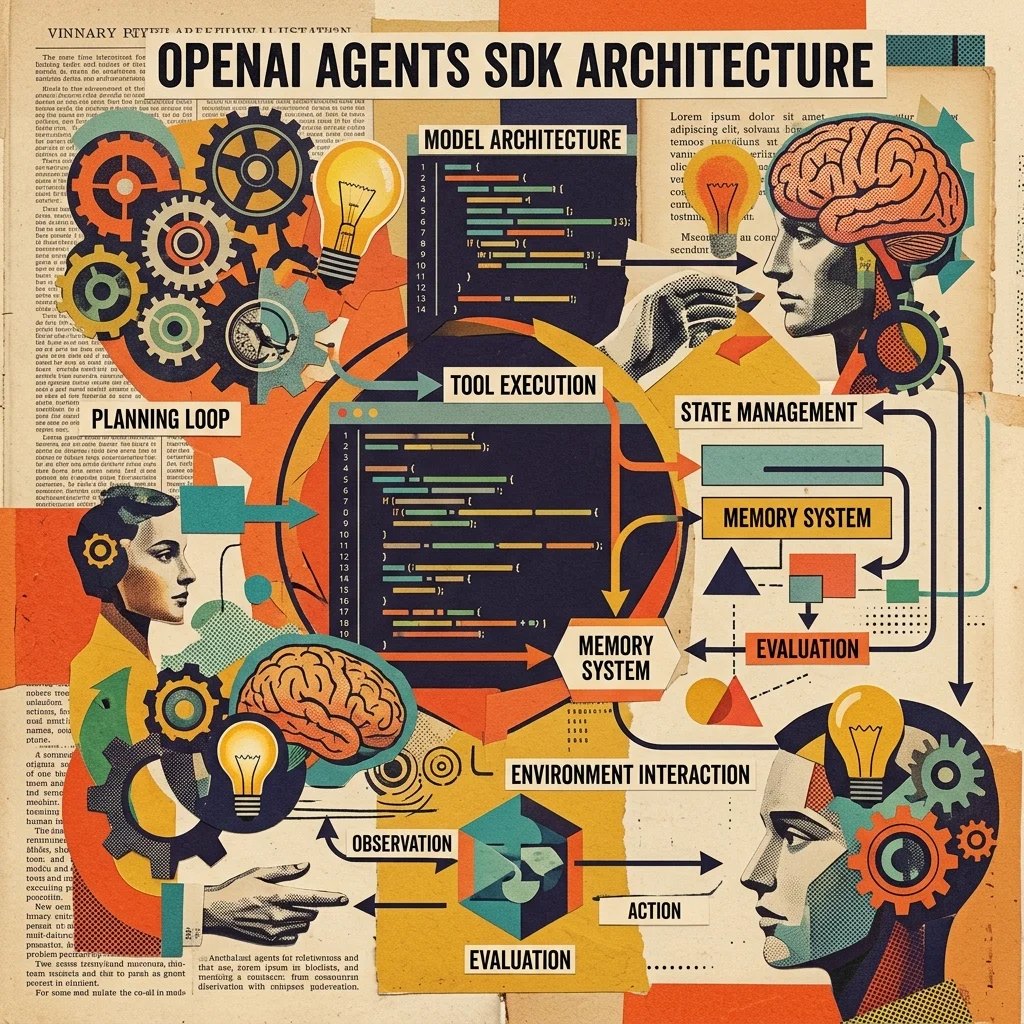
OpenAI Agents SDK Setup Guide
Complete setup and configuration guide for OpenAI's official Agents SDK. Handoffs, guardrails, sandbox agents, tracing, sessions, MCP integration, and realtime voice agents.
 #openai
OpenAI Agents SDK: Architecture Deep-Dive and Framework Comparison
Detailed technical analysis of OpenAI's new Agents SDK — architecture, tool-use patterns, multi-agent orchestration, guardrails, tracing, and how it compares to LangGraph, AutoGen, and CrewAI across dimensions that matter for production deployments.
 #contract-review
Contract Review Agent Blueprint
AI agent that reviews contracts: extracts clauses, flags risks, compares versions, and generates summaries. Ready-to-run with PDF and Markdown contract input.