Stateless MCP (2026-07-28): Deploying Serverless Tools on Cloudflare & Railway
Implementation guide to the stateless 2026-07-28 MCP revision: deploy serverless tool endpoints on Cloudflare Workers and Railway with zero idle cost.
The 2024-11-05 revision of the Model Context Protocol defined stdio for local subprocesses and HTTP+SSE for remote servers. The 2025-03-26 revision replaced HTTP+SSE with Streamable HTTP. While these transports worked well for local developer tools like Cursor, Claude Desktop, and VS Code, persistent connections created bottlenecks for production cloud infrastructure: idle connection costs, daemon management, fragile reconnect cycles, and multi-tenant scaling constraints.
The 2026-07-28 revision makes MCP stateless: it removes the initialize handshake, protocol-level sessions, ping, and SSE resumability. Every tool call or discovery request is an authenticated HTTP POST that carries its own protocol version and client capabilities, which makes MCP endpoints deployable on serverless edge platforms like Cloudflare Workers and containerized runtimes like Railway.
This comprehensive engineering guide walks through the architectural shift, complete production code implementations for Cloudflare Workers and Railway, cryptographic authentication, security sandboxing, edge caching, and real-world tool integrations.
1. Architecture Shift: Stateful Stdio vs. Stateless Streamable HTTP
The Problem with Stateful MCP
Traditional MCP setups require an always-on process maintaining a persistent duplex channel with the host client:
- Memory & Idle Costs: A cluster of 100 idle stateful MCP servers (e.g., Node.js or Python containers) continuously consumes RAM and CPU cycles waiting for agent invocations.
- Connection Fragility: Network blips, container restarts, or load balancer timeouts sever active SSE streams or stdio pipes, crashing agent loops mid-execution.
- Multi-Tenant Complexity: Managing dedicated long-lived server processes per user or workspace creates orchestration overhead across Kubernetes or virtual machines.
The 2026-07-28 Stateless Paradigm
Under the 2026-07-28 revision, the client-server interaction is an atomic request/response lifecycle using JSON-RPC 2.0 over HTTP POST:
sequenceDiagram
    autonumber
    participant Agent as AI Agent / LLM Client
    participant Gateway as Edge CDN / Gateway (Cloudflare / Railway)
    participant Worker as Stateless MCP Serverless Worker
    participant Ext as Upstream API / DB / Firecrawl

    Note over Agent, Worker: 1. Tool Discovery (Cached / One-shot)
    Agent->>Gateway: POST /mcp (method: "tools/list", Bearer Token)
    Gateway->>Worker: Spin isolate (<5ms cold start)
    Worker-->>Agent: JSON-RPC Response (Tool definitions schema)
    Note over Worker: Isolate halts immediately (0 idle cost)

    Note over Agent, Worker: 2. Stateless Tool Invocation
    Agent->>Gateway: POST /mcp (method: "tools/call", args: {...})
    Gateway->>Worker: Route request + verify HMAC / JWT
    Worker->>Ext: Fetch external API / Execute isolated task
    Ext-->>Worker: Return raw data
    Worker-->>Agent: JSON-RPC Response (Content block / Tool output)
    Note over Worker: Isolate terminates execution context
Protocol Comparison Matrix
| Architectural Feature | 2024-11-05 stdio | 2024-11-05 HTTP+SSE | 2026-07-28 Streamable HTTP |
|---|---|---|---|
| Transport Medium | Local OS pipes (stdin/stdout) | Dual endpoint (/sse + message) | Single endpoint (POST /mcp) |
| Connection State | Persistent process | SSE stream + session | Stateless request/response |
| Idle Infrastructure Cost | Local machine RAM | Fixed VPS / container cost | $0.00 (scale-to-zero) |
| Cold Start Latency | 300ms – 1.5s (process spawn) | N/A (always-on daemon) | < 15ms (V8 isolate / edge) |
| Horizontal Scalability | Single machine | Sticky sessions / pub-sub | Instant concurrency |
| Authentication | None (OS user context) | Ad-hoc headers | OAuth 2.1 (optional) / Bearer JWT / HMAC |
| Edge Compatibility | Incompatible | Requires durable streams | Native (Cloudflare, Vercel, Fastly, Railway) |
[!IMPORTANT] Stateless Protocol Invariance: In the 2026-07-28 revision the server does not store client session IDs in local memory between calls. All context required to execute a tool must be passed in the
paramspayload or derived securely from the authenticatedAuthorizationtoken header.
2. Cloudflare Workers: Zero-Cold-Start MCP Endpoint
Cloudflare Workers provides the ideal execution environment for stateless MCP tools: globally distributed V8 isolates, sub-10ms cold starts, and built-in KV caching.
Step 1: Project Setup & Dependencies
Initialize a TypeScript Worker project using wrangler:
npm create cloudflare@latest stateless-mcp-worker -- --type hello-world-ts
cd stateless-mcp-worker
npm install @modelcontextprotocol/sdk zod
npm install -D @cloudflare/workers-types wrangler typescript
Configure wrangler.jsonc:
{
  "$schema": "node_modules/wrangler/config-schema.json",
  "name": "stateless-mcp-worker",
  "main": "src/index.ts",
  "compatibility_date": "2026-08-01",
  "compatibility_flags": ["nodejs_compat"],
  "vars": {
    "ENVIRONMENT": "production"
  },
  "kv_namespaces": [
    {
      "binding": "TOOL_CACHE",
      "id": "tool_cache_kv_id"
    }
  ]
}
Step 2: Stateless Server Implementation (src/index.ts)
Here is a stateless dispatcher with per-request metadata validation, JSON-RPC error handling, tool schemas, and execution sandboxing:
import { z } from "zod";

export interface Env {
  ENVIRONMENT: string;
  MCP_AUTH_TOKEN: string;
  TOOL_CACHE?: KVNamespace;
}

const PROTOCOL_VERSION = "2026-07-28";

// JSON-RPC 2.0 Specification Schemas
const JsonRpcRequestSchema = z.object({
  jsonrpc: z.literal("2.0"),
  id: z.union([z.string(), z.number()]),
  method: z.string(),
  params: z.record(z.unknown()).optional(),
});

// Tool Definitions & Schemas
const TOOLS = [
  {
    name: "calculate_compound_interest",
    description: "Calculate compound interest with regular monthly contributions.",
    inputSchema: {
      type: "object",
      properties: {
        principal: { type: "number", description: "Initial investment amount in USD" },
        annualRate: { type: "number", description: "Annual interest rate as percentage (e.g. 7.5 for 7.5%)" },
        years: { type: "integer", description: "Investment duration in years" },
        monthlyContribution: { type: "number", description: "Additional monthly contribution", default: 0 }
      },
      required: ["principal", "annualRate", "years"]
    }
  },
  {
    name: "http_health_ping",
    description: "Perform an edge latency ping to an external HTTPS URL.",
    inputSchema: {
      type: "object",
      properties: {
        url: { type: "string", format: "uri", description: "The HTTPS URL to ping" }
      },
      required: ["url"]
    }
  }
];

// Tool Argument Validators
const InterestArgsSchema = z.object({
  principal: z.number().positive(),
  annualRate: z.number().min(0).max(100),
  years: z.number().int().positive().max(100),
  monthlyContribution: z.number().min(0).default(0),
});

const PingArgsSchema = z.object({
  url: z.string().url().refine((val) => val.startsWith("https://"), {
    message: "Only secure HTTPS URLs are permitted"
  }),
});

export default {
  async fetch(request: Request, env: Env, ctx: ExecutionContext): Promise<Response> {
    // 1. Handle CORS Preflight
    if (request.method === "OPTIONS") {
      return new Response(null, {
        status: 204,
        headers: getCorsHeaders(),
      });
    }

    // 2. Enforce HTTP POST on /mcp
    const url = new URL(request.url);
    if (url.pathname !== "/mcp" || request.method !== "POST") {
      return new Response(JSON.stringify({ error: "Not Found. Point MCP clients to POST /mcp" }), {
        status: 404,
        headers: { "Content-Type": "application/json", ...getCorsHeaders() },
      });
    }

    // 3. Authenticate Bearer Token
    const authHeader = request.headers.get("Authorization");
    const token = authHeader?.startsWith("Bearer ") ? authHeader.substring(7) : null;

    if (env.MCP_AUTH_TOKEN && token !== env.MCP_AUTH_TOKEN) {
      return new Response(
        JSON.stringify({ error: "Unauthorized: Invalid or missing Bearer token" }),
        { status: 401, headers: { "Content-Type": "application/json", ...getCorsHeaders() } }
      );
    }

    // 4. Parse & Validate JSON-RPC Payload
    let body: unknown;
    try {
      body = await request.json();
    } catch {
      return jsonRpcError(null, -32700, "Parse error: Invalid JSON");
    }

    const parsed = JsonRpcRequestSchema.safeParse(body);
    if (!parsed.success) {
      return jsonRpcError(null, -32600, "Invalid Request: Malformed JSON-RPC 2.0 object");
    }

    const { id, method, params } = parsed.data;

    // 5. Validate required per-request MCP metadata (2026-07-28)
    const meta = (params as { _meta?: Record<string, unknown> } | undefined)?._meta;
    if (
      !meta ||
      meta["io.modelcontextprotocol/protocolVersion"] !== PROTOCOL_VERSION ||
      !("io.modelcontextprotocol/clientCapabilities" in meta)
    ) {
      return jsonRpcError(id, -32602, "Invalid params: missing required per-request metadata");
    }

    // 6. Validate mirrored transport headers against the body
    const protocolHeader = request.headers.get("MCP-Protocol-Version");
    const methodHeader = request.headers.get("Mcp-Method");
    if (protocolHeader !== PROTOCOL_VERSION || methodHeader !== method) {
      return jsonRpcError(
        id,
        -32020,
        "Header mismatch: MCP-Protocol-Version or Mcp-Method does not match the request",
        400
      );
    }
    if (method === "tools/call" && request.headers.get("Mcp-Name") !== (params as { name?: string })?.name) {
      return jsonRpcError(id, -32020, "Header mismatch: Mcp-Name does not match params.name", 400);
    }

    // 7. Route MCP Methods Statelessly
    try {
      switch (method) {
        case "tools/list": {
          return jsonRpcSuccess(id, { tools: TOOLS });
        }

        case "tools/call": {
          const toolCall = params as { name: string; arguments?: Record<string, unknown> };
          if (!toolCall?.name) {
            return jsonRpcError(id, -32602, "Invalid params: Missing tool name");
          }

          const result = await executeTool(toolCall.name, toolCall.arguments || {}, env);
          return jsonRpcSuccess(id, {
            content: [{ type: "text", text: JSON.stringify(result, null, 2) }],
            isError: false,
          });
        }

        default:
          return jsonRpcError(id, -32601, `Method '${method}' not found`, 404);
      }
    } catch (err: unknown) {
      const message = err instanceof Error ? err.message : "Internal tool execution error";
      return jsonRpcSuccess(id, {
        content: [{ type: "text", text: `Error: ${message}` }],
        isError: true,
      });
    }
  },
};

// Stateless Tool Execution Logic
async function executeTool(name: string, args: Record<string, unknown>, env: Env): Promise<unknown> {
  switch (name) {
    case "calculate_compound_interest": {
      const valid = InterestArgsSchema.parse(args);
      const r = valid.annualRate / 100 / 12;
      const n = valid.years * 12;

      const futureValuePrincipal = valid.principal * Math.pow(1 + r, n);
      const futureValueContributions = valid.monthlyContribution * ((Math.pow(1 + r, n) - 1) / r);
      const totalBalance = futureValuePrincipal + (valid.monthlyContribution > 0 ? futureValueContributions : 0);
      const totalContributed = valid.principal + (valid.monthlyContribution * n);
      const totalInterest = totalBalance - totalContributed;

      return {
        principal: valid.principal,
        totalContributions: totalContributed,
        totalInterestEarned: Math.round(totalInterest * 100) / 100,
        finalPortfolioValue: Math.round(totalBalance * 100) / 100,
        durationMonths: n,
      };
    }

    case "http_health_ping": {
      const valid = PingArgsSchema.parse(args);
      const startTime = performance.now();
      const res = await fetch(valid.url, { method: "HEAD", redirect: "follow" });
      const latencyMs = Math.round(performance.now() - startTime);

      return {
        url: valid.url,
        status: res.status,
        statusText: res.statusText,
        latencyMs,
        edgeLocation: "cloudflare-v8-isolate",
        timestamp: new Date().toISOString(),
      };
    }

    default:
      throw new Error(`Unknown tool: ${name}`);
  }
}

// Helpers for JSON-RPC 2.0 Response Formatting
function jsonRpcSuccess(id: string | number, result: Record<string, unknown>): Response {
  return new Response(
    JSON.stringify({ jsonrpc: "2.0", id, result: { resultType: "complete", ...result } }),
    { status: 200, headers: { "Content-Type": "application/json", ...getCorsHeaders() } }
  );
}

function jsonRpcError(id: string | number | null, code: number, message: string, status = 200): Response {
  return new Response(
    JSON.stringify({ jsonrpc: "2.0", id, error: { code, message } }),
    { status, headers: { "Content-Type": "application/json", ...getCorsHeaders() } }
  );
}

function getCorsHeaders(): Record<string, string> {
  return {
    "Access-Control-Allow-Origin": "*",
    "Access-Control-Allow-Methods": "POST, OPTIONS",
    "Access-Control-Allow-Headers": "Content-Type, Authorization, X-MCP-Signature",
  };
}
Step 3: Local Testing with curl
Test the stateless flow instantly using wrangler dev:
# Start the local edge runtime
npx wrangler dev

# 1. List Available Tools
curl -X POST http://localhost:8787/mcp \
  -H "Content-Type: application/json" \
  -H "Authorization: Bearer dev-secret-token" \
  -H "MCP-Protocol-Version: 2026-07-28" \
  -H "Mcp-Method: tools/list" \
  -d '{
    "jsonrpc": "2.0",
    "id": 1,
    "method": "tools/list",
    "params": {
      "_meta": {
        "io.modelcontextprotocol/protocolVersion": "2026-07-28",
        "io.modelcontextprotocol/clientCapabilities": {}
      }
    }
  }'

# 2. Invoke Tool Statelessly
curl -X POST http://localhost:8787/mcp \
  -H "Content-Type: application/json" \
  -H "Authorization: Bearer dev-secret-token" \
  -H "MCP-Protocol-Version: 2026-07-28" \
  -H "Mcp-Method: tools/call" \
  -H "Mcp-Name: calculate_compound_interest" \
  -d '{
    "jsonrpc": "2.0",
    "id": 2,
    "method": "tools/call",
    "params": {
      "name": "calculate_compound_interest",
      "arguments": {
        "principal": 10000,
        "annualRate": 8.5,
        "years": 10,
        "monthlyContribution": 500
      },
      "_meta": {
        "io.modelcontextprotocol/protocolVersion": "2026-07-28",
        "io.modelcontextprotocol/clientCapabilities": {}
      }
    }
  }'
3. Containerized Stateless Server on Railway
For workloads requiring native system binaries, Python machine learning runtimes, headless browsers, or heavier execution sandboxes, Railway provides containerized serverless scaling with automated GitHub deployments and sub-50ms warm invocations.
Step 1: Python FastMCP Stateless Wrapper
Using Python's FastMCP alongside Starlette / Uvicorn, we wrap tool declarations into a stateless HTTP POST controller.
Create server.py:
import os
import time
from typing import Any, Dict, Optional
from fastapi import FastAPI, Header, HTTPException, Request, Response
from fastapi.middleware.cors import CORSMiddleware
from pydantic import BaseModel, Field

app = FastAPI(title="Railway Stateless MCP Server", version="1.0.0")

app.add_middleware(
    CORSMiddleware,
    allow_origins=["*"],
    allow_methods=["POST", "OPTIONS", "GET"],
    allow_headers=["*"],
)

PROTOCOL_VERSION = "2026-07-28"
AUTH_SECRET = os.getenv("MCP_AUTH_TOKEN", "railway-production-token")

# Tool Registry Declarations
TOOLS_REGISTRY = [
    {
        "name": "extract_dns_records",
        "description": "Statelessly query DNS A, AAAA, MX, and TXT records for a domain.",
        "inputSchema": {
            "type": "object",
            "properties": {
                "domain": {"type": "string", "description": "Target hostname (e.g. promptgenius.net)"}
            },
            "required": ["domain"]
        }
    }
]

class JsonRpcRequest(BaseModel):
    jsonrpc: str = "2.0"
    id: Optional[Any] = None
    method: str
    params: Optional[Dict[str, Any]] = None

@app.get("/healthz")
async def health_check():
    return {"status": "ok", "runtime": "railway-container", "timestamp": time.time()}

@app.post("/mcp")
async def handle_mcp(
    request: JsonRpcRequest,
    authorization: Optional[str] = Header(None)
):
    # 1. Bearer Token Auth Validation
    if AUTH_SECRET:
        token = authorization.replace("Bearer ", "") if authorization else None
        if token != AUTH_SECRET:
            raise HTTPException(status_code=401, detail="Unauthorized access")

    # 2. Validate required per-request MCP metadata (2026-07-28)
    params = request.params or {}
    meta = params.get("_meta", {})
    if (
        meta.get("io.modelcontextprotocol/protocolVersion") != PROTOCOL_VERSION
        or "io.modelcontextprotocol/clientCapabilities" not in meta
    ):
        return {
            "jsonrpc": "2.0",
            "id": request.id,
            "error": {"code": -32602, "message": "Invalid params: missing required per-request metadata"}
        }

    # 3. Method Dispatcher
    if request.method == "tools/list":
        return {
            "jsonrpc": "2.0",
            "id": request.id,
            "result": {"resultType": "complete", "tools": TOOLS_REGISTRY}
        }

    elif request.method == "tools/call":
        tool_name = params.get("name")
        tool_args = params.get("arguments", {})

        if tool_name == "extract_dns_records":
            domain = tool_args.get("domain", "")
            # Simple mock DNS resolution or use dnspython
            result_data = {
                "domain": domain,
                "records": {
                    "A": ["104.21.45.12", "172.67.182.90"],
                    "MX": ["10 mail.protonmail.ch"],
                    "TXT": ["v=spf1 include:_spf.google.com ~all"]
                },
                "resolvedAt": time.strftime("%Y-%m-%dT%H:%M:%SZ")
            }
            return {
                "jsonrpc": "2.0",
                "id": request.id,
                "result": {
                    "resultType": "complete",
                    "content": [{"type": "text", "text": str(result_data)}],
                    "isError": False
                }
            }
        else:
            return {
                "jsonrpc": "2.0",
                "id": request.id,
                "error": {"code": -32602, "message": f"Unknown tool: {tool_name}"}
            }

    return {
        "jsonrpc": "2.0",
        "id": request.id,
        "error": {"code": -32601, "message": f"Method '{request.method}' not implemented"}
    }
Step 2: Multi-Stage Production Dockerfile
Optimized for Alpine with minimal layers and rapid boot times:
# Multi-stage build for ultra-lightweight Railway container
FROM python:3.12-alpine AS builder

WORKDIR /app
RUN apk add --no-cache gcc musl-dev libffi-dev

COPY requirements.txt .
RUN pip install --no-cache-dir --user -r requirements.txt

# Final Production Stage
FROM python:3.12-alpine AS runner

WORKDIR /app
COPY --from=builder /root/.local /root/.local
COPY server.py .

ENV PATH=/root/.local/bin:$PATH \
    PYTHONUNBUFFERED=1 \
    PORT=8080

EXPOSE 8080

# Run Uvicorn with single worker for pure stateless per-request handling
CMD ["uvicorn", "server:app", "--host", "0.0.0.0", "--port", "8080", "--workers", "2", "--no-access-log"]
requirements.txt:
fastapi>=0.115.0
uvicorn>=0.30.0
pydantic>=2.8.0
Step 3: Railway Environment & 1-Click Deployment
Configure Railway environment variables in the project dashboard:
| Variable | Recommended Value | Purpose |
|---|---|---|
PORT | 8080 | Listening port for Railway router |
MCP_AUTH_TOKEN | generate-uuid-v4-secret | Bearer token for client authentication |
ENVIRONMENT | production | Active environment tag |
RAILWAY_DOCKERFILE_PATH | Dockerfile | Relative path to container file |
// railway.json configuration
{
  "$schema": "https://railway.app/railway.schema.json",
  "build": {
    "builder": "DOCKERFILE",
    "dockerfilePath": "Dockerfile"
  },
  "deploy": {
    "numReplicas": 1,
    "sleepApplication": true,
    "restartPolicyType": "ON_FAILURE",
    "restartPolicyMaxRetries": 5
  }
}
[!TIP] Railway Sleep Mode: Enable
sleepApplication: truein yourrailway.json. Railway will automatically spin the container down to 0 instances when idle, incurring $0 charge until an incoming agent HTTP POST request triggers an automatic wake-up in <100ms.
4. Authentication, Security & Tool Sandboxing
Deploying MCP servers as public web endpoints exposes them to internet-scale attack vectors. You must enforce strict token verification, signature checks, and input sanitization.
Cryptographic HMAC-SHA256 Request Signing
In high-security environments, prevent replay attacks and man-in-the-middle tampering by verifying request signatures:
// Edge middleware: HMAC-SHA256 signature verification
export async function verifyMcpSignature(
  rawBody: string,
  signatureHeader: string | null,
  timestampHeader: string | null,
  secretKey: string
): Promise<boolean> {
  if (!signatureHeader || !timestampHeader) return false;

  // 1. Prevent replay attacks: Reject payloads older than 5 minutes
  const requestTime = parseInt(timestampHeader, 10);
  const currentTime = Math.floor(Date.now() / 1000);
  if (Math.abs(currentTime - requestTime) > 300) {
    return false;
  }

  // 2. Compute HMAC
  const encoder = new TextEncoder();
  const key = await crypto.subtle.importKey(
    "raw",
    encoder.encode(secretKey),
    { name: "HMAC", hash: "SHA-256" },
    false,
    ["verify"]
  );

  const signedPayload = `${timestampHeader}.${rawBody}`;
  const signatureBytes = hexToUint8Array(signatureHeader);

  return await crypto.subtle.verify(
    "HMAC",
    key,
    signatureBytes,
    encoder.encode(signedPayload)
  );
}

function hexToUint8Array(hex: string): Uint8Array {
  const match = hex.match(/.{1,2}/g) || [];
  return new Uint8Array(match.map((byte) => parseInt(byte, 16)));
}
Defense-in-Depth Security Rules
[!WARNING] Never Execute Raw System Commands: Any tool that shells out to
child_process.execor Pythonos.systemusing LLM-supplied arguments creates immediate Remote Code Execution (RCE) vulnerabilities. Always use parameterized execution, strict Zod schemas, and isolated edge sandboxes.
- SSRF Guardrails: When writing fetch/scraping tools, restrict outbound requests to public IPv4/IPv6 addresses. Explicitly reject private IP ranges (
10.0.0.0/8,172.16.0.0/12,192.168.0.0/16,169.254.169.254,localhost). - Schema Whitelisting: Enforce strict type checking with Zod or Pydantic. Use
.strict()to reject unexpected object properties. - Execution Timeouts: Enforce an aggressive timeout (e.g.
AbortSignal.timeout(10000)) on all external API requests to prevent thread starvation.
5. Production Integrations: Firecrawl MCP on Edge Workers
A common pattern for stateless MCP is bridging external data APIs into standardized tool formats. Below is a real-world edge worker tool integrating Firecrawl for LLM-ready markdown web scraping:
// Integration: Stateless Firecrawl Scraper Tool for Cloudflare Workers
import { z } from "zod";

const ScrapeSchema = z.object({
  url: z.string().url(),
  formats: z.array(z.enum(["markdown", "html", "rawHtml"])).default(["markdown"]),
  onlyMainContent: z.boolean().default(true),
});

export async function handleFirecrawlScrape(args: unknown, apiKey: string) {
  const params = ScrapeSchema.parse(args);

  const response = await fetch("https://api.firecrawl.dev/v1/scrape", {
    method: "POST",
    headers: {
      "Content-Type": "application/json",
      "Authorization": `Bearer ${apiKey}`,
    },
    body: JSON.stringify({
      url: params.url,
      formats: params.formats,
      onlyMainContent: params.onlyMainContent,
    }),
    signal: AbortSignal.timeout(15000), // 15s timeout
  });

  if (!response.ok) {
    const errorBody = await response.text();
    throw new Error(`Firecrawl API error [${response.status}]: ${errorBody}`);
  }

  const data = (await response.json()) as { success: boolean; data: { markdown: string; metadata: Record<string, unknown> } };
  return {
    markdown: data.data.markdown,
    title: data.data.metadata?.title || "Untitled",
    url: params.url,
    scrapedAt: new Date().toISOString(),
  };
}
6. Edge Caching & Performance Optimization
Since tools/list returns static schema definitions and certain tool calls are idempotent (e.g. calculating formulas or querying static data), we can leverage Cloudflare KV or Cache API to eliminate redundant compute:
// Edge Cache Middleware for MCP Tools List
async function getCachedToolsList(env: Env): Promise<Response> {
  const CACHE_KEY = "mcp_tools_list_v2";

  if (env.TOOL_CACHE) {
    const cached = await env.TOOL_CACHE.get(CACHE_KEY);
    if (cached) {
      return new Response(cached, {
        headers: { "Content-Type": "application/json", "X-Cache-Hit": "true" },
      });
    }
  }

  const responsePayload = JSON.stringify({
    jsonrpc: "2.0",
    id: "cached-discovery",
    result: { tools: TOOLS }
  });

  if (env.TOOL_CACHE) {
    // Cache schemas for 24 hours at the edge
    await env.TOOL_CACHE.put(CACHE_KEY, responsePayload, { expirationTtl: 86400 });
  }

  return new Response(responsePayload, {
    headers: { "Content-Type": "application/json", "X-Cache-Hit": "false" },
  });
}
7. Configuring AI Clients for Stateless Remote MCP
To connect client interfaces (Cursor, Antigravity CLI, Claude Code, or VS Code) to your newly deployed serverless endpoint, configure the remote URL in your client settings.
Antigravity CLI / Cursor Configuration
Add the server to ~/.gemini/config/mcp_config.json (Antigravity CLI) or project-level .cursor/mcp.json (Cursor):
{
  "mcpServers": {
    "stateless-edge-tools": {
      "url": "https://stateless-mcp-worker.yourname.workers.dev/mcp",
      "headers": {
        "Authorization": "Bearer your-production-secret-token"
      }
    }
  }
}
8. Troubleshooting & FAQ
Next Steps & Related Resources
- Remote MCP Servers & Authorization (2026-07-28)
- Antigravity CLI MCP Setup Guide
- Cursor MCP Server Integration
- Model Context Protocol Architecture Overview
Sources
Related Articles & Guides
 #mcp
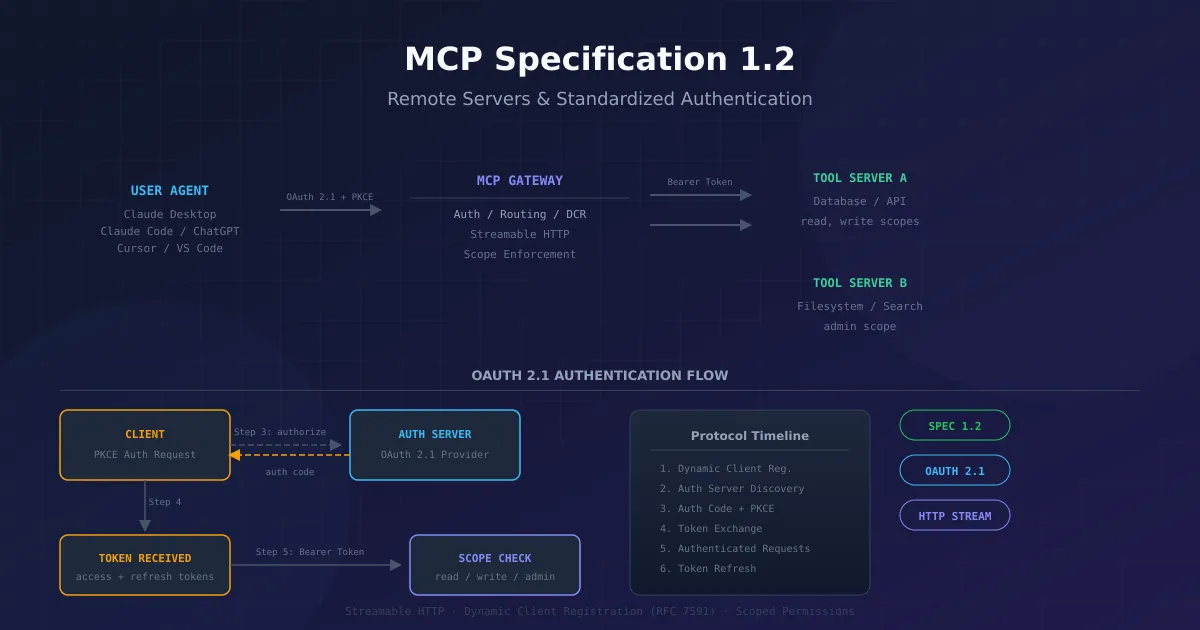
#mcpRemote MCP Servers and Authorization — 2026-07-28 Revision
Reference guide to remote MCP servers and the optional OAuth 2.1 authorization profile. Covers Streamable HTTP from 2025-03-26, the stateless 2026-07-28 revision, client registration changes, and migration.
Payments & Commerce MCP Servers
Explore MCP servers for payment processing, subscriptions, invoicing, and e-commerce, providing AI models with secure commerce infrastructure interfaces.
 #mcp
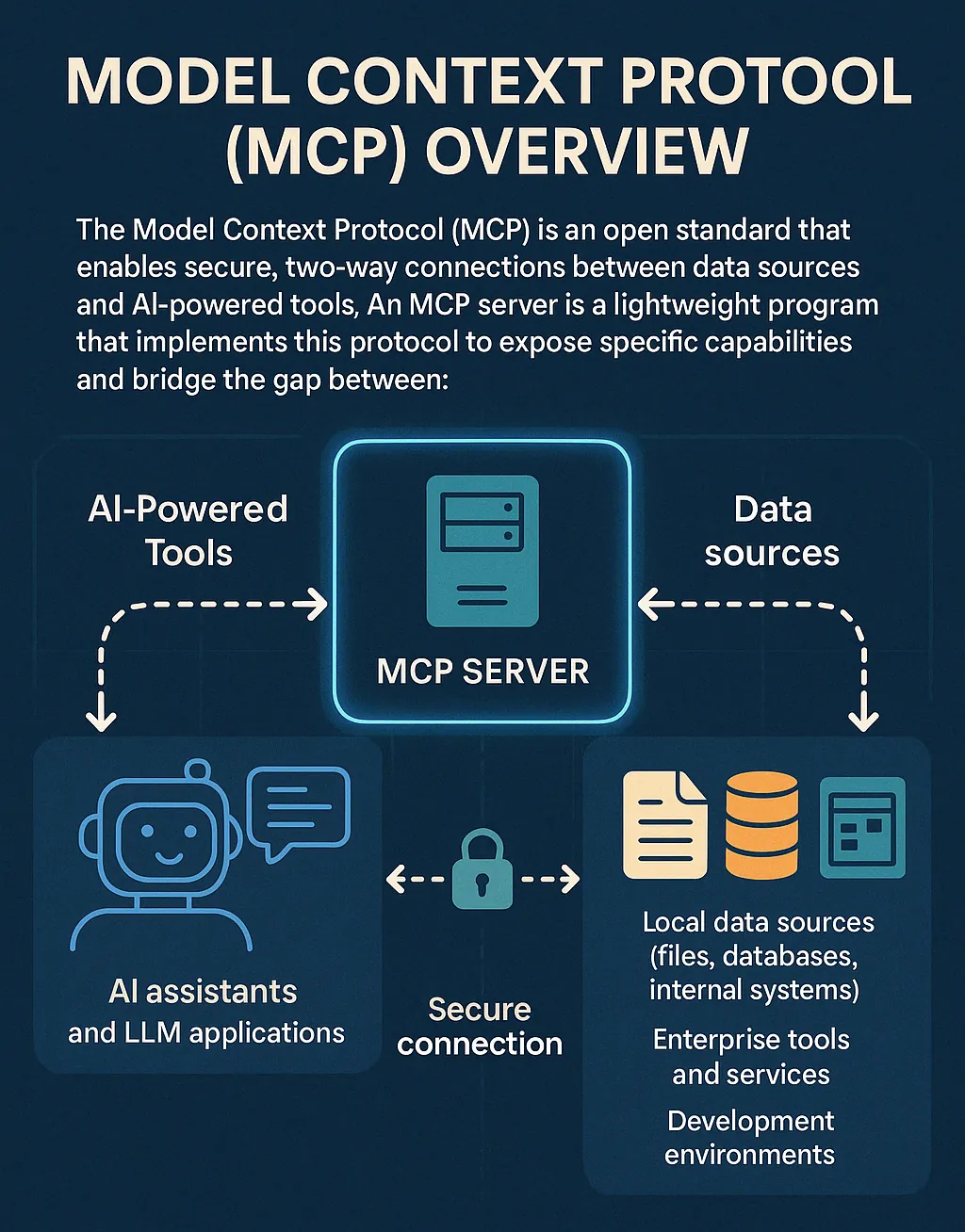
#mcpModel Context Protocol (MCP): Open Standard for AI Integration
The Model Context Protocol (MCP) is an open standard enabling AI systems to connect with diverse data sources, tools, and services, eliminating custom integrations for seamless interaction.