Remote MCP Servers and Authorization — 2026-07-28 Revision
Reference guide to remote MCP servers and the optional OAuth 2.1 authorization profile. Covers Streamable HTTP from 2025-03-26, the stateless 2026-07-28 revision, client registration changes, and migration.
How Remote Servers Evolved
MCP is versioned by date, not by a major/minor number. Remote servers were not introduced by a "1.2" release; the relevant revisions are:
- 2024-11-05 defined two transports: stdio for local subprocesses and HTTP+SSE for remote servers.
- 2025-03-26 replaced HTTP+SSE with Streamable HTTP, a single MCP endpoint that accepts POST and may answer with JSON or a request-scoped SSE stream.
- 2025-06-18 is the revision whose authorization page defines the optional OAuth 2.1 profile for HTTP transports.
- 2026-07-28 made the protocol stateless: it removed the
initializehandshake, protocol-level sessions,ping, and SSE resumability. The latest revision is 2026-07-28.
The result is that MCP servers can deploy as network services with the same tool/resource/prompt abstractions as local servers, while authorization remains optional and HTTP implementations SHOULD conform to the OAuth 2.1 profile when they support it.
Key Changes at a Glance
| Change | Revision | What it did |
|---|---|---|
| Remote HTTP transport | 2024-11-05 | HTTP+SSE with two endpoints |
| Streamable HTTP | 2025-03-26 | Single MCP endpoint replaces HTTP+SSE; optional SSE per request |
| Authorization framework | 2025-06-18 | Optional OAuth 2.1 profile for HTTP; PKCE required when used |
| Stateless requests | 2026-07-28 | Removed initialize/notifications/initialized, ping, and protocol-level sessions |
| Sessions and resumption | 2026-07-28 | Removed Mcp-Session-Id and Last-Event-ID |
| Client registration | 2026-07-28 | Deprecated Dynamic Client Registration in favor of Client ID Metadata Documents |
Streamable HTTP — The Transport That Makes Remote Possible
Streamable HTTP was introduced in 2025-03-26, replacing the 2024-11-05 dual-endpoint transport (one SSE stream for server-to-client messages, one POST endpoint for client-to-server). The 2026-07-28 revision removed the GET stream endpoint and protocol-level sessions.
How It Works
POST https://mcp.mycompany.com/mcp
Authorization: Bearer ***
Content-Type: application/json
MCP-Protocol-Version: 2026-07-28
Mcp-Method: tools/call
Mcp-Name: query_database

{
  "jsonrpc": "2.0",
  "method": "tools/call",
  "params": {
    "name": "query_database",
    "arguments": { "sql": "SELECT count(*) FROM users" },
    "_meta": {
      "io.modelcontextprotocol/protocolVersion": "2026-07-28",
      "io.modelcontextprotocol/clientCapabilities": {}
    }
  },
  "id": 1
}
The server responds with either:
- A single JSON response (Content-Type:
application/json) for synchronous operations - An SSE stream scoped to that request for operations that produce progress notifications or partial results
Long-lived change notifications are requested with subscriptions/listen, whose response stream stays open and carries only the notification types the client opted into. There is no session header and no resumption: a broken stream loses the in-flight request, and the client must re-issue it with a new request ID.
Migration Path from SSE to Streamable HTTP
If you're running the legacy HTTP+SSE transport:
- Add the single MCP endpoint at a path like
/mcpor/that accepts POST - Support both transports during transition — the spec includes a backwards-compatibility section allowing servers to host both
/sse(old) and/mcp(new) - Negotiate the protocol version per request — send
MCP-Protocol-Version: 2026-07-28and the matchingio.modelcontextprotocol/protocolVersionin_meta; fall back to the legacy handshake only when the server returns a non-MCP 400 - Drop legacy endpoints once all your clients have updated
The Authorization Flow End-to-End
Authorization is OPTIONAL in MCP. When an HTTP-based transport supports it, implementations SHOULD conform to the authorization framework added in 2025-06-18, which uses OAuth 2.1 with PKCE. Here's how the flow works in practice.
Step 1: Authorization Server Discovery
Before any authentication happens, the client discovers the server's authorization configuration. The MCP server exposes a Protected Resource Metadata endpoint (RFC 9728) that includes the authorization server URL:
GET https://mcp.mycompany.com/.well-known/oauth-protected-resource
Response:
{
  "authorization_servers": ["https://auth.mycompany.com"],
  "resource": "https://mcp.mycompany.com"
}
The client then fetches the authorization server's metadata (RFC 8414):
GET https://auth.mycompany.com/.well-known/oauth-authorization-server
Response:
{
  "issuer": "https://auth.mycompany.com",
  "authorization_endpoint": "https://auth.mycompany.com/authorize",
  "token_endpoint": "https://auth.mycompany.com/token",
  "registration_endpoint": "https://auth.mycompany.com/register",
  "scopes_supported": ["read", "write", "admin"],
  "response_types_supported": ["code"],
  "code_challenge_methods_supported": ["S256"],
  "token_endpoint_auth_methods_supported": ["none"]
}
This discovery step is what makes the flow zero-config from the user's perspective — the client learns everything it needs from the server's metadata.
Step 2: Client Registration (DCR deprecated)
Earlier revisions used Dynamic Client Registration (DCR, RFC 7591) so a client could register itself on first contact. The 2026-07-28 revision deprecates DCR as a client registration mechanism in favor of Client ID Metadata Documents: the client presents a stable client_id that is a URL resolving to a client-hosted metadata document. DCR remains available for backwards compatibility with authorization servers that do not support Client ID Metadata Documents.
For a legacy authorization server that only supports DCR, the client registers with:
POST https://auth.mycompany.com/register
Content-Type: application/json

{
  "client_name": "Claude Desktop",
  "redirect_uris": ["http://localhost:8400/callback"],
  "grant_types": ["authorization_code", "refresh_token"],
  "response_types": ["code"],
  "token_endpoint_auth_method": "none"
}
The server responds with a client_id:
{
  "client_id": "abc123",
  "client_id_issued_at": 1718496000,
  "client_secret": "",
  "client_secret_expires_at": 0
}
New implementations should support Client ID Metadata Documents instead. DCR also means any client can register, so internal servers need a whitelist or pre-shared registration token.
Step 3: Authorization Request with PKCE
With a client_id in hand, the client starts the authorization code flow. When authorization is used, MCP clients MUST implement PKCE (Proof Key for Code Exchange, RFC 7636), for public and confidential clients alike.
The client generates a code_verifier and derives a code_challenge:
import hashlib
import base64
import secrets

code_verifier = secrets.token_urlsafe(32)
code_challenge = base64.urlsafe_b64encode(
    hashlib.sha256(code_verifier.encode()).digest()
).rstrip(b"=").decode()
Then redirects the user to the authorization endpoint:
GET https://auth.mycompany.com/authorize?
  response_type=code
  &client_id=abc123
  &redirect_uri=http://localhost:8400/callback
  &code_challenge=E9Melhoa2OwvFrEMTJguCHaoeK1t8URWbuGJSstw-cM
  &code_challenge_method=S256
  &resource=https%3A%2F%2Fmcp.mycompany.com
  &state=xyz789
Note the resource parameter — that's RFC 8707, binding the token to this specific MCP server. This prevents token replay against a different server.
The user authenticates (login page, SSO redirect, or web3 wallet), and the authorization server redirects back with a code:
HTTP/1.1 302 Found
Location: http://localhost:8400/callback?code=***&state=xyz789
Step 4: Token Exchange
The client exchanges the authorization code for an access token and refresh token:
POST https://auth.mycompany.com/token
Content-Type: application/x-www-form-urlencoded

grant_type=authorization_code
&code=SplxlOBeZQQYbYS6WxSbIA
&redirect_uri=http://localhost:8400/callback
&client_id=abc123
&code_verifier=dBjftJeZ4CVP-mB92K27uhbUJU1p1r_wW1gFWFOEjXk
&resource=https%3A%2F%2Fmcp.mycompany.com
The server verifies the code_verifier against the stored code_challenge, validates the resource parameter matches the MCP server URI, and returns tokens:
{
  "access_token": "eyJhbG...NiIs...",
  "token_type": "Bearer",
  "expires_in": 3600,
  "refresh_token": "tGzv3JOkF0XG5Qx2TlKWIA",
  "scope": "read write"
}
Step 5: Making Authenticated Requests
Every subsequent MCP request includes the access token as a Bearer token:
POST https://mcp.mycompany.com/mcp
Authorization: Bearer ***
Content-Type: application/json

{
  "jsonrpc": "2.0",
  "method": "tools/list",
  "id": 1
}
Step 6: Token Refresh
When the access token expires (typically after one hour), the client uses the refresh token to get a new pair:
POST https://auth.mycompany.com/token
Content-Type: application/x-www-form-urlencoded

grant_type=refresh_token
&refresh_token=tGzv3JOkF0XG5Qx2TlKWIA
&client_id=abc123
&resource=https%3A%2F%2Fmcp.mycompany.com
The spec requires refresh token rotation for public clients — each refresh invalidates the previous token and issues a new one. This limits the damage window if a refresh token leaks.
Scoped Permissions
MCP does not prescribe scope names or a scope taxonomy. The authorization server defines the scopes it issues, and the MCP server validates the token's scopes before executing a tool. A common deployment convention is read/write/admin scopes, but that is an implementation choice, not a protocol requirement.
Scope Enforcement at the Server
When a request lacks a required scope, the server responds with HTTP 403 Forbidden, per the authorization specification's error table. This is an HTTP authorization error, not a JSON-RPC error code.
HTTP/1.1 403 Forbidden
Step-Up Authorization
If a client holds a read token but attempts a write operation, the server can challenge for elevated scopes. The client responds by initiating a step-up authorization flow — the user re-authenticates with the authorization server to grant additional scopes.
Security Considerations
Remote MCP servers introduce a fundamentally larger attack surface than local subprocesses. These are the threats the spec addresses and the ones that still need your attention in implementation.
What the Spec Gets Right
- Audience binding (RFC 8707): Tokens are bound to a specific MCP server URI, preventing token replay across servers
- PKCE is required when authorization is used: Even public clients (desktop apps) must use proof keys, preventing authorization code interception
- No implicit grant: The
implicitflow and resource owner password credentials are explicitly forbidden - No bearer tokens in query strings: Token transmission is restricted to the
Authorizationheader - Refresh token rotation: Limits exposure from leaked refresh tokens
- Prohibits token passthrough: The spec states verbatim: "MCP servers MUST NOT pass through the token it received from the MCP client"
What You Still Need to Handle
Token passthrough is the #1 implementation mistake. The most common error is receiving a client's Bearer token and forwarding it to a downstream API (Slack, GitHub, Stripe). This breaks audience binding and creates a confused-deputy problem — the downstream API trusts the token because it's signed, not realizing it was minted for an entirely different resource. Issue your own token at the MCP server boundary. Validate it locally, then exchange for a separate downstream token using your own credentials.
Prompt injection surface grows with remote tools. Every remote tool you expose becomes an injection vector. An attacker who convinces an agent to call your tool with crafted arguments can exploit SQL injection, command injection, or SSRF vulnerabilities on your server. Apply the same input sanitization and parameterization you would for any public API. Treat every tool argument as untrusted user input.
Audience-claim laxness. If your server validates JWT signatures but not the aud (audience) claim, an attacker can present a token issued for other-server.example.com and gain access. Validate aud, iss, and exp on every request.
Origin-header DNS rebinding. A local MCP server that binds to 0.0.0.0 without Origin validation can be exploited by a malicious website through DNS rebinding. The spec mandates Origin validation and localhost-only binds for local servers.
Revocation propagation. The spec defines token revocation endpoints, but the semantics are soft: when a user revokes an app from the IDP's consent screen, the refresh token is invalidated immediately, but the existing access token keeps working until it expires. For instant revocation, you need short token TTLs (measured in seconds) or token introspection (RFC 7662) on every request.
Migration Guide: Local to Remote MCP Server
The most common deployment scenario in mid-2026 is converting an existing local MCP server to a remote one. Here's the checklist.
Prerequisites
- An MCP server that currently runs as a stdio subprocess
- A deployment target (your own infrastructure, Cloudflare Workers, Railway, Fly.io)
- An OAuth 2.1 provider (Auth0, Okta, Keycloak), or a managed auth service (Cloudflare workers-oauth-provider, ScaleKit, Stytch)
- TLS certificate for your deployment domain
Migration Steps
1. Switch transport from stdio to Streamable HTTP. Wrap your existing tool handlers behind an HTTP server that accepts POST requests to a single /mcp (or root) endpoint. Your tool logic stays the same — only the I/O layer changes.
2. Add the metadata endpoints. Serve /.well-known/oauth-protected-resource (RFC 9728) and link to your authorization server's metadata. This is what makes discovery work without manual configuration.
3. Configure client registration. Support Client ID Metadata Documents for new clients. Keep a /register endpoint only for backwards compatibility with Dynamic Client Registration, which 2026-07-28 deprecates.
4. Implement the authorization code flow. If you're not using a managed provider, implement:
/authorize— renders a login/consent screen, returnscode/token— exchanges codes for tokens, handles refresh/.well-known/oauth-authorization-server— metadata document
5. Add token validation middleware. Before your tool handlers execute, validate the Bearer token: check signature, issuer, audience, expiration, and scopes. Reject unauthenticated requests with 401 Unauthorized.
6. Add scope checks to each tool. Review each tool handler and annotate it with the minimum scope required. Enforce at runtime.
7. Deploy with TLS. Remote MCP servers must run behind HTTPS. Tokens in cleartext are a compliance violation.
8. Update your clients. Point clients at https://mcp.mycompany.com/mcp instead of mcp-server --port 3100. The first connection triggers the auth flow.
Reference Implementations
If you don't want to build the OAuth plumbing from scratch:
- Cloudflare workers-oauth-provider (workers-oauth-provider) — the OAuth 2.1 provider library used by Cloudflare's own remote MCP examples. Stores secrets only as hashes, wraps your fetch handler so your tool code receives an already-authenticated user.
- Sentry MCP server (sentry-mcp) — open-source TypeScript Streamable-HTTP server with OAuth, deployed to
mcp.sentry.dev. Good reference for how a production SaaS MCP server is structured. - FastMCP (gofastmcp.com) — Python framework with built-in
OAuthProviderthat handles metadata endpoints, client registration, token validation, and scope enforcement.
Implications for Agent Architecture
MCP going remote changes how architects think about tool distribution.
Centralized vs. Distributed Tool Servers
The 2024-11-05 revision already allowed remote servers over HTTP+SSE, but most deployments ran local subprocesses. An agent's config file listed a dozen mcpServers, and each one spawned as a child process. This created per-client overhead — every instance of every agent had its own copy of every server.
With remote MCP, you can deploy a single shared tool server that multiple agents access simultaneously. This means:
- Unified access control — manage who can call which tools from one place
- Centralized audit logging — every tool invocation routes through your auth layer
- Reduced memory overhead — one server instance instead of N copies
- Consistent tool versions — update once, all agents get the new version
The Gateway Pattern
The MCP ecosystem is converging on a gateway architecture where a single ingress point handles auth, routing, and load balancing for a fleet of MCP servers:
User Agent → MCP Gateway (auth, routing) → Tool Server A
                                          → Tool Server B
                                          → Tool Server C
Cloudflare's workers-oauth-provider, ScaleKit, Stytch Connected Apps, and Composio Strata all follow this pattern. The gateway offloads the OAuth 2.1 + client-registration + metadata plumbing so individual tool servers only ship business logic.
When to Use Each Approach
| Scenario | Approach | Why |
|---|---|---|
| Single-user developer tools | Local stdio | Zero latency, no auth overhead |
| Team sharing internal tools | Remote, single server | Centralized access, shared state |
| SaaS product exposing APIs via MCP | Remote, gateway-delegated auth | Multi-tenant, scoped, auditable |
| Enterprise with 10+ MCP servers | Remote, gateway + fleet management | OAuth config complexity grows with N servers |
Comparison with Other Remote Tool Protocols
| Dimension | MCP 2026-07-28 | OpenAI Function Calling | Anthropic Tool Use |
|---|---|---|---|
| Transport | Streamable HTTP (single endpoint) | HTTPS POST to /v1/chat/completions | HTTPS POST to /v1/messages |
| Auth | Optional OAuth 2.1 profile (HTTP) | API key (Bearer token) | API key (x-api-key header) |
| Client registration | Client ID Metadata Documents (DCR deprecated) | Static API key provisioning | Static API key provisioning |
| Token binding | Resource indicators (RFC 8707) | None (same key for all endpoints) | None |
| Scope model | OAuth scopes (read/write/admin) | No formal scope model | No formal scope model |
| Refresh | Refresh token rotation | API key rotation (manual) | API key rotation (manual) |
| Server-initiated messages | No; input requests are embedded in results | No | No |
| Tool discovery | tools/list (JSON-RPC) | Schema passed in chat request | Schema passed in chat request |
| Multi-tenancy | Built-in (OAuth per user) | Manual (per-user API keys) | Manual (per-user API keys) |
| Revocation | Token endpoint revocation | Key invalidation | Key invalidation |
MCP's remote-server model treats tool servers as first-class network services rather than thin wrappers around existing APIs. The optional OAuth 2.1 profile provides enterprise-grade auth that scales from single-user to multi-tenant deployments. The tradeoff is implementation complexity — OpenAI and Anthropic's approaches are simpler because they defer auth and scope management to the provider's API key model.
Pitfalls
Unrestricted client registration. Dynamic client registration means anyone can register, and it is deprecated in favor of Client ID Metadata Documents. If you're deploying an internal MCP server with DCR for backwards compatibility, add a whitelist or pre-shared registration token.
Token passthrough to downstream APIs. The spec forbids it. The mistake is so common that nearly every MCP security audit in 2026 finds at least one server doing it. Validate the token locally, then issue a separate call to any downstream service.
Clock skew between auth server and MCP server. JWT validation checks exp and nbf. If your auth server and MCP server have drifting clocks (common in containerized deployments), valid tokens get rejected. Run NTP everywhere and verify.
Redirect URI handling for desktop clients. Desktop apps can't receive HTTP redirects to a public URL. The standard approach is starting a temporary local HTTP server on localhost:8400 (or a random port), using that as the redirect URI, and shutting it down after receiving the callback. Handle port conflicts gracefully.
Token storage across sessions. Users don't want to re-authenticate every time they restart their MCP client. On macOS, use Keychain. On Windows, use Credential Manager. On Linux, the situation is less standardized — some clients fall back to encrypted files in the home directory. Get this right early because users will notice immediately if they have to log in every time.
Scope naming consistency. Teams with multiple MCP servers end up with ad-hoc scope names (read:database, db-read, query). Adopt a naming convention before your second server deploys. The emerging standard is resource-type:scope (e.g., database:read, database:write, admin:*).
Quick Reference: Auth Endpoints
| Endpoint | Purpose | Spec Reference |
|---|---|---|
/.well-known/oauth-protected-resource | Protected resource metadata | RFC 9728 |
/.well-known/oauth-authorization-server | Authorization server metadata | RFC 8414 |
/register | Dynamic client registration (deprecated; prefer Client ID Metadata Documents) | RFC 7591 |
/authorize | Authorization code request | OAuth 2.1 Section 4.1 |
/token | Token exchange and refresh | OAuth 2.1 Section 4.1.4 |
/revoke | Token revocation | RFC 7009 |
/mcp (or /) | Streamable HTTP MCP endpoint | MCP 2026-07-28 Transports |
Sources
- https://modelcontextprotocol.io/specification/2026-07-28/changelog
- https://modelcontextprotocol.io/specification/2026-07-28/basic/transports/streamable-http
- https://modelcontextprotocol.io/specification/2025-06-18/basic/authorization
- https://modelcontextprotocol.io/specification/2025-03-26/basic/transports
- https://modelcontextprotocol.io/specification/latest
Related Articles & Guides
Stateless MCP (2026-07-28): Deploying Serverless Tools on Cloudflare & Railway
Implementation guide to the stateless 2026-07-28 MCP revision: deploy serverless tool endpoints on Cloudflare Workers and Railway with zero idle cost.
Payments & Commerce MCP Servers
Explore MCP servers for payment processing, subscriptions, invoicing, and e-commerce, providing AI models with secure commerce infrastructure interfaces.
 #mcp
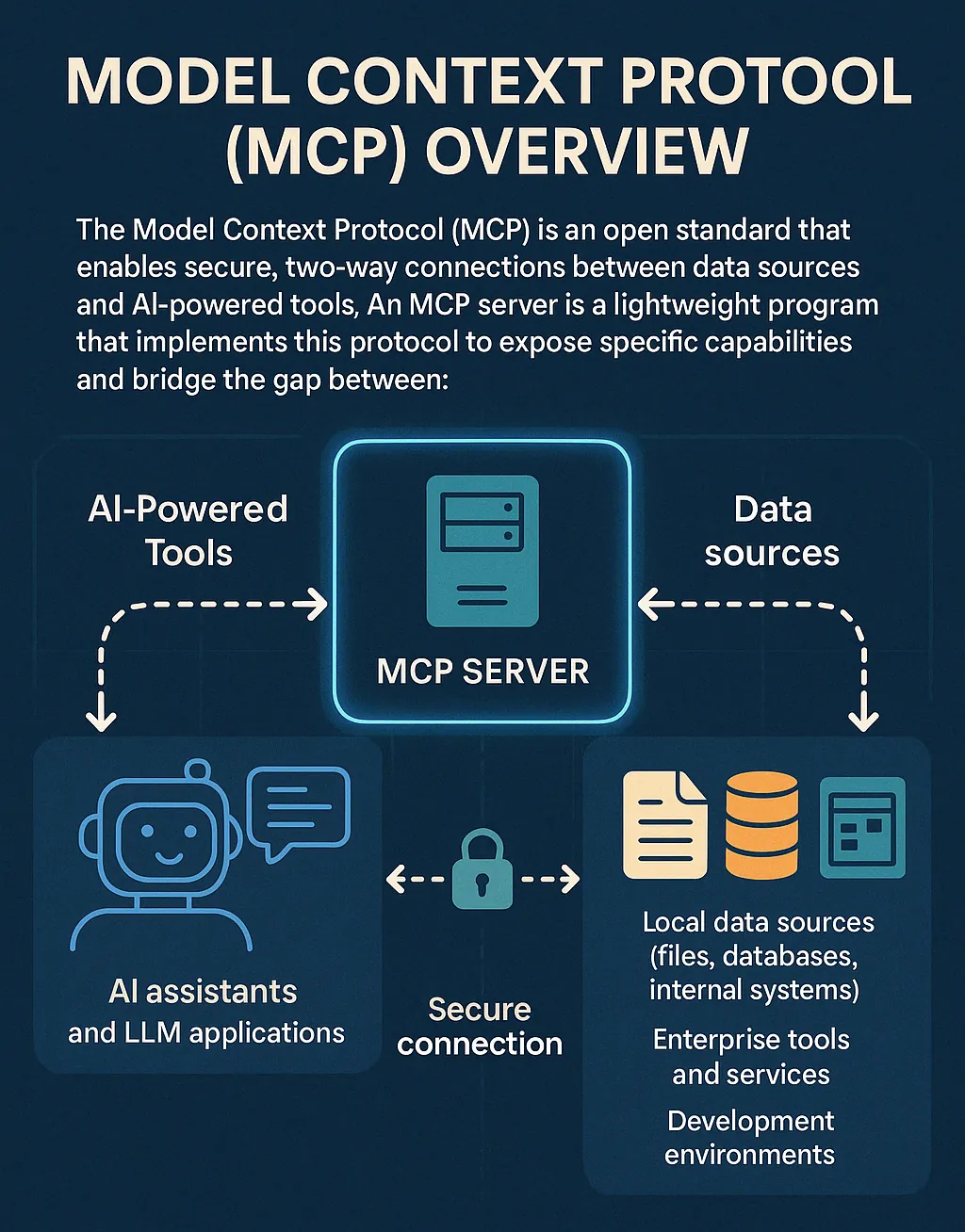
#mcpModel Context Protocol (MCP): Open Standard for AI Integration
The Model Context Protocol (MCP) is an open standard enabling AI systems to connect with diverse data sources, tools, and services, eliminating custom integrations for seamless interaction.