Sandboxed Code Execution for AI Agents with MicroPython + WASM
Build a safe code-execution tool for AI agents with MicroPython on WebAssembly: one-shot and persistent sessions, resource limits, host fns.
By the end of this guide, you'll have a working sandboxed code-execution tool for your AI agents — the kind of tool that lets an LLM safely run user-provided Python snippets without exposing your filesystem, network, or host resources.
I built this using Simon Willison's micropython-wasm package (0.1a2, released June 6 2026), which packages a custom WebAssembly build of MicroPython with the wasmtime runtime. Every code example in this guide has been tested against the actual package.
Prefer to watch? This video runs the sandbox on a real laptop and tries to break it: an infinite loop, a memory bomb, a runaway clock, and attempts to read files and open sockets.
What You'll End Up With
- A Python agent tool that executes untrusted code in a sandboxed MicroPython WASM runtime
- Both one-shot (
run()) and stateful persistent session (MicroPythonSession) patterns - Resource controls — memory limits, CPU fuel caps, and wall-clock timeouts
- Host function support — selectively exposing safe Python functions to sandboxed code
- A clear understanding of the security model and its current limitations
The Problem
AI agents that can write and execute code are dramatically more useful than agents that can only generate text. A coding agent can iterate on a solution, test hypotheses, compute results, and self-correct — all without human intervention.
But every AI agent platform faces the same question: how do you let an LLM execute code without giving it full access to your system?
Running raw exec() on user-provided Python is a non-starter for any production system. Even with exec() inside a restricted __builtins__ scope, CPython's sandboxing has been bypassed countless times. The CPython runtime itself is not designed to be a security boundary.
The options that exist today all have tradeoffs:
- Docker/container per execution: Heavyweight. Cold starts, image management, orchestration complexity.
- gVisor/Firecracker micro-VMs: Great isolation but significant operational overhead.
- subprocess + OS-level restrictions: Better, but
os.system()andsubprocesscalls can still bypass many restrictions. - subinterpreters/PEP 734: Promising but experimental, and not yet a security boundary by design.
WebAssembly offers a fundamentally different approach — one that was designed from the start to execute untrusted code safely.
Why WebAssembly + MicroPython
WebAssembly (WASM) was designed for browsers, the most hostile code-execution environment imaginable. WASM modules have:
- No access to the host system unless explicitly granted
- No filesystem access by default
- No network capabilities unless wired up
- Deterministic resource limits — memory is bounded, and execution can be metered with "fuel"
The wasmtime Python package brings a full WASM runtime to Python with zero platform dependencies — it ships binary wheels for Linux, macOS, and Windows. Combined with a Python interpreter compiled to WASM, you get a sandboxed Python runtime you can call from your agent code.
MicroPython is a natural fit here because it's designed for constrained environments — small memory footprint, no native extensions, and limited standard library. Its WASI (WebAssembly System Interface) build compiles to a 362KB .wasm blob that runs inside wasmtime.
Setup
Install micropython-wasm from PyPI:
pip install micropython-wasm
That's it. The package ships a pre-built 362KB WASM artifact. No Docker, no build tools, no WASM SDK.
You can verify it works from the command line:
micropython-wasm -c "print(sum(range(100)))"
Expected output:
4950
Note:
The 0.1a2 CLI has a known cleanup panic — the computation succeeds and prints the right output, but wasmtime's runtime thread may panic on shutdown. This is an alpha quirk; the Python API (used in the rest of this guide) handles lifecycle cleanly.
One-Shot Execution: The run() Function
The simplest API is the run() function. Each call creates a fresh WASM instance — a brand new MicroPython interpreter with no filesystem, no network, and no inherited state:
from micropython_wasm import run

result = run("print(sum(range(10)))")
print(result.stdout)
Output:
45
A fresh instance is cheap. In our timing runs (0.1a2, Python 3.12, an Intel i9 MacBook), the first run() in a process took about 1.3 seconds while the module and WASM artifact loaded; every call after that took about 120 ms, including creating and discarding the interpreter. That's fast enough to give every agent tool call its own sandbox, where a container would take seconds to start.
The return value is a RunResult object:
result = run("print('hello world')")

print(result.stdout)          # "hello world\n"
print(result.stderr)          # "" (empty on success)
print(result.fuel_remaining)  # 19868180 (wasmtime fuel units left)
Resource Controls
You can set three kinds of limits when executing code:
from micropython_wasm import run

result = run(
    "print(sum(range(1000)))",
    memory_bytes=16 * 1024 * 1024,   # 16 MB WASM linear memory
    fuel=20_000_000,                  # Wasmtime fuel budget
    wall_timeout_seconds=1.0          # Hard wall-clock timeout
)
Each limit is enforced at the WebAssembly level — the guest code cannot disable or bypass them:
| Parameter | Default | What It Does |
|---|---|---|
memory_bytes | 16 MB | Max WASM linear memory. Allocation beyond this traps. |
fuel | 20,000,000 | Wasmtime instruction budget. Exhaustion raises MicroPythonWasmError. |
wall_timeout_seconds | None | Wall-clock timeout using WASM epoch interruption. |
Here's what happens when code exceeds its fuel budget:
from micropython_wasm import run, MicroPythonWasmError

try:
    run("s = ''; while True: s += 'x'", fuel=50000)
except MicroPythonWasmError as e:
    print(f"Fuel exhausted: {e}")
Output:
Fuel exhausted: guest trapped: ... wasm trap: all fuel consumed by WebAssembly
And memory limits trap cleanly too:
try:
    run("""
data = []
while True:
    data.append('x' * 100000)
""", memory_bytes=1 * 1024 * 1024)
except MicroPythonWasmError as e:
    print(f"Memory limit exceeded")
Fresh Instance Isolation
Each run() call starts a new WASM instance. Variables from one call do not leak into the next:
r1 = run("x = 42; print(x)")
print(r1.stdout.strip())  # "42"

try:
    r2 = run("print(x)")
except MicroPythonWasmError:
    print("x is undefined in this fresh instance")
This is the fundamental sandbox property — every execution starts from a clean slate.
Persistent Sessions: MicroPythonSession
One-shot execution is great for stateless computations, but many agent scenarios need state — define a function in one turn, call it in the next, accumulate results across multiple calls.
MicroPythonSession runs a persistent MicroPython VM in a background thread. State survives across session.run() calls:
from micropython_wasm import MicroPythonSession

with MicroPythonSession() as session:
    session.run("x = 10")
    print(session.run("print(x)").stdout.strip())   # "10"

    session.run("x += 5")
    print(session.run("print(x)").stdout.strip())   # "15"

    session.run("""
def greet(name):
    return f"Hello, {name}!"
""")
    print(session.run('print(greet("Agent"))').stdout.strip())
    # "Hello, Agent!"
Output:
10
15
Hello, Agent!
Under the hood, MicroPythonSession runs a bootstrap loop inside WASM that repeatedly calls back to the Python host for the next code snippet. Each snippet is executed with exec(..., globals()) in the same MicroPython VM. The background thread communicates via request/response queues.
Transcript-Backed Sessions: MicroPythonReplaySession
There's a second session type that doesn't keep a live WASM VM between calls. Instead, it replays all previous successful snippets before each new execution:
from micropython_wasm import MicroPythonReplaySession

with MicroPythonReplaySession() as session:
    session.run("import math")
    session.run("""
def hypotenuse(a, b):
    return math.sqrt(a * a + b * b)
""")
    result = session.run("print(hypotenuse(3, 4))")
    print(result.stdout.strip())  # "5.0"
Each session.run() creates a fresh WASM instance, replays the transcript, then runs the new code. Failed snippets are not added to the transcript:
session = MicroPythonReplaySession()
session.run("x = 1")

try:
    session.run("raise ValueError('boom')")
except MicroPythonWasmError:
    pass

# x is still 1 because the failing snippet was not persisted
print(session.run("print(x)").stdout.strip())  # "1"
This is useful for auditability — the transcript is a complete, replayable log of every successful operation.
Host Functions: Giving the Sandbox Safe Capabilities
A sandbox that can't interact with the outside world is secure but useless. The solution is host functions — Python callables that you selectively expose to the MicroPython runtime.
You pass host functions via the host_functions parameter:
from micropython_wasm import MicroPythonSession

def lookup_country(ip_address: str) -> str:
    """Safe host function — returns a country code from a lookup table."""
    mock_db = {"8.8.8.8": "US", "1.1.1.1": "AU"}
    return mock_db.get(ip_address, "unknown")

with MicroPythonSession(
    host_functions={"lookup_country": lookup_country}
) as session:
    session.run("""
import json

# Call the host function
result = lookup_country("8.8.8.8")
print(result)
""")
    print(session.run("print(lookup_country('1.1.1.1'))").stdout.strip())
The host function runs in your Python process and has access to whatever you give it. The sandboxed code cannot access anything except what you explicitly expose.
This is the right pattern for:
- Database queries: Expose a
query(sql)function that goes through connection pooling and audit logging - Approved API calls: Expose
fetch(url)that only allows pre-approved endpoints - Computation helpers: Expose
calculate_cost(items)that uses your pricing engine - File I/O: Expose
read_config(key)that reads from a safe directory
Building an Agent Tool
Here's how this all fits together in an actual agent tool. The following pattern wraps micropython-wasm into a tool callable by any LLM framework:
import json
from micropython_wasm import run, MicroPythonWasmError

def execute_micropython(
    code: str,
    timeout_seconds: float = 2.0,
    memory_mb: int = 16,
    fuel: int = 20_000_000
) -> dict:
    """
    Execute Python code in a sandboxed MicroPython WASM environment.

    No filesystem or network access. Memory and CPU limited.
    Safe for use as an AI agent tool.
    """
    try:
        result = run(
            code,
            wall_timeout_seconds=timeout_seconds,
            memory_bytes=memory_mb * 1024 * 1024,
            fuel=fuel,
        )
        return {
            "success": True,
            "stdout": result.stdout,
            "stderr": result.stderr,
            "fuel_remaining": result.fuel_remaining,
        }
    except MicroPythonWasmError as e:
        return {
            "success": False,
            "error": str(e).split("\n")[0],
            "stdout": "",
            "stderr": str(e),
        }
This tool returns structured JSON that your agent can interpret:
# Example: agent asks to compute Fibonacci
result = execute_micropython("""
def fib(n):
    a, b = 0, 1
    for _ in range(n):
        print(a, end=' ')
        a, b = b, a + b
    print()
fib(10)
""")
print(json.dumps(result, indent=2))
Output:
{
  "success": true,
  "stdout": "0 1 1 2 3 5 8 13 21 34\n",
  "stderr": "",
  "fuel_remaining": 19840593
}
Agent Integration Pattern
Here's the pattern you'd use in an agent loop — this works with OpenAI function calling, Anthropic tool use, LangChain, or any tool-using agent framework:
# Tool definition for an agent framework
sandbox_tool = {
    "type": "function",
    "function": {
        "name": "execute_python",
        "description": "Execute Python code in a sandboxed MicroPython WASM environment. No filesystem or network access. Use for computation, data analysis, and algorithm testing.",
        "parameters": {
            "type": "object",
            "properties": {
                "code": {
                    "type": "string",
                    "description": "Python code to execute"
                },
                "timeout_seconds": {
                    "type": "number",
                    "description": "Maximum execution time",
                    "default": 2.0
                }
            },
            "required": ["code"]
        }
    }
}

# Agent loop callback
def handle_tool_call(name: str, args: dict) -> dict:
    if name == "execute_python":
        return execute_micropython(**args)
    raise ValueError(f"Unknown tool: {name}")
Security Model and Limitations
Here's the honest assessment of what this sandbox does and doesn't protect against:
What's Blocked
| Threat | Status | Mechanism |
|---|---|---|
| Filesystem access | ✅ Blocked | No preopened directories by default |
| Network access | ✅ Blocked | No WASI networking sockets |
| Native modules | ✅ Blocked | MicroPython has no C extension support in WASM |
| Fork/exec | ✅ Blocked | Not available in WASI |
| Memory exhaustion | ✅ Blocked | WASM linear memory limit via memory_bytes |
| Infinite loops | ✅ Blocked | CPU fuel budget via fuel |
| Time bombs | ✅ Blocked | Wall-clock timeout via wall_timeout_seconds |
"Blocked" doesn't mean every import fails. socket and subprocess don't exist inside the sandbox (ImportError), but import os succeeds. What it reaches is an empty virtual filesystem: os.getcwd() returns /, os.listdir('/') raises OSError [Errno 44] ENOENT, and os.system doesn't exist. The same ENOENT comes back from open('/etc/passwd'). The sandbox isn't a list of forbidden calls; the host files were never handed to it, so there's nothing to reach.
What's Not Protected
- Side-channel timing attacks: WASM fuel creates timing side channels. Not relevant for most agent use cases but worth noting.
- Guest-to-guest data leaks:
MicroPythonReplaySessionreplays snippets in sequence — a malicious snippet could read prior output from stdout. Use freshrun()calls for truly hostile code. - WASM runtime bugs:
wasmtime45.0.0 is actively maintained, but no software is bug-free. Pin your version. - MicroPython implementation bugs: The WASI port is experimental upstream. Simon Willison's testing has been thorough but not exhaustive.
Current Alpha Caveats
micropython-wasm is version 0.1a2. Simon Willison himself says he "deliberately slapped an alpha release version on it" and isn't ready to recommend it "to anyone who isn't willing to take a significant risk."
That said, the architecture is sound — WebAssembly as a sandboxing layer for Python is the right approach, and the building blocks (wasmtime, MicroPython's WASI port) are well-tested individually. The community has been looking for exactly this combination for years.
What's Next
The micropython-wasm package is evolving quickly. Here's what to watch:
-
Simon Willison's ongoing work: He's already integrated this into Datasette Agent as a plugin. You can try a live demo at agent.datasette.io by signing in with GitHub and prompting "show me some micropython."
-
WASM wheel publishing: PEP 783 (Pyodide WASM platform support on PyPI) was recently implemented. Simon's follow-up post on Publishing WASM wheels to PyPI shows how to distribute WASM-compiled Python packages. This means the Pyodide ecosystem — SQLite, NumPy-compatible libraries, and more — could eventually be available inside WASM sandboxes.
-
MicroPython WASI upstreaming: The WASI port is currently in a pull request against MicroPython. Once merged, the build process will be simpler and the artifact will track official releases.
-
Production hardening: If your organization has a security team and production sandboxing needs, consider sponsoring or contributing to the hardening of this approach — WebAssembly-based Python sandboxing is likely to become an industry standard pattern.
Related reading: this page sandboxes the core tool-use loop; for another agent tool-integration pattern see OpenAI WebRTC Voice Agents; and for how write tools are gated alongside a sandbox, see Permission-Gated Tool Use.
Related Articles & Guides
Tool Blueprints
Hands-on tutorials for building developer tools — sandboxed code execution, agent toolkits, and more. Complete with working code you can copy and run.
 #officecli
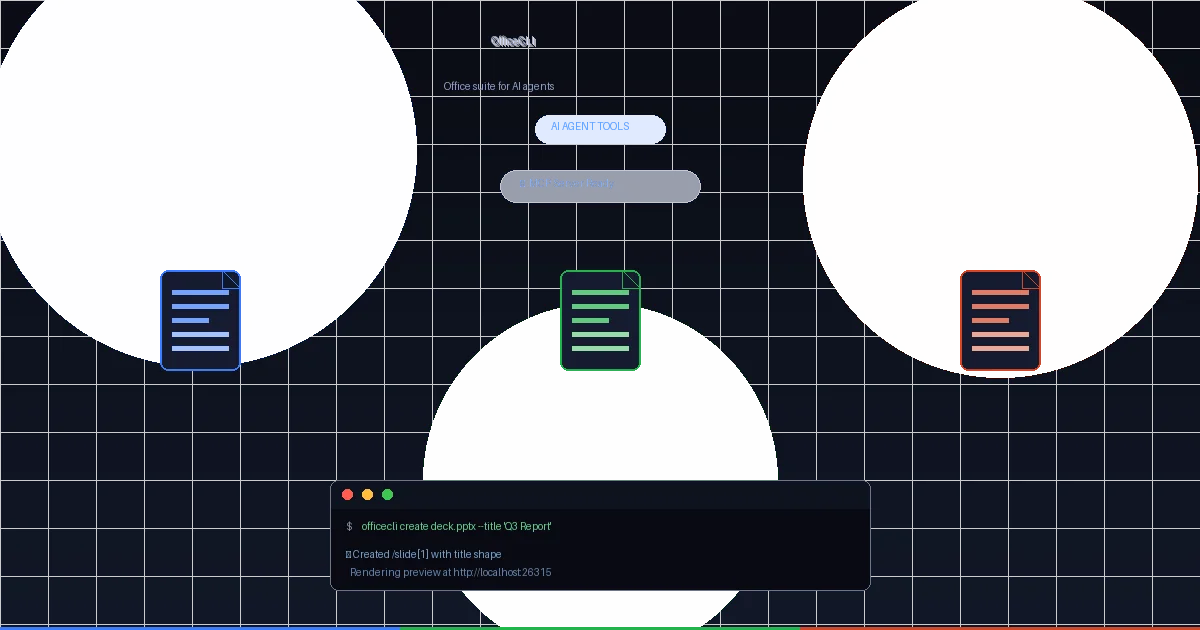
OfficeCLI — An Office Suite Purpose-Built for AI Agents
OfficeCLI is the first open-source Office suite designed from the ground up for AI agents. Single binary, no Office installation required, with a built-in rendering engine that closes the create-view-fix loop autonomously. Here's why this fills a critical gap in enterprise agent tooling.
Jev — TypeSafe's Decision Model Guide
Jev is a System One decision model: send typed state and questions, get probabilities instead of prose. Setup, prompt engineering, patterns, and integrations.