Nano Banana Prompting Guide: Craft Effective Prompts
Master the art of prompting Nano Banana. Learn prompt structure, use case patterns, and techniques for professional results.

The quality of your Nano Banana results depends on how you structure your prompts. But unlike older models where "better prompt = better image," Nano Banana uses a reasoning phase to fill in the blanks. This means even simple prompts can yield stunning results.
The real goal of prompting isn't just quality—it's control.
The Reasoning Gap
When you give a vague prompt like "a cat," Nano Banana has to make thousands of artistic decisions for you:
- What breed is the cat?
- What is the lighting?
- What is the background?
- What is the style?
The model fills this "Reasoning Gap" with its own creative choices. This is great for exploration, but bad for specific vision. Effective prompting is about closing the Reasoning Gap so the result matches your imagination, not just the model's training.
Open vs. Controlled Prompting
Instead of thinking in terms of "Weak" or "Strong" prompts, think about Open (letting the model decide) vs. Controlled (you deciding).
Open Prompts (High Randomness)
Great for brainstorming and happy accidents.
Prompt: "A cat in space" Result: The model might generate a cartoon cat on the moon, or a photorealistic tabby floating in a nebula. The image will look great, but it might not be what you wanted.
Controlled Prompts (High Intent)
Necessary when you have a specific vision.
Prompt: "A Persian cat in a retro-futuristic orange spacesuit floating inside the ISS cupola, looking out at the blue Earth below. Cinematic lighting, 8k resolution, photorealistic style." Result: You get exactly that specific image.
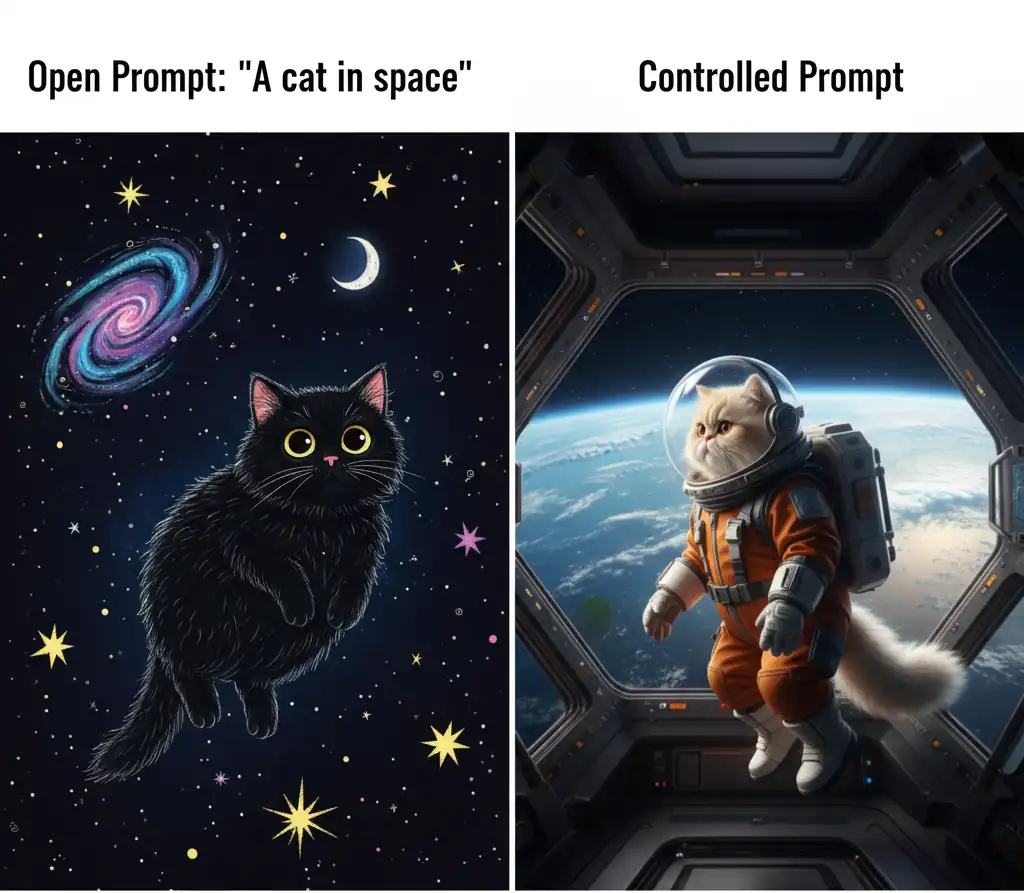
The detailed version isn't necessarily "better" quality—it's just yours.
Structuring for Control
To write effective Controlled Prompts, use this 4-part framework to close the Reasoning Gap:
1. Subject — What is the main focus?
- "A confident software engineer in a modern open-plan office..."
2. Key Characteristics — What defines the style?
- "Photorealistic, cinematic lighting, 35mm film grain..."
3. Specific Details — What makes it unique?
- "Wearing a casual grey blazer, warm amber lighting from Edison bulbs..."
4. Purpose/Context — What is the vibe?
- "Suitable for a tech company career page, professional and inviting."
Craft More Effective Prompts
Beyond structure, specific vocabulary dramatically improves results. Use descriptive language instead of generic praise.
Use Specific Adjectives
Replace vague terms with vivid descriptors:
| Avoid | Use |
|---|---|
| "nice photo" | "cinematic photography" |
| "good lighting" | "golden hour soft light" |
| "cool design" | "minimalist Bauhaus style" |
| "professional" | "magazine-quality portrait" |
Master Composition Language
Be explicit about framing and perspective:
- "Shot from above" / "bird's eye view" — Overhead perspective
- "Close-up detail" — Tight, intimate framing
- "Wide establishing shot" — Full scene view
- "Low angle looking up" — Dramatic perspective
- "Centered with negative space" — Balanced composition
Describe Lighting with Precision
Lighting shapes mood and realism:
- "Golden hour sunlight" — Warm, soft, directional
- "Studio key light" — Professional, controlled
- "Overcast daylight" — Soft, even diffusion
- "Neon ambient" — Moody, dramatic
- "Backlighting" — Separation, silhouettes
Scaling for Complexity: The Natural Evolution to JSON
For simple requests, natural language works beautifully. But as your compositions grow more complex—with multiple distinct elements that each need specific styling—organizing your thoughts becomes harder.
The 4-part framework still applies. But instead of writing it as flowing text, you can organize it as structured data (JSON format) for superior clarity and consistency.
When Text Works Fine
Natural Language Example:
Create a professional headshot of a confident woman in her 30s wearing a navy blazer
and white blouse with soft warm studio lighting against a subtle gray background.
Magazine-quality photography suitable for a corporate LinkedIn profile.

This works great. It's clear, specific, and conversational.
When Complexity Demands Structure
The Problem with Text:
A young woman in a lavender hoodie and mint skirt sitting on a concrete barrier.
She has light brown hair and fair skin. Urban street corner setting with painted curb
and faded crosswalk. Bright diffused afternoon light, soft and airy mood. Shot from
a mid to low angle with a wide lens. The background should be packed with maximalist
pop-art sweets-monster illustrations—banana ghosts, donut creatures, strawberry heads,
cookie beasts with neon colors (pink, cyan, lime, yellow, purple). The creatures
should peek around her shoulders and feet, layer in depth behind and in front, but
avoid covering her face, arms, or legs which stay photorealistic. The overall effect
is pastel street photography overwhelmed by neon pop-art, cute and chaotic.
As you layer more details, the text becomes dense and hard to reference. Which styling applies to which element? The reader (and the model) has to parse complex relationships.
The JSON Solution
Structure the same information clearly:
{
  "subject": {
    "type": "young woman (early 20s), Asian features",
    "expression": "playful, confident, winking",
    "pose": "sitting sideways on concrete barrier, one knee up"
  },
  "appearance": {
    "hair": "light brown, shoulder-length bob with wispy bangs",
    "complexion": "fair with warm undertones"
  },
  "clothing": {
    "top": "lavender cropped hoodie with soft shading with 'PromptGenius' text screen printed on the front",
    "bottom": "mint pleated skirt",
    "footwear": "white chunky sneakers with teal accents"
  },
  "environment": {
    "setting": "urban street corner",
    "details": "painted curb, faded crosswalk, distant buildings",
    "backdrop": "cloudy-bright sky"
  },
  "lighting": {
    "type": "bright diffused afternoon light",
    "quality": "soft, bright, airy"
  },
  "camera": {
    "angle": "mid to low angle",
    "lens": "wide lens with mild distortion",
    "framing": "subject centered with decoration space"
  },
  "art_overlay": {
    "style": "maximalist pop-art sweets-monster cluster",
    "creatures": ["banana ghosts", "donut creatures", "strawberry heads", "cookie beasts"],
    "colors": "neon pink, cyan, lime, yellow, purple with black outlines",
    "placement": {
      "behind_subject": "entire background packed",
      "around_subject": "peeking near shoulders, feet, hair silhouette",
      "depth_layers": "layered front and back for chaos",
      "avoid": "keep face, arms, legs photorealistic"
    }
  },
  "style": {
    "overall": "pastel street photography overwhelmed by neon pop-art",
    "aesthetic": "cute, vibrant, surreal, chaotic"
  }
}
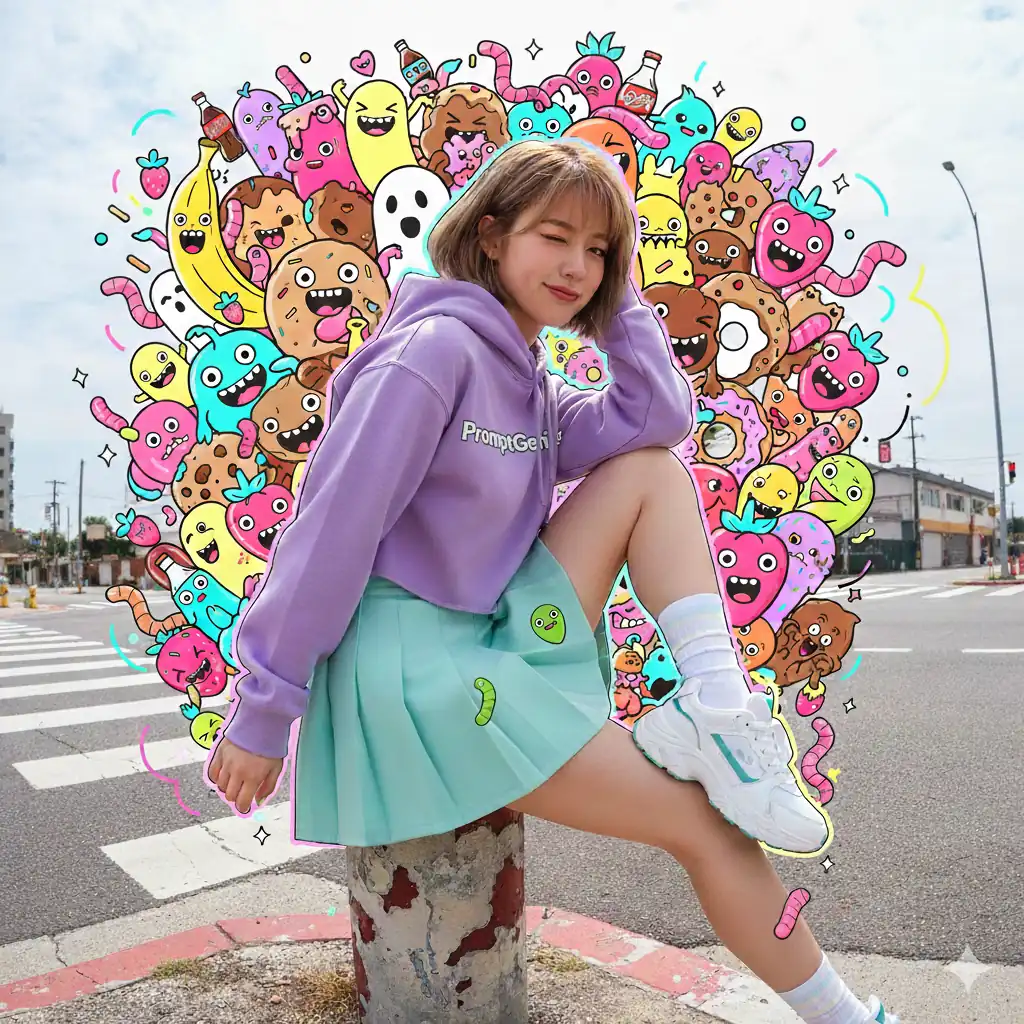
Same information. The model produces equivalent results from both formats.
Why JSON Works Better for Complex Requests
The real advantage of JSON isn't accuracy—both text and JSON prompts produce the same quality images. The benefits are organizational and practical:
- Human readability — When you read the JSON back, it's instantly clear what styling applies where. Text paragraphs require re-parsing.
- Collaboration — Easier to share and discuss with others. "Change the appearance section" is clearer than referencing "that part about hair."
- Consistency — Using the same structure across multiple prompts helps you get predictable, repeatable results through familiarity with your own framework.
- Scalability — Managing 20+ details in JSON is visually manageable. In text, it becomes a dense paragraph that's hard to edit or reference.
When to Use Each Approach
Stick with natural language when:
- Your request is straightforward (single subject, simple background)
- You want creative freedom and happy accidents
- You're exploring ideas and brainstorming
- You're doing conversational refinement (natural language is more intuitive here)
Switch to JSON when:
- Your composition has 5+ distinct visual components
- Different parts need different styling (photorealistic person + illustrated background)
- You're creating variations and need consistent, repeatable results
- You're collaborating and need to share structured prompts with others
- You're working on professional projects requiring exact control
JSON Best Practices
Keep it valid: Use proper JSON syntax with escaped quotes and balanced brackets. Test using JSONLint before submitting.
✓ Correct: "clothing": "white shirt with \"PromptGenius\" text"
✗ Incorrect: "clothing": "white shirt with "PromptGenius" text"
Organize logically: Group related details. Keep category names consistent across different prompts for repeatability.
Be specific within structure: Each field should contain descriptive language, not generic praise.
✓ "lighting": { "type": "golden hour sunlight from left", "quality": "soft and diffused" }
✗ "lighting": { "type": "nice", "quality": "good" }
Use arrays for multiple items: When describing lists of similar elements, use arrays instead of comma-separated text:
"creatures": ["banana ghosts", "donut creatures", "strawberry heads", "cookie beasts"]
Start simple, layer complexity: Begin with a basic structure and add nested details only as needed. Complex doesn't always mean better.
Workflow-Specific Prompting
While workflows differ, core principles stay the same. For detailed workflow-specific strategies, see Workflow Types.
Generation — Describe the final image you want, including subject, style, and context.
Editing — Reference what to change while keeping what works:
- "Change the background from a busy city street to a serene Japanese garden with cherry blossoms. Keep the subject's lighting and pose exactly the same."
- "Make the room's lighting warm golden hour. Keep the furniture layout."
- "Update to casual weekend clothing. Keep the setting and pose."
Blending — Describe the final single composition, not individual images: "Blend these into a family portrait on a beach at sunset with consistent lighting."
Refining Through Conversation
Nano Banana's strength is conversational refinement. After your initial prompt, use natural language to adjust:
- "Make the background more blurred"
- "The lighting feels too harsh—soften it"
- "Add more color to the background"
- "Move the subject to the left"
- "Make it look more professional"
This is faster than rewriting the entire prompt.
When to Refine vs. Regenerate
Refine (ask for adjustments):
- Composition is good but needs tweaks
- Lighting or colors need adjustment
- Small elements need repositioning
Regenerate (rewrite):
- The concept didn't work
- You want a different style entirely
- Composition completely misses the mark
- Starting a different idea
Common Mistakes to Avoid
Contradictions: "Serious but also playful and fun" — Choose one or describe both visually.
Over-specification: Avoid granular details like "size medium" or "three buttons"—trust the model with details.
Unclear context: The model can't reference your previous images without description. Say "the same person" if relevant.
Vague purpose: "Make it cool" is less useful than "suitable for a corporate website."
Assumption of shared context: Be explicit about what matters for your use case.
Next Steps
Ready to write your first prompt? Head to Fundamentals to access Nano Banana and put these techniques into practice.
For a deeper understanding of the three workflows (generation, editing, blending), see Workflow Types.
Related Articles & Guides
 #nano-banana
Nano Banana Fundamentals: Core Concepts & Prompting
Master the fundamentals of Nano Banana image generation: how it works, what makes it different, and essential prompting techniques for best results.
 #chatgpt
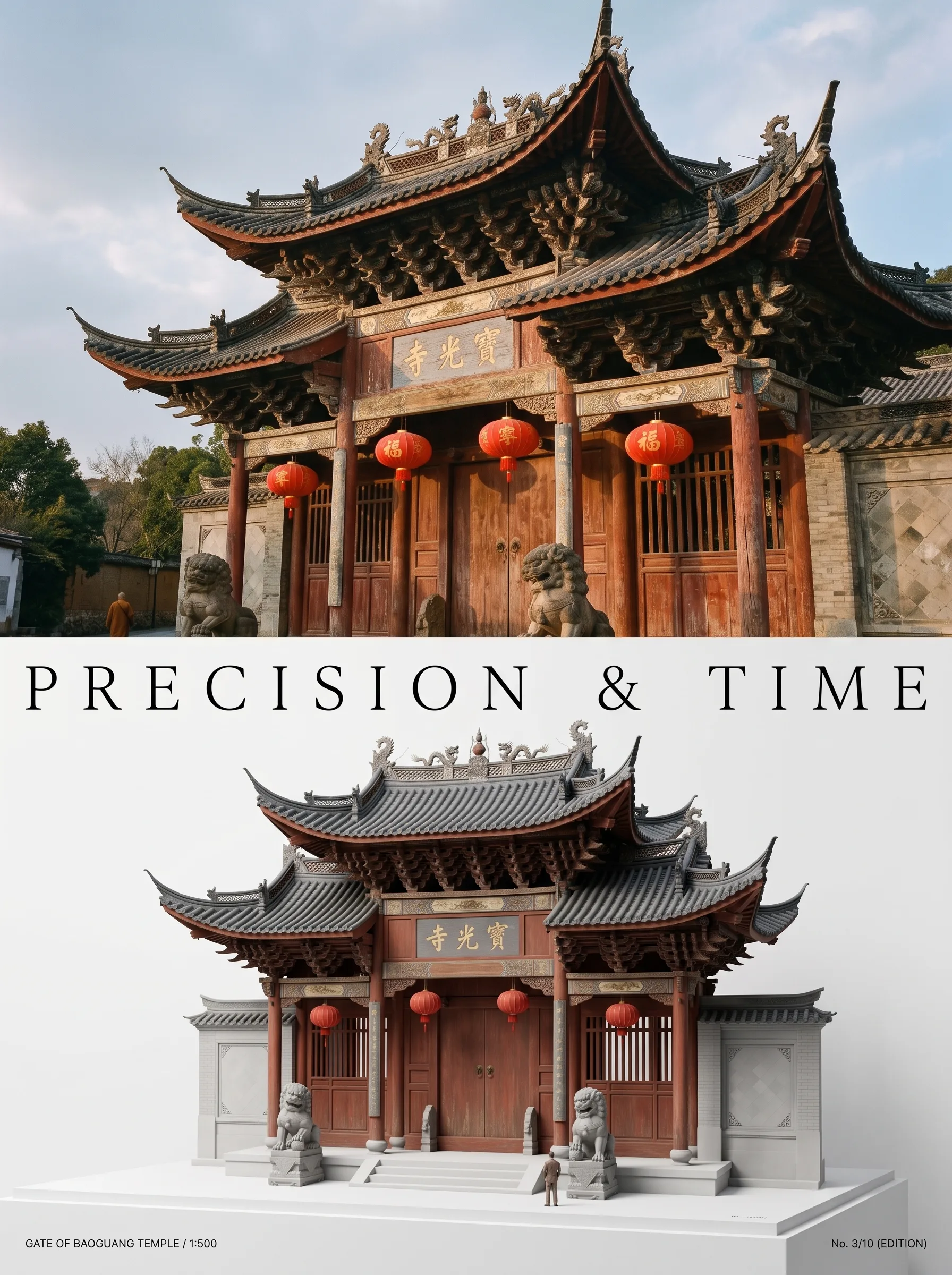
Photo to Architectural Model Poster
Turn any photo of a building into a dual-zone editorial poster: full photo on top, photoreal miniature museum model below. The precision prompt that avoids cartoon renders, tested on 6 building types.
 #nano-banana
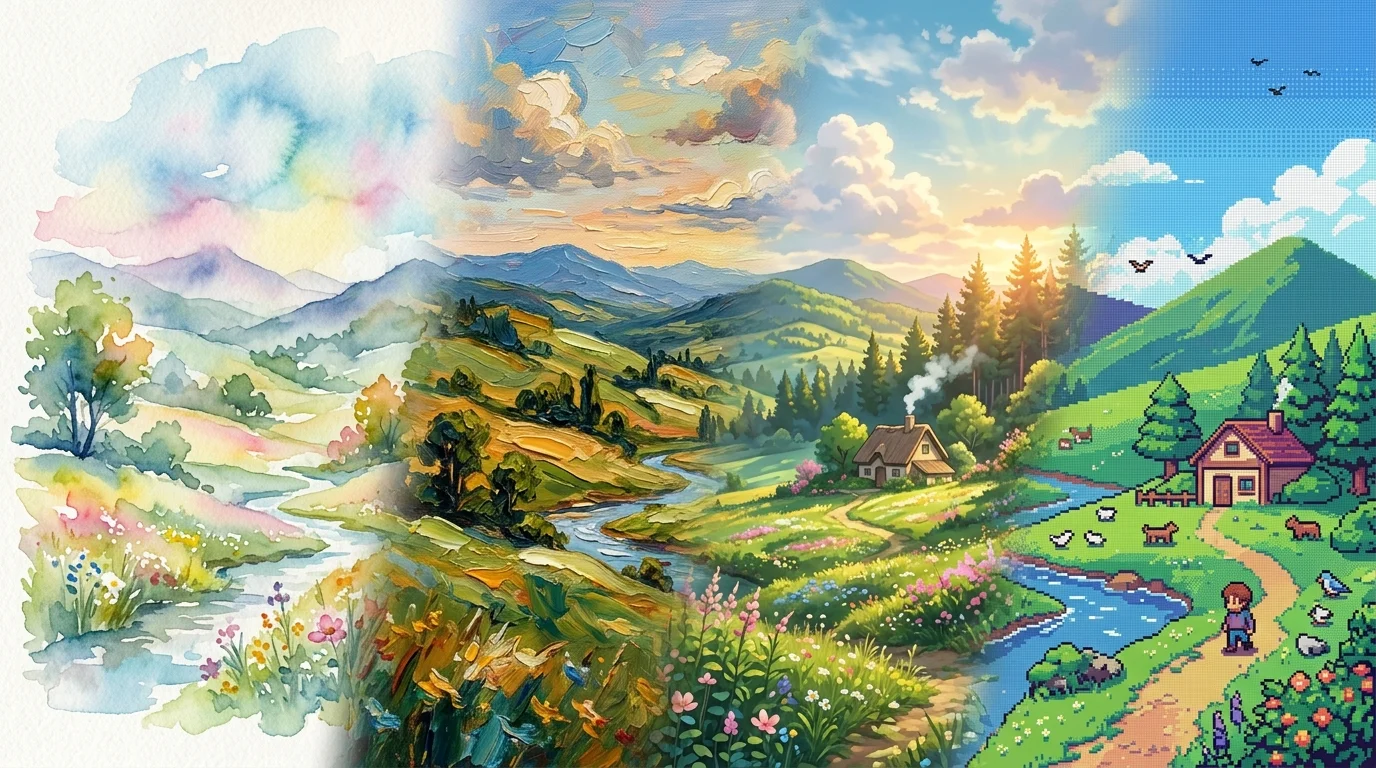
Artistic Transformation Prompts & Styles in Nano Banana
Turn photos into gallery art, anime scenes, oil paintings, and exhibition posters with Nano Banana. Master image-to-image style transfer prompt engineering.