Prompt Engineering in GitHub Copilot
Prompt patterns for GitHub Copilot chat, inline edits, and agent mode. Master workspace context, slash commands, step-by-step feature patterns, PR-focused prompting, and common pitfalls.
Prompt Engineering in GitHub Copilot
Copilot responds through three interfaces: inline completions (Tab), Chat (sidebar), and Agent mode (autonomous). Each needs different strategies.
Inline Completions
Copilot suggests continuations as you type. Optimize what it generates:
- Open related files — Copilot reads your open tabs for context
- Write descriptive function names —
calculateTotalWithTaxgets better completions thancalc - Add type annotations first — Copilot generates better code when types are explicit
- Leave hints as comments —
// Validate input, throw ValidationError if invalidguides completions
Chat Prompts
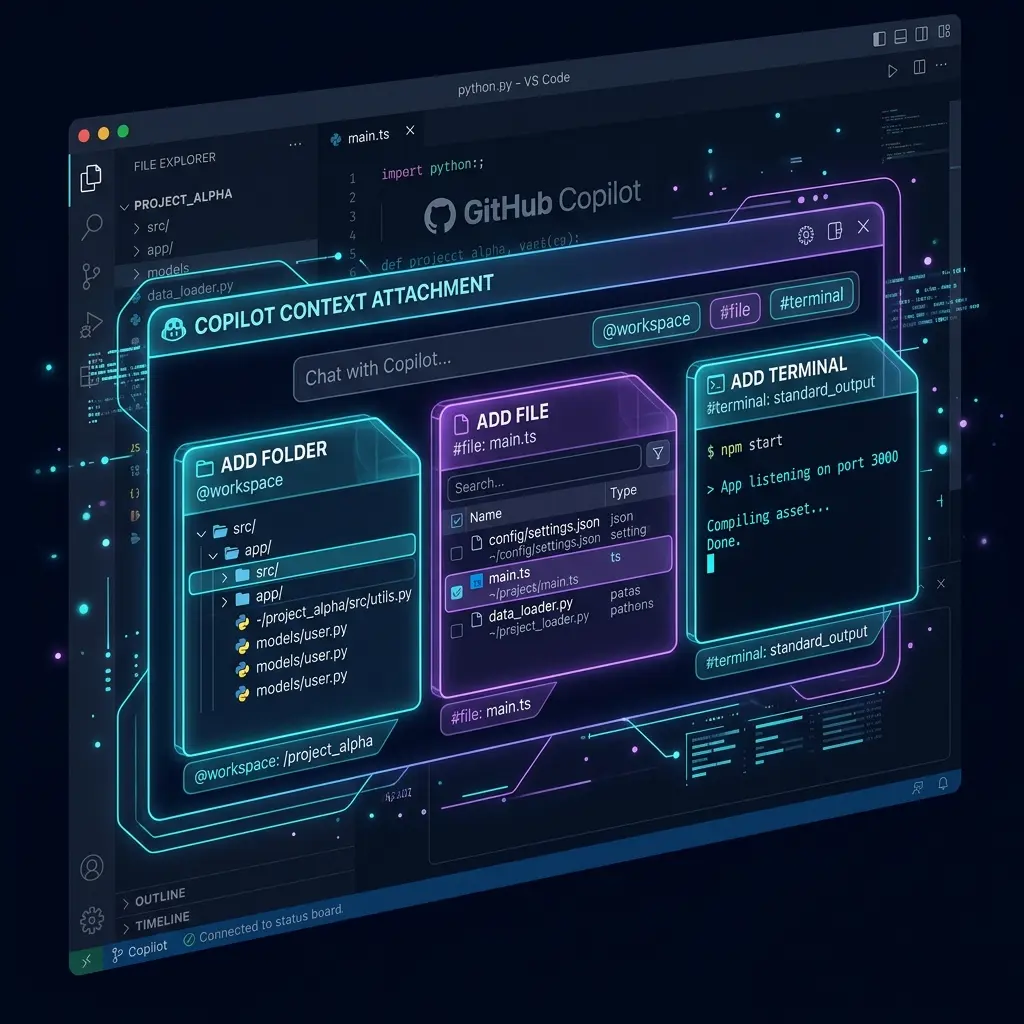
Copilot Chat has access to your workspace files. Use context attachments for precision.
Inline Chat (Ctrl/Cmd+I)
Quick edits at cursor position:
> Add TypeScript types to this function and handle null input
> Refactor this to use Array.reduce instead of the for loop
Strategy: Be specific about what to change AND what not to change. Copilot Chat sees the selected code plus surrounding context.
Chat Panel (Ctrl/Cmd+Shift+I)
For multi-step tasks:
> Install zod and create a form validation schema for user registration:
  - Email: required, valid format
  - Password: 8+ characters, 1 uppercase, 1 number
  - Confirm password: must match password field
  Use the same project structure as src/lib/validators.ts
@workspace — Full Project Context
@workspace /explain the authentication flow from login to session management
@workspace /fix the memory leak in #file:src/services/worker.ts
@workspace Create a new API route following the pattern in #file:app/api/users/route.ts
@workspace Find all places where we use dangerouslySetInnerHTML
@vscode — VS Code API
@vscode How do I create a tree view that shows database tables?
@vscode Write a command that opens a terminal and runs npm run dev
@terminal — Terminal Output
@terminal Why did the build fail?
@terminal Summarize the test failures
Slash Commands
| Command | What it does |
|---|---|
/explain | Explain how selected code works |
/fix | Propose a fix for the problem |
/tests | Generate unit tests |
/docs | Generate documentation |
/new | Scaffold a new project or file |
/simplify | Simplify complex code |
/clear | Clear chat history |
Agent Mode
Agent mode reads files, runs terminal commands, makes multi-file changes autonomously:
> Add rate limiting to the API in src/middleware/rate-limit.ts
  1. Read the existing middleware to understand the pattern
  2. Create a rate limiter using the existing Redis client in src/lib/redis.ts
  3. Apply it to the teams API endpoint at src/app/api/teams/
  4. Add a test in src/__tests__/middleware/rate-limit.test.ts
  5. Run `npm test -- rate-limit` to verify
Agent Mode Best Practices
- Number your steps — Agent follows numbered tasks sequentially
- Add verification — Include commands to run after changes:
Run npm run typecheck when done - Set boundaries — "Only change files in src/components/" prevents scope creep
- Use checkpoints — Ask for confirmation: "Show me the plan before executing"
Prompt Patterns
Reference Existing Code
> Create a new API endpoint following the same pattern as src/app/api/users/route.ts.
  Same auth middleware, same error format, same response structure.
  Name the endpoint src/app/api/teams/route.ts.
Step-by-Step Feature
> Add a search bar to the Dashboard:
  1. Read src/app/dashboard/page.tsx to see current structure
  2. Create src/components/SearchBar.tsx using shadcn Input component
  3. Add debounced search (300ms) using useDebouncedCallback from use-debounce
  4. Wire it to the existing search API at src/lib/api/search.ts
  5. Add loading state and empty state
  6. Run `npm run typecheck`
Error Investigation
> Production is logging "Cannot read property 'id' of null" in the
  user profile page.

  1. Read src/app/profile/page.tsx
  2. Find every place where `.id` is accessed
  3. Identify which could be null/undefined
  4. Add null checks or optional chaining
  5. Add an error boundary for graceful failures
Test Generation
> @workspace /tests Generate tests for the function at
  src/lib/payment/calculate-total.ts

  Include tests for:
  - Normal case with 3 items
  - Empty cart (0 items)
  - Single item
  - Negative quantity (should throw)
  - Discount code application
  - Tax calculation for different regions
GitHub Workflow Integration
PR-Focused Prompting
> Review this PR description and check if the code in
  src/pull/123/ matches the described changes.
  Flag any discrepancies between the PR description and actual code.
Issue-to-Code
> This GitHub issue describes a bug: #456
  Read the issue, find the relevant code, propose a fix,
  and draft a PR description.
Common Pitfalls
Vague Context Requests
> @workspace Make it better   ← Bad

> @workspace Apply consistent error handling to all API routes.
  Use the format from src/lib/api/error-handler.ts   ← Good
Ignoring copilot-instructions.md
Without instructions, Copilot defaults to generic TypeScript/React patterns that might not match your project. Always create a .github/copilot-instructions.md file.
Not Using Workspace References
> How does auth work?   ← Copilot guesses

> @workspace How does auth work?   ← Copilot reads your code
Forgetting Tab Context
Inline completions depend on open tabs. If Copilot generates code that doesn't match your project, check that the relevant source files are open.
Related Pages
- GitHub Copilot Configuration — copilot-instructions.md, settings, .vscode config
- Prompt Chaining (Prompts Section) — Multi-step patterns that apply to Copilot workflows
- Agentic Prompting (Prompts Section) — Agent mode prompting fundamentals
- Tool Comparison — Copilot vs Cursor vs Claude Code vs OpenCode vs Gemini CLI
Related Articles & Guides
GitHub Copilot — Configuration Reference
Configure GitHub Copilot for your project. copilot-instructions.md, .vscode/settings.json, .github/ conventions, model settings, and integration with Copilot Chat and Agent mode.
Jev Prompt Engineering — Questions, Criteria & State
How to write Jev questions and criteria that hold up: one judgment per question, situation-based criteria, clean state, parallelism, and the model's known failures.
Pi — Terminal AI Coding Agent
Complete guide to pi, Mario Zechner's minimal terminal coding agent. Covers installation, prompt engineering, context files, skills, and the lean-harness philosophy.