Make a Narrated Anime Short with AI: Keyframes, Chained Video, Foley, Score & Voice
Build a 45-second narrated anime short on one Colab A100: Anima keyframes, Wan 2.1 first/last-frame clips, Stable Audio Open foley, ACE-Step score, Kokoro narration, one FFmpeg mix.
Quick Answer
What you'll build: a 45-second narrated anime short, The Last Lantern, from one JSON file. An anime image model draws 10 keyframes, a first/last-frame video model animates each pair into a ~5 s clip, and the 9 clips are stitched into one continuous take. A text-prompted sound model adds foley, ACE-Step writes the score, Kokoro reads the narration, and FFmpeg mixes all three. Everything runs on one Colab A100 80GB.
The lesson that cost the most time: one image per clip gives you a slideshow of unrelated scenes. Give the video model a first and last frame for every clip, and reuse each clip's last frame as the next clip's first. That is what makes it flow.
This is the finished short, down-scaled to 960 px. It is a first attempt, not a polished film, and a few seams and artifacts are still visible. The point of this blueprint is the pipeline, and what broke on the way.
Note:
Everything below was run for real, but the pieces were assembled across one long session, not from a clean checkout. Pin versions, run each stage alone first, and check each model's license before you publish or monetize.
What You'll End Up With
stories/last-lantern-4.json: the storyboard, one scene per keyframe, with a per-scene image prompt, motion brief and foley cuestory.py: draws keyframes, then animates frame i → frame i+1 into clips, resumable per scenefoley_sao.pyandfoley_run.py: one text-prompted ambience clip per scenenarrate.py: Kokoro narration, fitted line by line to the clip it belongs tomusic.py: one ACE-Step instrumental score for the whole filmmix.sh: the FFmpeg graph that layers it all
How the Pipeline Fits Together
| Stage | Model | Output |
|---|---|---|
| 1. Keyframes | Anima (anime-tuned image model) in ComfyUI | 10 PNGs at 1280×720 |
| 2. Clips | Wan 2.1 FLF2V-14B fp16 + lightx2v distill LoRA | 9 clips of 81 frames (~5.06 s, 16 fps) |
| 3. Stitch | FFmpeg | one 45 s silent video |
| 4. Foley | Stable Audio Open 1.0, text-prompted | 9 ambience clips in the clip lengths |
| 5. Score | ACE-Step 1.5 turbo | 47 s instrumental in D minor |
| 6. Narration | Kokoro | one timeline WAV |
| 7. Mix | FFmpeg | final MP4 |
Each stage writes to disk and skips work that already exists, so you can review keyframes before paying for video, and redo one clip without touching the other eight.
Step 1: Write the Storyboard as Keyframes, Not Scenes
The first version gave each scene one image and one clip. The result was nine pretty, unrelated shots. The fix was to treat the storyboard as a list of keyframes that sit on a continuous camera path. Ten keyframes make nine clips, and clip i travels from keyframe i to keyframe i+1.
A scene needs four fields:
{
  "id": "03",
  "frame": "1girl, young witch, long dark brown hair, oversized black pointed hat, black robe, sitting on a wooden broom lifting off from the grass, single glowing paper lantern hanging from the broom handle, low angle from the ground, hilltop, dusk sky, hair and robe blowing",
  "desc": "Low angle from the grass: the witch sits on her broom just lifting off, lantern hanging from the handle, dusk sky above.",
  "motion": "She mounts the broom and rises; the camera tilts up following her as she climbs into the sky and the hilltop drops away.",
  "foley": "a rising whoosh, strings enter softly."
}
frameis the image-model prompt for the keyframe.descdescribes that frame in plain words. The video prompt quotes it as "IMAGE 1" for the first frame and quotes the next scene'sdescas "IMAGE 2".motiondescribes what the camera and subject do to get from this frame to the next.foleyis the cue sheet for the sound-effects stage. The video model never sees it.
At the top of the file, a shared video_style paragraph carries the rules every clip needs, next to the canvas and step count:
{
  "name": "last-lantern-4",
  "chain": true,
  "width": 1280,
  "height": 720,
  "seconds": 5,
  "seed": 6100,
  "style": "masterpiece, best quality, score_7, safe, anime illustration, cinematic composition",
  "negative": "worst quality, low quality, score_1, score_2, score_3, artist name, text, watermark, blurry, jpeg artifacts, 2girls, multiple girls, twins, duplicate, clone, two lanterns, multiple lanterns",
  "video_style": "Japanese anime film, hand-drawn cel animation, soft painterly backgrounds. Every shot flows into the next with no cut: the camera itself travels (push-in, pull-back, pan, tilt, follow) so image 1 turns into image 2 as one continuous take, never a hard cut or fade. The same young witch and the same single glowing paper lantern appear throughout. Keep a steady, constant pace. No text, no subtitles, no spoken dialogue."
}
Key Takeaway
The shared style says "the camera itself travels." Without it, the video model treats the two frames as two shots and dissolves between them. Describe the camera move that connects the frames in every motion line.
Step 2: Draw the Keyframes, and Look at Every One
The image prompt carries the character in full every time: 1girl, young witch, long dark brown hair, oversized black pointed hat, black robe. Anime models drift, so the character description is repeated verbatim in every frame that shows her. Scenes with no character use no humans, scenery.
A negative prompt shared by every frame blocks the usual failure modes, and individual scenes add their own:
"negative": "worst quality, low quality, artist name, text, watermark, 2girls, multiple girls, twins, duplicate, clone, two lanterns, multiple lanterns"
Run the frame stage alone and review the PNGs before you spend GPU time on video:
COMFY_SESSION=story ./comfy.sh story stories/last-lantern-4.json frames
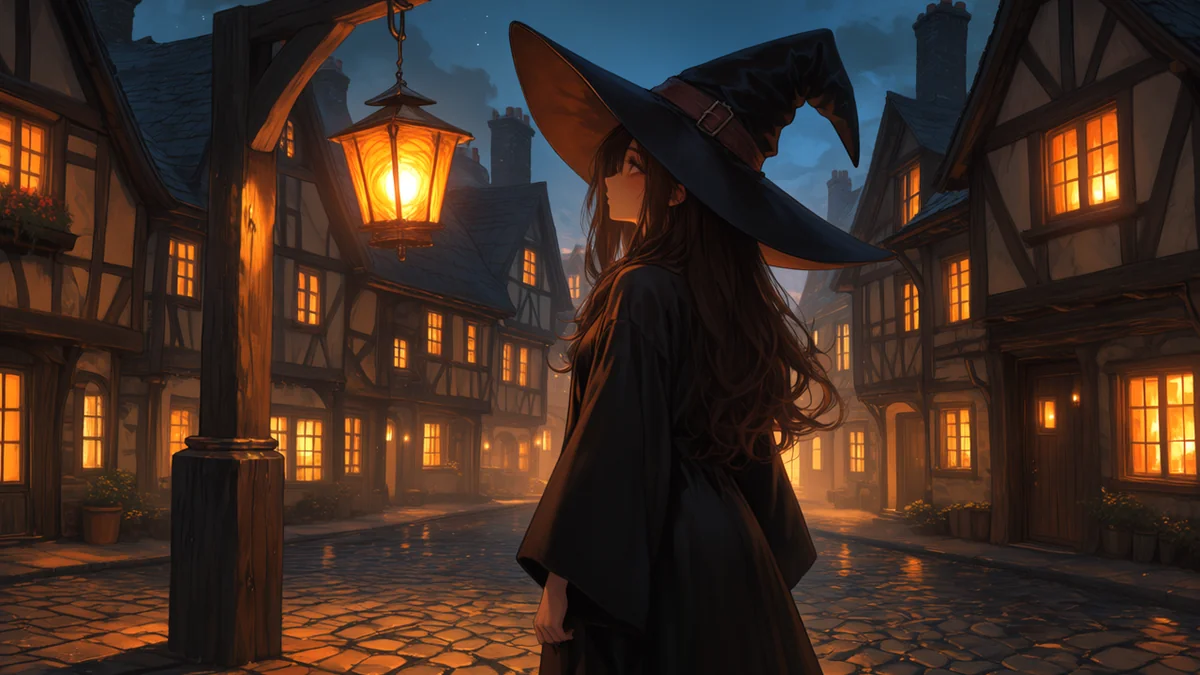
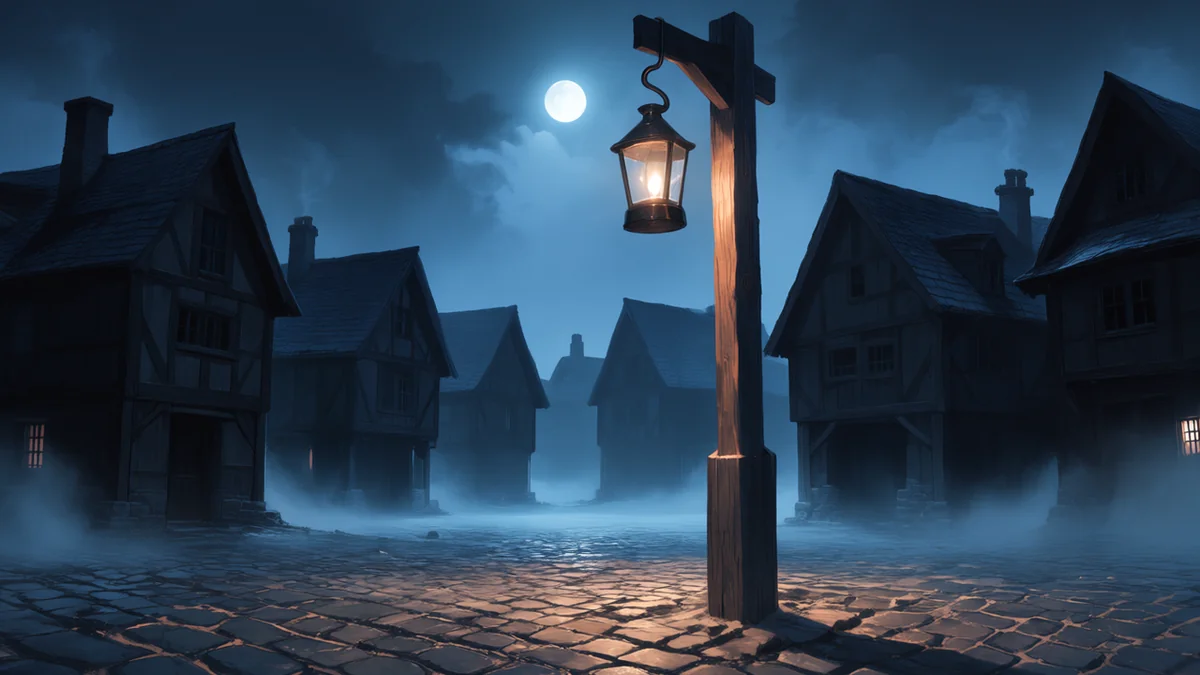
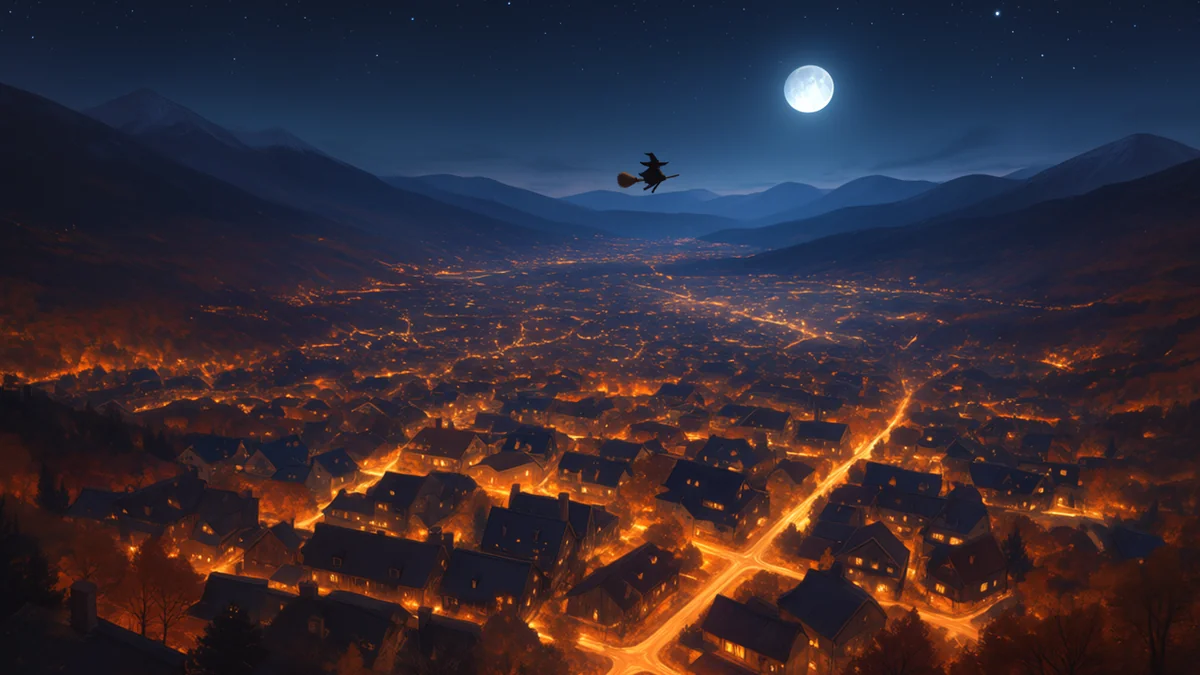
These are four of the ten keyframes. Each pair of neighbors becomes one clip.


The frame that broke the ending
The first pass at keyframe 09 produced a woman kneeling and hugging the lamp post, with a second lantern on the ground. No hat, and a lantern already lit, so the story made no sense. The clip built from it faithfully animated the nonsense.
The cause was in the prompt: it had lost the character tags (oversized black pointed hat, long dark brown hair) and said only "standing beside a lamp post." The fix was to restate the character in full, say what her body is doing, and negate the failure:
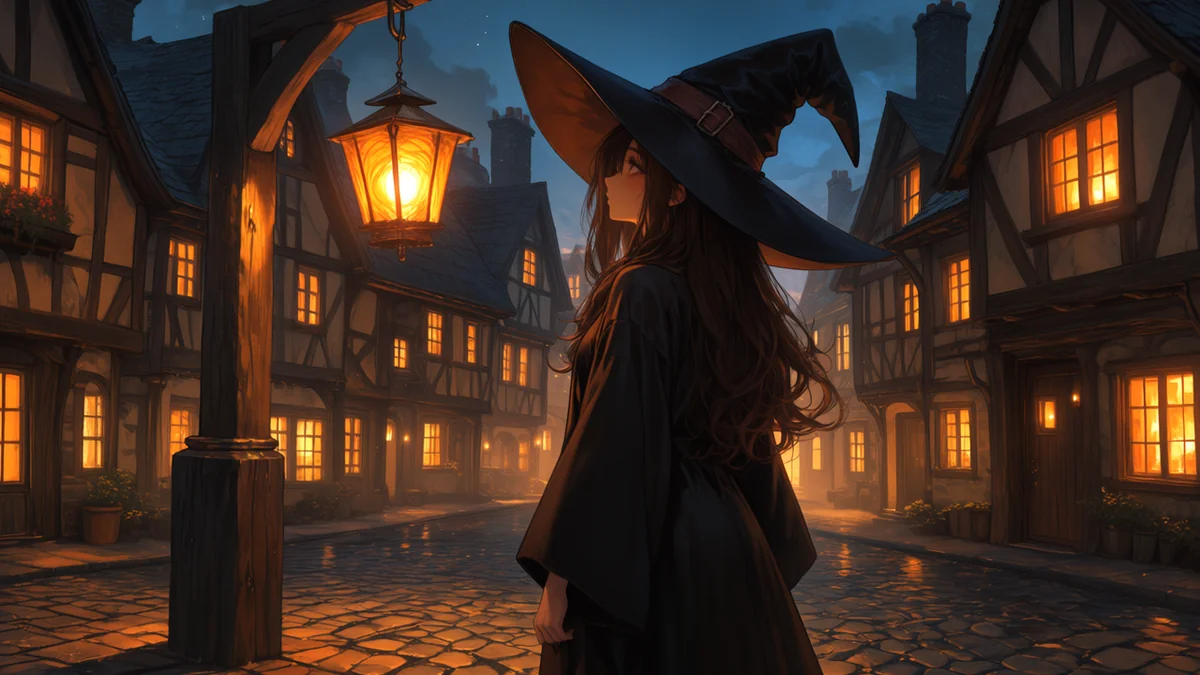
1girl, solo, young witch, long dark brown hair, oversized black pointed witch hat, black robe, standing upright on a cobblestone village square at night, seen from behind, looking up at one glowing paper lantern hanging on the hook of a tall wooden lamp post, wide shot, many windows of the surrounding timber houses glowing warm orange, warm light on the cobbles, cozy NEGATIVE: kneeling, crouching, sitting, hugging the post, lantern on the ground, second lantern, child, small figure, second person, two people, crowd, no hat, bare head
Keyframe 10 had a smaller version of the same bug: a second witch had appeared in the sky. The fix was one single tiny distant silhouette in the prompt and second witch, two witches, extra person, birds in the negative.
Note:
Only the prompt changes when you redo a frame, and story.py redoes just that scene. But a frame is the end of one clip and the start of the next, so changing keyframe 09 meant regenerating clips 08 and 09. Fix frames before you generate video.
Step 3: Animate Frame Pairs on the A100
The video stage is Wan 2.1 FLF2V-14B in fp16, with a rank-64 step-distill LoRA that cuts sampling to 4 steps. It runs in the same ComfyUI server as the keyframes, on a Colab A100 80GB.
Rent the machine and check what you actually got before installing anything:
uv tool install google-colab-cli
colab new -s story --gpu A100

nvidia-smi --query-gpu=name,memory.total,driver_version --format=csv   # run on the machine
df -h /content
Read both. The same request can hand you the 40 GB shape of the A100, and this clip stage peaks above 50 GB — it would not have fit. Then install both stages on the session and start the server:
COMFY_SESSION=story ./comfy.sh setup anima,wan
The server starts detached, so it outlives the command that started it, and prints a ready marker with the node count it loaded. The weights come from the model hub as five files — the main model (32.8 GB), a text encoder (6.7 GB), the image encoder (1.3 GB), the VAE (0.3 GB) and the speed-up LoRA (0.7 GB). wget -c makes every download resumable, and a private repo's token goes in as an environment variable, never in the script and never in a log.
For each clip, story.py uploads the two keyframes and builds one prompt from the shared style, both desc lines and the motion line:
parts = [story["video_style"]]
parts.append(f"IMAGE 1 (first frame): {scene['desc']}")
parts.append(f"IMAGE 2 (last frame): {next_scene['desc']}")
parts.append(f"MOTION: {scene['motion']}")
i2v["prompt"] = "\n".join(parts)
Settings that matter:
- Length: 81 frames at 16 fps (~5.06 s). Wan's frame count has to land on a
4n+1grid, so a requested 5 s snaps to 81. - Turbo: the rank-64 LoRA runs it in 4 steps and took about 168 s per clip on the A100 80GB.
- Resolution: 1280×720, the same as the keyframes.
- Memory: during a clip the stack touched about 52.6 GB of the 80 GB card, roughly two-thirds.
COMFY_SESSION=story ./comfy.sh story stories/last-lantern-4.json video
Each clip is written to the VM as it finishes, and a rerun skips clips that exist. Nine clips is about 25 minutes of GPU time at the bench rate (9 × 168 s).
Note:
Want the numbers for your own card? The same storyboard runs through a bench mode that records seconds per keyframe and per clip, peak VRAM, disk and errors, one row per card:
COMFY_SESSION=story BENCH_CLIPS=1 ./comfy.sh bench stories/last-lantern-4.json a100-anima-wan
Stitch without a visible seam
Because clip i+1 starts on exactly the frame clip i ended on, that frame appears twice. comfy.sh drops the first 1/16 s from clips 2 through 9, re-encodes them all alike, and joins them with FFmpeg's concat demuxer:
ffmpeg -ss 0.0625 -i 02.mp4 -c:v libx264 -crf 14 -pix_fmt yuv420p trim_02.mp4
ffmpeg -f concat -safe 0 -i list.txt -c copy last-lantern-4.mp4
What went wrong in the video stage
| Problem | Cause | Fix |
|---|---|---|
| Nine pretty clips that did not connect | One image per clip, no end frame | First/last-frame mode with keyframes shared between neighbors |
| Hard dissolve between frames | Prompt didn't describe camera travel | "The camera itself travels" in the shared style, a camera move in every motion |
| Garbled ending | A keyframe lost its character tags | Restate the full character in every frame prompt |
| The 40 GB A100 shape | Same request, smaller card; the stack peaks above 50 GB | Check the card before installing; ask for the 80 GB shape |
| Looked like the job died when the local session was cut off | The local comfy.sh is the client; the VM kept going | Clips live on the VM, so a rerun skips finished work and just downloads |
Note:
A local interruption does not stop the VM. After a cut-off, check /content/story/<name>/clips/ on the VM before regenerating anything.
Step 4: Give It a Sound
The video model makes no sound, so the whole soundtrack is built in layers: foley, score, then voice.
The Colab VM runs Python 3.13, which several audio packages don't support yet. The reliable approach is a separate environment per tool, so ComfyUI's environment stays untouched:
pip install -q uv
uv venv /content/venv-ace    # ACE-Step
uv venv /content/venv-sao    # Stable Audio Open
Foley with Stable Audio Open
One text prompt per clip, built from that scene's foley cue. The model never sees the video: it sets a mood rather than matching an action, so it will not reliably produce a specific sound like the clink of a lantern on a hook. The clip is generated at, and trimmed to, the clip's length:
PROMPT="a rising whoosh, strings enter softly." DURATION=5.06 \
  OUT=/content/foley/03.flac SEED=6100 \
  /content/venv-sao/bin/python /content/foley_sao.py
Install it with PyTorch from the cu128 index. The default torchvision wheel is built for CUDA 13 and fails with a CUDA-major-version mismatch against that PyTorch; reinstall torchvision from the same index. The weights come from the official gated stabilityai/stable-audio-open-1.0 repo: accept the license on Hugging Face and use a read token.
Note:
Stable Audio Open 1.0 uses the Stability AI Community License: a credit line ("Powered by Stability AI") and revenue limits apply. Read the terms before you publish.
The score with ACE-Step
One continuous piece of music is what ties nine separate clips together. ACE-Step 1.5 turbo generated the full 47 s score in a couple of seconds of model time. The settings that count are the length, the key and tempo, and [Instrumental] for the lyrics:
params = GenerationParams(
    caption="warm slow cinematic anime film score, solo piano and soft string ensemble, "
            "gentle D minor theme, calm, unbroken, nostalgic autumn evening, "
            "wistful then hopeful, swelling warmly at the end, no vocals, no drums",
    lyrics="[Instrumental]", instrumental=True,
    duration=47, bpm=68, keyscale="D minor", timesignature="4",
    seed=6100, inference_steps=8, thinking=False,
    fade_in_duration=2.0, fade_out_duration=4.0)
Run it with MPLBACKEND=agg set. The Colab kernel exports a notebook-only Matplotlib backend, and the subprocess crashes on import without the override.
Narration with Kokoro
Write one line per clip, about 10 to 13 words. At a calm storyteller pace a clip holds three to four seconds of speech with room to breathe. The opening line is a hook, because the viewer decides in the first few seconds:
{ "clip": "01", "start": 0.0, "text": "One night, the last light in the world was carried by a young witch." },
{ "clip": "02", "start": 5.062, "text": "Its small flame was all the light she had left to give." },
{ "clip": "03", "start": 10.062, "text": "So she took to her broom, and the hill fell away." }
The kokoro package refuses to install on Python 3.13, so narrate.py uses kokoro-onnx with the kokoro-v1.0.onnx and voices-v1.0.bin files and the British voice bf_emma. It renders each line, measures it, and re-renders at a different speed until the line fits inside its clip with 0.4 s of lead-in and 0.3 s of tail. The final speed was 0.92, which is slow and even.
Note:
Fit the voice to the picture by measuring, not guessing. Render, measure the seconds, adjust the speed, and check again. The same applies to anything that must land on a cut.
Step 5: Mix It
A single FFmpeg filter graph does the whole mix (abridged below; mix.sh has the full graph). Foley is placed at each clip's start time and given short fades at the joins. Music and foley are both ducked by the narration with sidechaincompress, so the voice is always on top. The result is normalized to -16 LUFS and trimmed to the film's exact length, 45.06 s:
ffmpeg -i foley/01.flac ... -i foley/09.flac -i music.wav -i narration.wav -i last-lantern-4.mp4 \
  -filter_complex "
    [0:a]volume=0.35,afade=t=in:d=2.0,adelay=0|0[f1]; ...
    [f1][f2]...[f9]amix=inputs=9:normalize=0,highpass=f=180,lowpass=f=5500[foley0];
    [9:a]volume=0.4[mus0];
    [10:a]asplit=3[nar][narsc][narsc2];
    [mus0][narsc]sidechaincompress=threshold=0.02:ratio=6:attack=40:release=600[mus];
    [foley0][narsc2]sidechaincompress=threshold=0.02:ratio=4:attack=40:release=500[foleys];
    [foleys]volume=0.3[fol];
    [fol][mus][nar]amix=inputs=3:normalize=0,loudnorm=I=-16:TP=-1.5:LRA=11,atrim=0:45.06[a]" \
  -map 11:v -map "[a]" -c:v copy -c:a aac -b:a 192k final-mixed.mp4
Balance notes from listening
- The first mix was too busy. Foley at 0.8 and music at 0.55 drowned the world in noise. The final bus levels are 0.3 and 0.4, with narration untouched.
- The opening wind was the loudest thing in the film. The first clip is a wide shot with wind, and the foley model gave it full-band noise. Fixes: clip 1 at 35% volume, a 2 s fade-in, a 180 Hz high-pass and a 5.5 kHz low-pass over all foley.
- Duck the foley under the voice, not only the music. Ambience competes with speech in the same frequency range.
Re-mixing is one command, and mix.sh is the only file you edit to change the balance. If you regenerate a clip, regenerate only that clip's foley and run the mix again.
Mix levels used in the final video
Values: bus volume 0.3, clip 1 at 0.35 with 2 s fade-in
Values: volume 0.4
Values: volume 1.0 (reference level)
Values: -16 LUFS, true peak -1.5 dB
Project Layout
What Doesn't Work Yet
- Continuity is not perfect. The witch's hat, hair and lantern shift slightly between clips. Chaining frames shared between neighbors helps, but the video model still redraws her in every clip.
- Foley is generic. Stable Audio Open works from a text prompt and never watches the picture, so it sets a mood, not an action. Specific sounds such as the clink of a lantern on a hook are not promised.
- Narration is slow. Fitting 11-word lines into 5-second clips forces a very calm pace. A looser story, or fewer clips with more words each, would sound more natural.
- No lip-sync or on-screen dialogue. This pipeline is narration only.
- The video stage needs a 50 GB-class card. The clip stage peaks at 52.6 GB, so the 40 GB A100 shape is too small. A quantized image model can run on an entry-level GPU with a low-memory flag, only slower, but the video model has not been run on one.
- The VM is temporary. The virtual environments, model weights and clips live on the Colab VM. If the runtime recycles, you reinstall everything and regenerate anything you didn't download.
What It Costs
| Item | Cost |
|---|---|
| Colab A100 80GB | Paid compute units, billed per hour while the runtime is up. Since late September 2026, Colab's paid benefits come with the Google AI plans: AI Pro includes priority GPUs and 200 compute units a month; Ultra adds 1,000–2,000 units, background execution and premium GPUs. Claim it from Colab's paid products page (upgrade to Google One), then check it under Settings → Subscription. Paid plans only: no free trials, no storage-only Google One — see Working in Colab |
| Anima, Wan 2.1 + lightx2v, Stable Audio Open 1.0, ACE-Step, Kokoro | Open weights, no per-run fee (check each license before commercial use) |
| FFmpeg | $0 |
About 25 minutes of GPU time at the bench rate (9 × 168 s) goes to the clips, with the keyframes (17 s cold, 8 s warm) and the audio models adding a few more. Redoing a bad scene costs about three minutes per clip.
What's Next
- Drive it from your own terminal: the walk-through video for this pipeline — renting the A100, checking the card, driving ComfyUI through its API, chaining the frames, and fixing what broke
- Test Image and Video Models on Colab GPUs: the bench method behind these receipts
- Faceless YouTube Pipeline: a script-first narration pipeline for longer explainer videos
- Scroll-Storytelling Firefly River: a use for short first/last-frame clips on a website
- Tool Blueprints: more end-to-end builds
Appendix: the original H3 baseline
The film's first version kept the same storyboard and ran the clips on H3, a first/last-frame video model whose frame count lands on a 17k+5 grid at 24 fps — a requested 5 s became 124 frames (5.17 s) at 1344×768, 8 steps with a turbo LoRA, about 163–169 s per clip on the same A100, a peak of about 42.7 GB, and an int8 weight stack of about 38.6 GB. H3 generates its own soundtrack, but the audio changed character from clip to clip, and that cut's foley came from MMAudio, whose weights are CC-BY-NC.
The switch was licensing: H3's Community License excludes the US, the UK, the EU and South Korea, and Colab VMs run in the US. Wan 2.1 + lightx2v (Apache-2.0) and Stable Audio Open replaced both H3 and its foley model. Everything outside the video stage stayed the same. The video stage changed: five fp16 files instead of an int8 stack, 4 steps instead of 8, 16 fps instead of 24, and no native audio to remove. The full H3 setup lives in H3 on ComfyUI.
Related Articles & Guides
 #google-colab
Test Image and Video Models on Colab GPUs: One VM, Mix and Match
Run keyframe and image-to-video models on one Colab VM, swap models and GPUs through one storyboard, and measure time, VRAM and quality to find the best fit.
Faceless YouTube Pipeline with Claude: Scripts, Voice, Frames & Compliance
Build a faceless YouTube pipeline: Claude retention scripts, free Kokoro or Chatterbox voice, Whisper captions, Flux frames on Colab, and YouTube's AI rules.
Google Colab Guides — GPUs, Drive, CLI, and Open-Weight Models
Practical Google Colab guides: get started with a paid Google AI plan, mount Drive, manage GPU runtimes and compute units, use the Colab CLI, and run Qwen-Image and MiniMax H3 in ComfyUI.