OpenCode — Configuration Reference
Complete OpenCode configuration reference. Covers opencode.json settings, MCP server integration, skills system, .opencode/ directory conventions, and environment variables.
OpenCode — Configuration Reference
OpenCode uses opencode.json for project settings and ~/.config/opencode/ for global configuration. The .opencode/ directory stores project-specific agents, commands, skills, plugins, and themes.
opencode.json
Project root or ~/.config/opencode/opencode.json:
{
  "$schema": "https://opencode.ai/config.json",
  "model": "anthropic/claude-sonnet-4-5",
  "small_model": "anthropic/claude-haiku-4-5",
  "provider": {
    "anthropic": {
      "options": {
        "apiKey": "{env:ANTHROPIC_API_KEY}"
      }
    },
    "openai": {
      "options": {
        "apiKey": "{env:OPENAI_API_KEY}"
      }
    },
    "deepseek": {
      "options": {
        "apiKey": "{env:DEEPSEEK_API_KEY}"
      }
    },
    "google": {
      "options": {
        "apiKey": "{env:GOOGLE_API_KEY}"
      }
    },
    "openrouter": {
      "options": {
        "apiKey": "{env:OPENROUTER_API_KEY}"
      }
    },
    "ollama": {
      "npm": "@ai-sdk/openai-compatible",
      "name": "Ollama (local)",
      "options": {
        "baseURL": "http://localhost:11434/v1"
      },
      "models": {
        "llama3": {}
      }
    }
  },
  "permission": {
    "*": "ask",
    "bash": {
      "*": "ask",
      "git status *": "allow",
      "git diff *": "allow"
    },
    "edit": "ask"
  },
  "mcp": {}
}
Most providers are auto-detected from environment variables or /connect credentials, so the provider block is only required for custom endpoints, local models, or non-default options.
Provider Configuration
Each provider block supports:
| Key | Description |
|---|---|
npm | AI SDK package (only needed for custom providers) |
name | Display name in the UI |
options.apiKey | API key — use {env:VAR} or {file:path} to avoid hardcoding |
options.baseURL | Custom API endpoint URL |
options.headers | Custom HTTP headers for the API request |
options.timeout | Request timeout in ms (default: 300000) |
models | Per-model overrides (options, variants, limits, id for custom deployment names) |
blacklist / whitelist | Hide or keep specific models in the /models picker |
Permission Modes
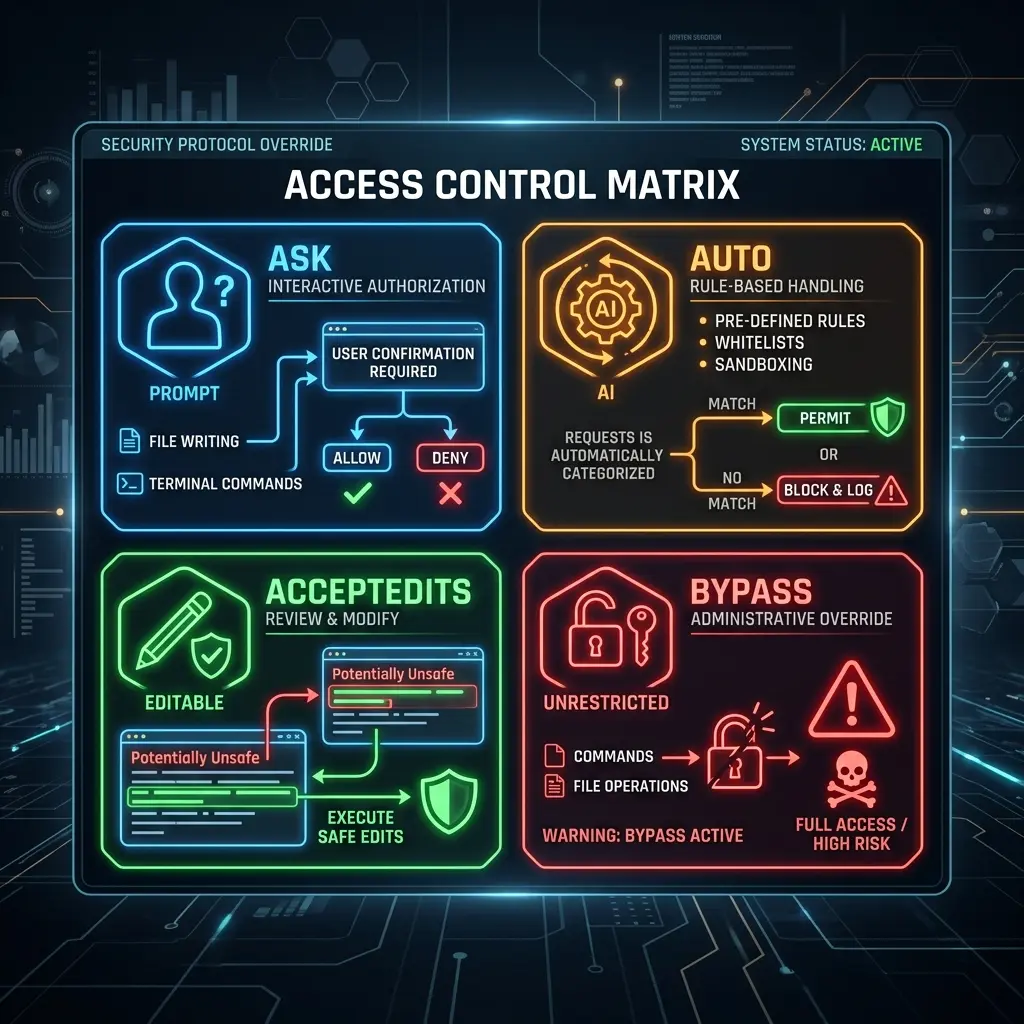
The permission key maps each tool to one of three modes:
| Mode | Behavior |
|---|---|
allow | Run without approval |
ask | Prompt for approval |
deny | Block the action |
Most tools default to allow. external_directory and doom_loop default to ask, and .env files are denied by default. Run opencode --auto to auto-approve anything that isn't explicitly denied.
Granular Rules
Use an object to apply different modes per tool input, with * as the catch-all. The last matching rule wins:
{
  "$schema": "https://opencode.ai/config.json",
  "permission": {
    "*": "ask",
    "bash": {
      "*": "ask",
      "git *": "allow",
      "git commit *": "deny",
      "git push *": "deny",
      "npm run *": "allow",
      "rm *": "deny"
    },
    "edit": {
      "*": "deny",
      "packages/web/src/content/docs/*.mdx": "allow"
    }
  }
}
MCP Server Configuration
Set up MCP tools in opencode.json under the mcp key. Each server is a direct key with a type of local or remote:
{
  "$schema": "https://opencode.ai/config.json",
  "mcp": {
    "mcp_everything": {
      "type": "local",
      "command": ["npx", "-y", "@modelcontextprotocol/server-everything"],
      "enabled": true
    },
    "context7": {
      "type": "remote",
      "url": "https://mcp.context7.com/mcp",
      "headers": {
        "CONTEXT7_API_KEY": "{env:CONTEXT7_API_KEY}"
      }
    }
  }
}
Local servers take command (array), environment, and enabled. Remote servers take url, headers, and enabled. You can also add servers interactively with opencode mcp add and list them with opencode mcp list.
Skills System
Skills are reusable instruction bundles that OpenCode loads on demand. Each skill is a folder containing a SKILL.md file, placed in .opencode/skills/ or ~/.config/opencode/skills/:
.opencode/skills/
└── git-release/          # One folder per skill
    └── SKILL.md
Skill file format:
Each SKILL.md starts with YAML frontmatter. name and description are required; license, compatibility, and metadata are optional:
---
name: git-release
description: Create consistent releases and changelogs from merged PRs.
license: MIT
compatibility: opencode
---

## What I do
- Draft release notes from merged PRs
- Propose a version bump
- Provide a copy-pasteable `gh release create` command
OpenCode lists available skills to the model, which loads one by calling the skill tool — there's no manual /skill slash command. Control which skills agents can load via permissions:
{
  "$schema": "https://opencode.ai/config.json",
  "permission": {
    "skill": {
      "*": "allow",
      "internal-*": "deny",
      "experimental-*": "ask"
    }
  }
}
.opencode/ Directory
.opencode/
├── agents/                # Custom agent definitions
├── commands/              # Custom slash commands
├── modes/                 # Agent modes
├── plugins/               # Project plugins
├── skills/                # Project-specific skills
└── themes/                # Custom themes
Environment Variables
| Variable | Purpose |
|---|---|
ANTHROPIC_API_KEY | Anthropic provider |
OPENAI_API_KEY | OpenAI provider |
GOOGLE_API_KEY | Google Gemini provider |
DEEPSEEK_API_KEY | DeepSeek provider |
OPENROUTER_API_KEY | OpenRouter provider |
OPENCODE_CONFIG | Path to a custom config file |
OPENCODE_CONFIG_DIR | Path to a custom config directory (agents, commands, skills, plugins) |
Related Pages
- MCP Setup in OpenCode — step-by-step MCP configuration
- OpenCode Getting Started — Installation and setup
- Prompt Engineering in OpenCode — AGENTS.md and prompts
- MCP Section — Browse all MCP servers
- Cursor Rules Configuration — Similar rules concept (cross-reference)
Related Articles & Guides
Antigravity CLI — Configuration Reference
Complete configuration reference for Antigravity CLI. Settings.json, environment variables, MCP servers, plugins, trusted folders, and project context files.
Claude Code — Configuration Reference
Complete Claude Code configuration reference. Covers claude.json settings, MCP server setup, hook scripts, .claude/ directory conventions, and environment variable overrides.
Jcode — Configuration Reference
Complete jcode configuration reference. Covers config.toml sections, provider profiles, MCP server setup, memory, swarms, remote gateway, and environment variables.