OpenCode — Getting Started
Install and configure OpenCode, the multi-provider AI coding agent. Covers installation, LLM provider setup, Zen/Go pricing, and first session walkthrough.
OpenCode — Getting Started
OpenCode is a terminal-based AI coding agent that works with 75+ LLM providers. Unlike Claude Code (Anthropic-only) or Gemini CLI (Google-only), OpenCode lets you choose your model, pay what you want, and customize every aspect of the agent.
Installation
# Via npm
npm install -g opencode-ai

# Via Homebrew
brew install anomalyco/tap/opencode

# Verify
opencode --version
Provider Setup
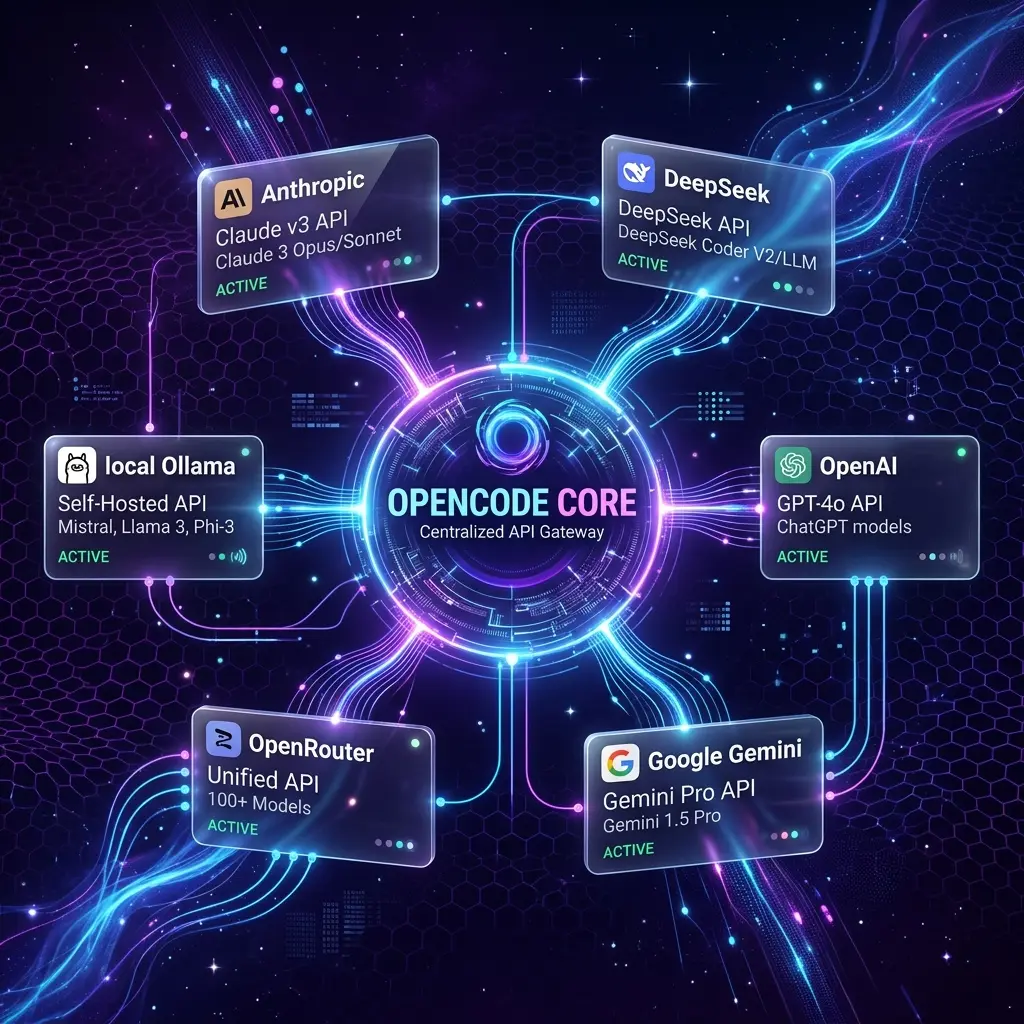
OpenCode supports any OpenAI-compatible endpoint. Choose your provider:
Quick Setup — Common Providers
# Anthropic (via API key)
export ANTHROPIC_API_KEY="sk-ant-..."

# OpenAI
export OPENAI_API_KEY="sk-..."

# Google Gemini
export GOOGLE_API_KEY="..."

# DeepSeek (95% cheaper than Anthropic for coding)
export DEEPSEEK_API_KEY="sk-..."

# OpenRouter (300+ models, one API key)
export OPENROUTER_API_KEY="sk-or-..."
Configure in ~/.config/opencode/opencode.json or opencode.json (project root):
{
  "$schema": "https://opencode.ai/config.json",
  "model": "anthropic/claude-sonnet-4-5",
  "provider": {
    "anthropic": {
      "options": {
        "apiKey": "{env:ANTHROPIC_API_KEY}"
      }
    },
    "openai": {
      "options": {
        "apiKey": "{env:OPENAI_API_KEY}"
      }
    },
    "deepseek": {
      "options": {
        "apiKey": "{env:DEEPSEEK_API_KEY}"
      }
    }
  }
}
Most providers are auto-detected from your exported API key — the provider block is only needed for custom endpoints or non-default options.
Pricing Plans
| Tier | Price | What You Get |
|---|---|---|
| Free | $0 | Bring your own API key, 75+ providers, community skills |
| Zen | Pay-as-you-go | Curated, tested models. Free tier included — add credits ($10 minimum) for premium models |
| Go | $10/mo | Generous usage limits on top open-source coding models |
Referral:
Sign up for opencode Go through this link and you get a $5 usage credit toward your Go usage limits — we get the same. No cost to you.First Session
cd my-project
opencode
On first run, OpenCode prompts you to connect a provider. Type /connect, pick your provider, and follow the auth flow (browser OAuth or paste an API key). Then run /models to choose a model:
> /connect
> Select a provider (Anthropic, OpenAI, DeepSeek, Google, OpenRouter...)
> Enter your API key or sign in via your browser

> /models
> Select the model to use for this session
If you exported your provider's API key (see above), OpenCode detects it automatically and you can skip /connect.
Essential Slash Commands
| Command | What it does |
|---|---|
/help | Show all slash commands |
/connect | Add a provider and authenticate |
/models | List and select available models — switch provider/model mid-session |
/sessions | List and switch between sessions (aliases: /resume, /continue) |
/init | Generate or update AGENTS.md for the project |
/new | Start a fresh session (alias: /clear) |
/undo | Revert the last message and its file changes |
/redo | Re-apply an undone message |
/compact | Summarize the current session to free context (alias: /summarize) |
/share | Create a shareable link for the session |
/export | Export the conversation to a markdown file |
Plan mode isn't a slash command — press Tab in the TUI to switch between Build and Plan mode.
Session Management
Every session's full conversation history, file snapshots, and token usage are stored in a SQLite database at ~/.local/share/opencode/opencode.db. Find the path with opencode db path.
TUI Commands
| Command | What it does |
|---|---|
/sessions | List all sessions, switch between them, or resume a past one |
/new | Start a fresh session |
/undo / /redo | Step backward and forward through message + file changes |
/compact | Compress a long session to reduce token usage — useful when you start hitting context limits |
/share | Generate a shareable link for the current session |
/export | Save the conversation as a markdown file |
CLI Commands
| Command | Purpose |
|---|---|
opencode session list | List all sessions (-n <N> to limit, --format json for machine output) |
opencode session delete <id> | Delete a session |
opencode stats | Show token usage and cost (--days, --models, --project) |
opencode export [id] | Export a session as JSON (--sanitize to redact sensitive data) |
opencode import <file or url> | Import a session from a JSON file or share URL |
Continuing Past Work
# Continue the most recent session
opencode -c

# Continue a specific session by ID
opencode -s ses_312c8fd8bffe5DMWmNRPKKLvt3

# Fork a session (branch without modifying the original)
opencode --fork --continue
For advanced querying — searching conversations by keyword, tracing tool-call sequences, auditing model costs — see Session History & Recovery.
Project Configuration: AGENTS.md
Like Claude Code's CLAUDE.md, OpenCode reads AGENTS.md every session. Create it at your project root:
# AGENTS.md

## Commands
- `npm run dev` — Start development server at localhost:3000
- `npm run build` — Production build with type checking
- `npx vitest run` — Run all tests
- `npx eslint .` — Lint check

## Project Architecture
- Next.js 14 with App Router and React Server Components
- TypeScript strict mode with path alias @/
- SQLite via better-sqlite3 — no ORM, raw SQL
- Zero API dependencies for now

## Code Style
- Use async/await in server components for data fetching
- Extract business logic from components into lib/ immediately
- Tests go next to the file they test (co-location)
Provider Selection Strategy
| If you need... | Use... |
|---|---|
| Best reasoning for complex tasks | Anthropic (Claude Sonnet/Opus) |
| Budget coding (95% cheaper) | DeepSeek V4 |
| Massive context (1M+ tokens) | Google Gemini |
| Flexibility (300+ models) | OpenRouter |
| Self-hosted / air-gapped | Ollama (local) |
OpenCode's key advantage: switch providers mid-session with /provider. Debug with Sonnet, then switch to DeepSeek for less demanding work.
Related Pages
- Prompt Engineering in OpenCode — AGENTS.md patterns, /slash commands
- OpenCode Configuration Reference — opencode.json, MCP, skills
- Session History & Recovery — where sessions are stored and how to query them
- Tool Comparison — OpenCode vs Claude Code vs Gemini CLI vs Cursor vs Copilot
- OpenCode Guide (Blog) — In-depth setup and configuration walkthrough
Related Articles & Guides
OpenCode — AI Coding Agent
Complete guide to OpenCode, the terminal-based AI coding agent. Covers installation, prompt engineering, configuration, providers, skills, and best practices.
Pi — Terminal AI Coding Agent
Complete guide to pi, Mario Zechner's minimal terminal coding agent. Covers installation, prompt engineering, context files, skills, and the lean-harness philosophy.
Jcode — AI Coding Agent
Complete guide to jcode, the RAM-efficient open-source AI coding agent in Rust. Covers installation, prompt engineering, configuration, memory, swarms, and advanced workflows.