Nano Banana Pro Product Ad Workflow: Keep Product Identity
Build ecommerce product ads with Nano Banana Pro: establish a reference image, lock product details, then vary scene, light, and composition.
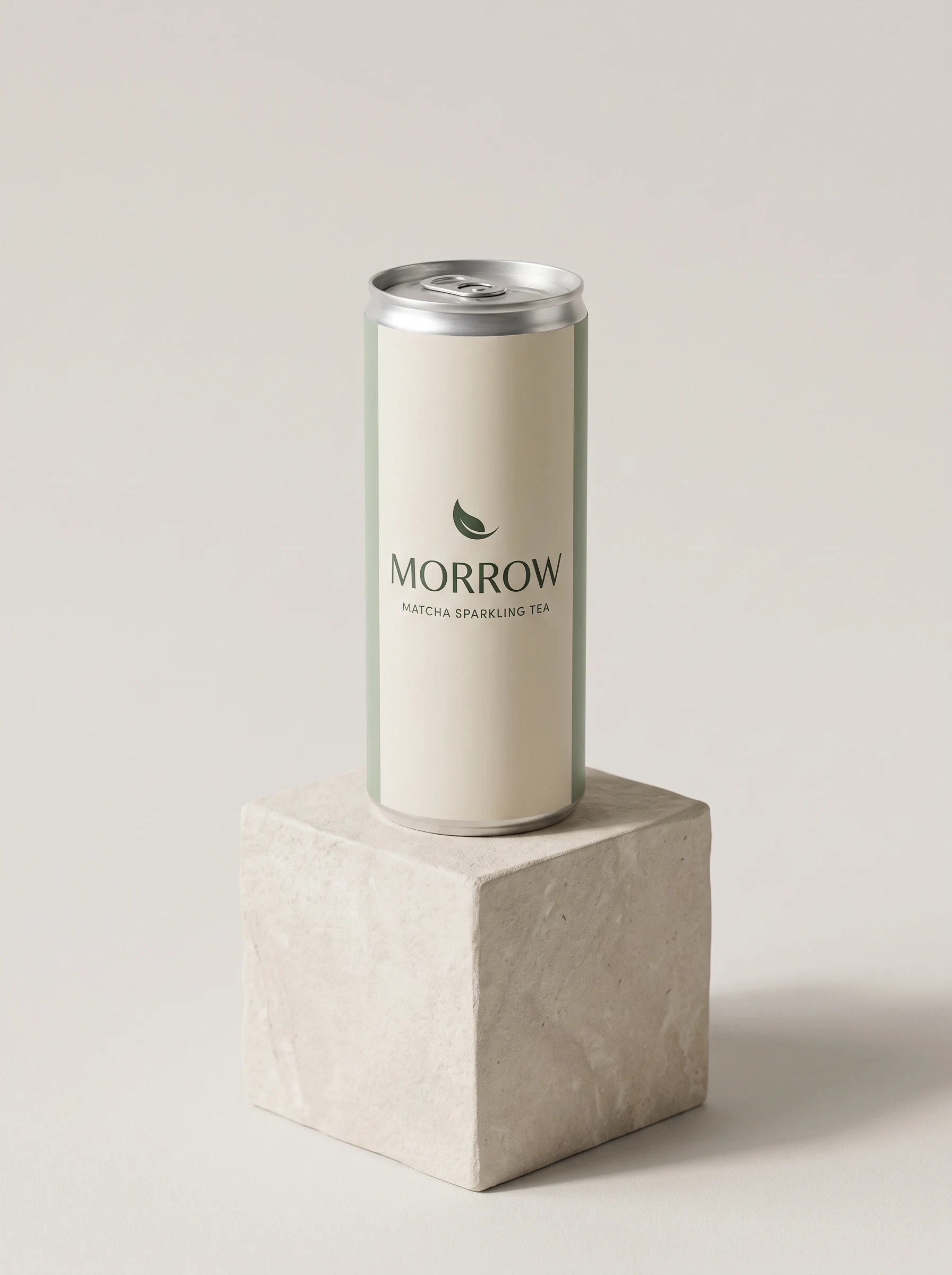
Most product-mockup prompts start by describing a scene. A repeatable ad workflow starts by defining what must stay the same about the product, then changes one creative variable at a time.
This walkthrough uses a fictional drink brand, MORROW, to build a clean product reference and four campaign variations. The can, colors, emblem, and label are the identity anchors; setting, lighting, props, and camera are the variables. The images were generated for this guide with Gemini's Nano Banana image tool.
The workflow
| Pass | Keep fixed | Change |
|---|---|---|
| Product anchor | Package silhouette, palette, emblem, label | Background and support surface |
| Lifestyle ad | All package features and visible label | Environment, props, light, camera distance |
| Campaign variant | All package features and visible label | Campaign palette, surface, reflections, crop |
Use your own product photo or a generated anchor image. Don't use a competitor's campaign image as a template for a near-copy; describe the visual direction you want and build an original scene around your own product.
1. Make a clean product anchor
Start with a single, uncluttered image. It gives later edits a stable reference for shape, color, label placement, and package details.
Create an original premium ecommerce product photograph in 3:4 portrait format. Product: one slim 250 ml aluminum can of fictional sparkling matcha tea. The fictional brand wordmark is exactly MORROW in uppercase; the smaller line is exactly MATCHA SPARKLING TEA. The can is matte warm ivory with a muted sage-green vertical panel, a small simple dark-green crescent-leaf emblem above the wordmark, a brushed silver top and visible pull tab. Keep package geometry, colors, emblem and the two text lines crisp. No other readable text, no additional logos, no existing brands. Place the can upright on a pale limestone cube against a very light warm-gray studio backdrop. Soft large-window light from upper left, natural contact shadow, gentle highlight on aluminum, restrained editorial art direction, realistic product photography, camera at can mid-height, sharp label, subtle background falloff. One can only, full product visible, no hands, props or watermark.
Why this anchor works
The can occupies most of the frame and the label faces the camera. A quiet background makes it easier to inspect whether later generations preserve the package. The brand and product are fictional, so the example demonstrates the workflow without borrowing a real company's packaging.
2. Change the setting, not the product
Upload the anchor image and give the model a short lock list before describing the new scene. This lifestyle version changes the environment and light while retaining the package design.
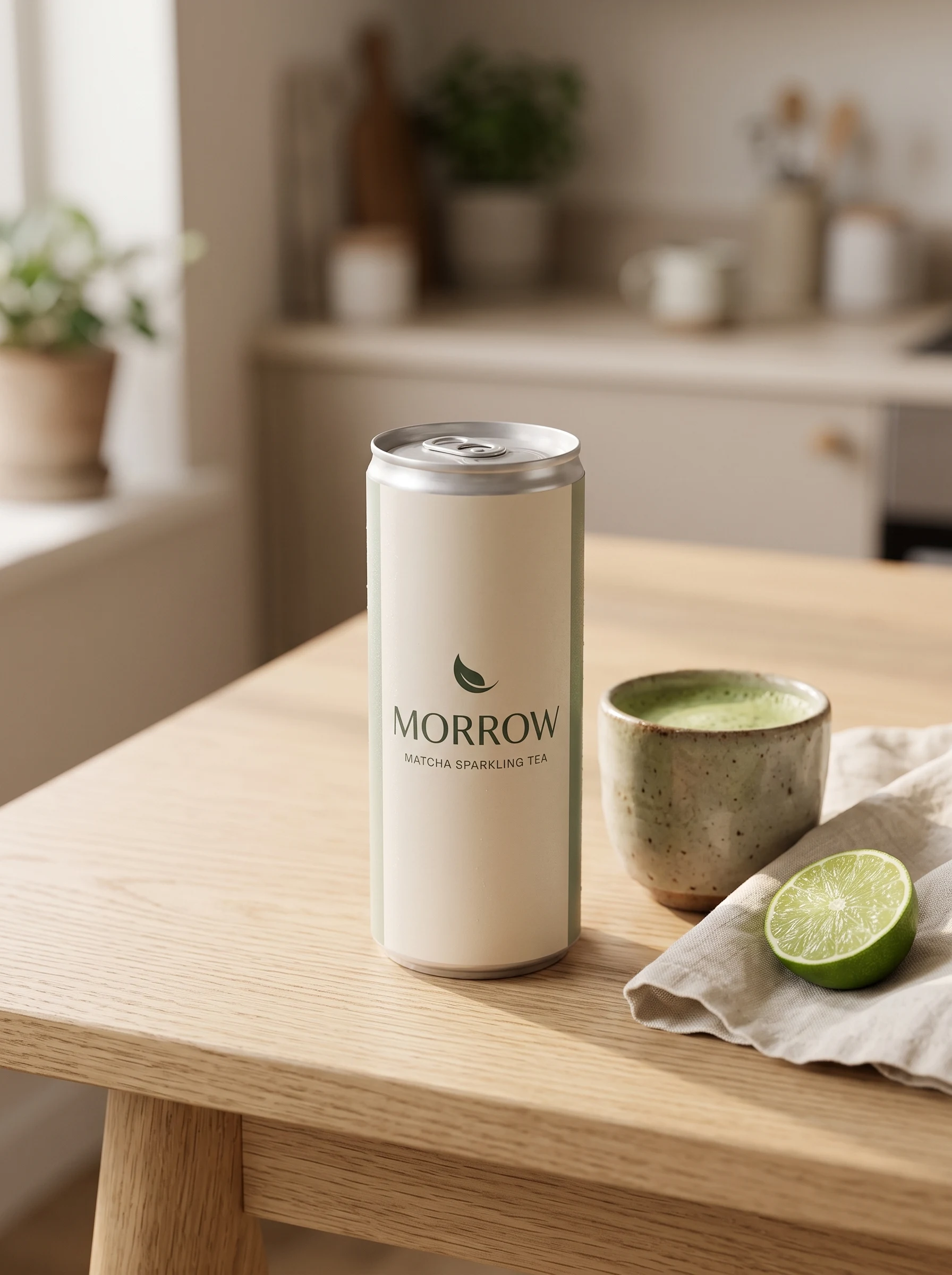
Use the uploaded image as the exact product reference. Preserve the can’s same slim silhouette, warm ivory aluminum, muted sage panel, crescent-leaf mark, silver top, and MORROW / MATCHA SPARKLING TEA label; keep the label readable and front-facing. Change only its setting: one can upright on a pale oak kitchen table beside a small handmade ceramic cup of matcha, folded linen napkin, and a single cut lime. Warm morning window light from the left, natural contact shadow, candid premium lifestyle-ad photography, shallow depth of field, believable home, product label in crisp focus, props secondary. No extra readable text or brands, no people or hands, no duplicate product, no watermark.
Lock list versus scene brief
Put invariants first: package shape, material, color blocks, emblem, label wording, and label position. Then specify only the differences you want in this version: location, supporting objects, light direction, framing, and mood. That separation gives the model fewer opportunities to reinterpret the product while it builds the scene.
3. Create a different campaign look
For another ad, return to the original anchor rather than chaining edits from a version that has already drifted. Here the scene changes to dark green tile and a tighter crop; the can identity remains the same.
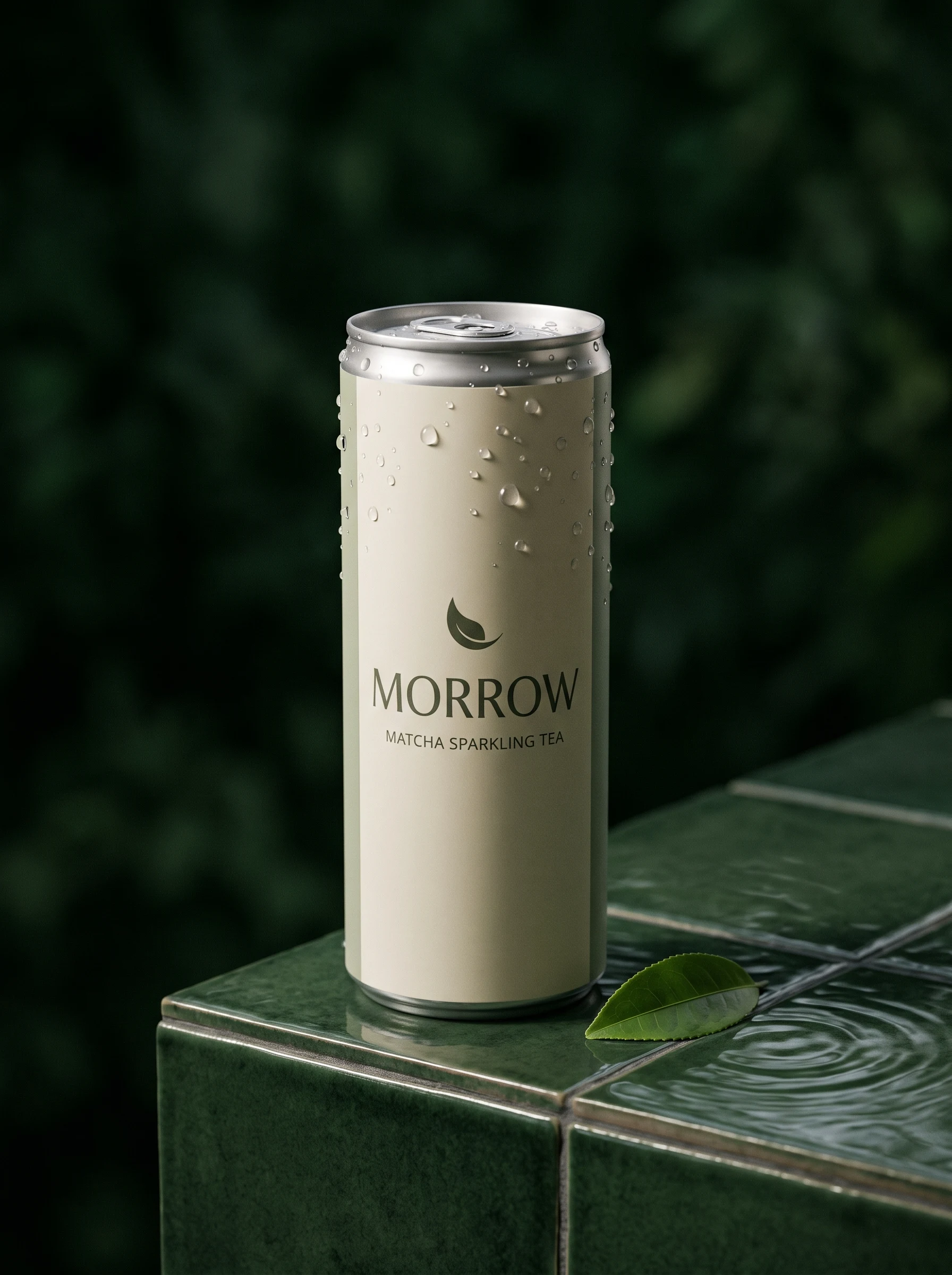
Use the uploaded product image as the locked reference. Keep the same MORROW can: slim silhouette, warm ivory body, muted sage panel, small crescent-leaf mark, silver top, and MORROW / MATCHA SPARKLING TEA label. Preserve the label lettering and package colors. Change only the setting and camera: place one can on a dark forest-green glazed tile ledge with a few realistic condensation beads on the aluminum, a cut matcha leaf, and soft water reflections nearby. Close three-quarter product crop, can fully visible and label sharp. Controlled side light with a narrow highlight, rich deep-green background, premium contemporary beverage-ad photography, tactile and photographic, not 3D. No added copy, people, hands, extra containers, or watermark.
4. Add a creator-shot variant
A visible hand gives the package scale and makes the frame feel like a casual social post. Keep the hand and café context secondary so the product remains the focal point.
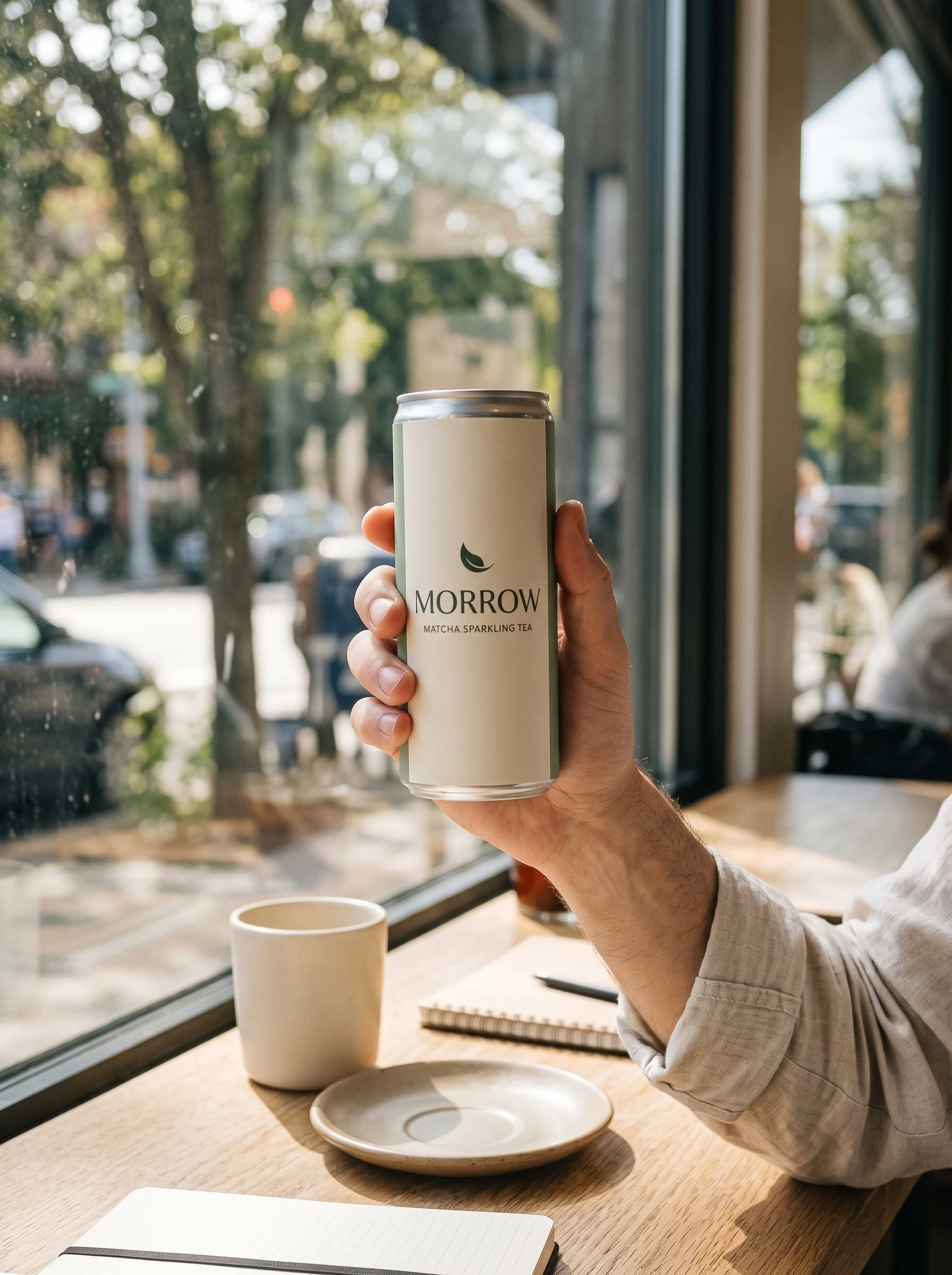
Create an original 3:4 portrait lifestyle ad using the attached image as the exact product reference. Keep the MORROW can’s same slim silhouette, ivory aluminum, sage-green panel, crescent-leaf emblem, silver top, and MORROW / MATCHA SPARKLING TEA label. Do not alter the package or add copy. Show one adult hand and forearm naturally holding the can at a bright neighborhood café window; the can faces camera with its label unobstructed. Include a softly blurred café table and a plain ceramic cup in the background, warm daylight, slightly imperfect phone-camera framing and subtle natural grain. Candid creator-shot feel, believable proportions, product sharp and legible, scene secondary. No face, no other brands or readable signs, no duplicate cans, no watermark.
5. Try a bold studio campaign
The final variation changes to a graphic color-blocked set. This is a useful contrast to the lifestyle scenes: only the background, light, and support surface change.
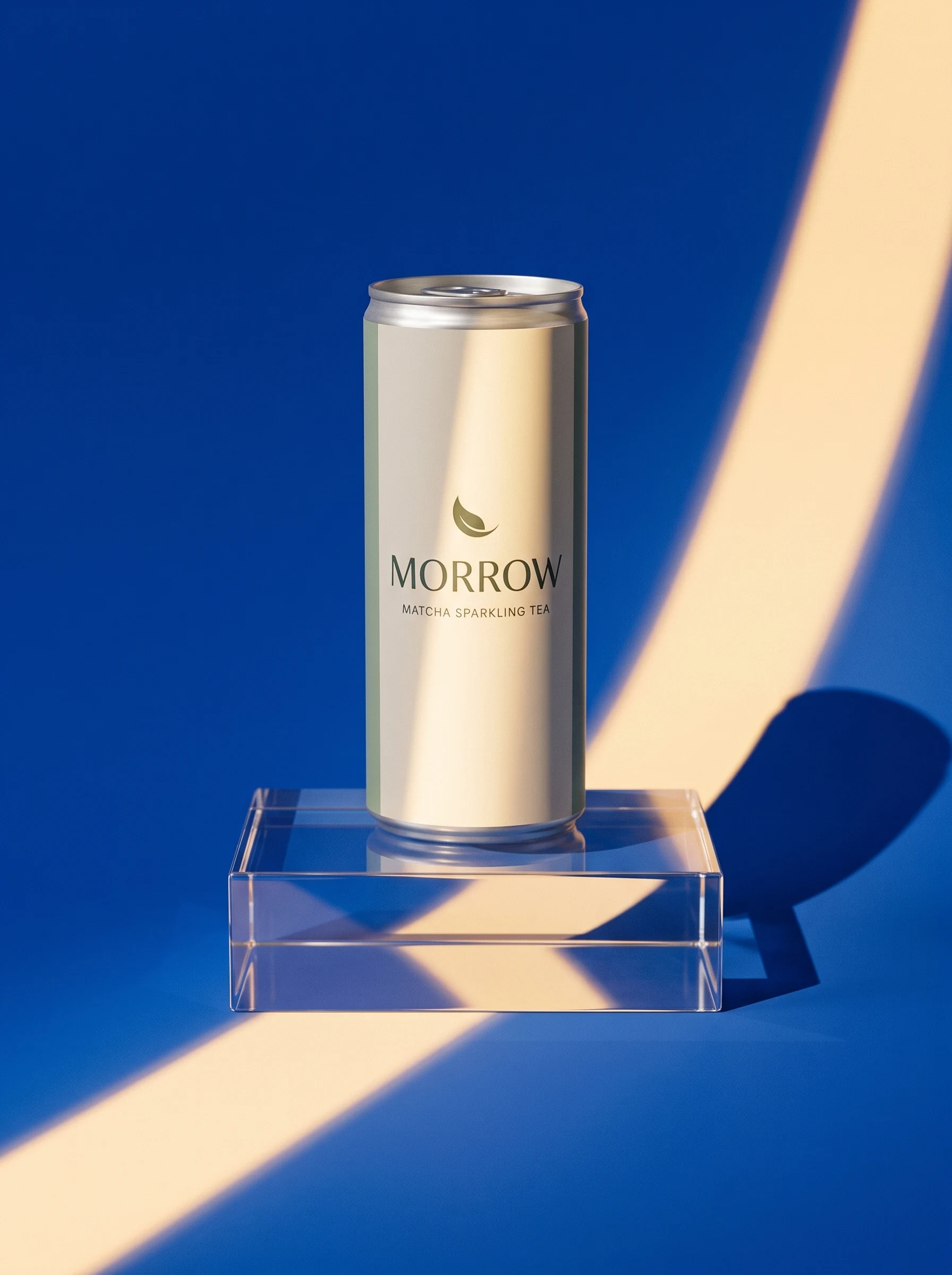
Create a 3:4 portrait product campaign image using the uploaded can as the exact reference. Preserve its slim silhouette, warm-ivory aluminum, muted sage panel, crescent-leaf emblem, silver top, and MORROW / MATCHA SPARKLING TEA label exactly; keep the front label crisp and facing camera. Change only the art direction: place one can upright on a low clear acrylic plinth against a saturated cobalt-blue seamless studio backdrop. A warm hard beam of sunlight cuts diagonally across the backdrop and plinth, casting one clean graphic shadow. Premium modern beverage campaign, bold color blocking, editorial studio photography, high contrast but accurate product colors, full can visible. No other objects, added copy, extra text, other brands, duplicate cans, or watermark.
Reusable prompt structure
For each new scene, fill in the lock list once and change the creative brief below it:
Use the uploaded image as the product reference.

KEEP FIXED
- Product silhouette and proportions: [describe]
- Materials and colors: [describe]
- Brand mark and label: [exact wording and placement]
- Details that must remain visible: [cap, seam, handle, controls]

CHANGE FOR THIS AD
- Setting: [where the product appears]
- Supporting props: [one or two, secondary to the product]
- Lighting: [source and direction]
- Camera: [distance, angle, crop]
- Mood: [one concise direction]

CHECK
- One product only; full product visible.
- Keep the label facing camera and legible.
- Add no unrequested text, logos, claims, or packaging.
Treat this as a checklist, not a magic syntax. Natural-language prompts and structured fields can both work; the useful part is explicitly separating the product invariants from the scene variables.
A simple iteration loop
- Approve the anchor first. Check silhouette, materials, color, label placement, and distinctive details at full size.
- Change one scene dimension per pass. Keep the product locked while varying only the setting, lighting, props, or crop.
- Compare against the anchor. Look for altered proportions, missing features, changed colors, duplicated objects, and label drift.
- Restart from the anchor when identity slips. A sequence of edits can compound small changes; return to the original reference for the next campaign direction.
- Finish brand text outside the image model when it matters. AI-generated lettering can change between edits. For production artwork, verify the final copy and replace or overlay typography in a design tool.
Note:
These examples use invented packaging and make no product-performance claims. For real products, verify the package, ingredients, label, and every advertising claim against approved source material before publishing an image.
Try it with your product
Open Google AI Studio or Gemini's image creation, upload a product photo you own or have permission to use, and run the anchor-to-scene workflow. For more starting points, see Product Mockup Prompts and Materials & Textures.
Example provenance: Prompt structure and all five MORROW images were created for this PromptGenius guide using Gemini's Nano Banana image tool. The product, brand, and scenes are fictional.
Related Articles & Guides
 #gpt-image-2
GPT Image 2 Prompts and Workflows
Explore original GPT Image 2 prompts with generated examples for posters, art styles, composition studies, interface mockups, infographics, and photorealism.
#gpt-image-2GPT Image 2 Travel Photo to Fine-Art Poster Prompts
Use one travel photo as the reference for three GPT Image 2 poster styles: rubber stamp, architectural silkscreen, and impasto paint.
 #nano-banana
Nano Banana Transformations: Creative Photo Reimagining
Transform your photos into action figures, 3D collectibles, retro styles, and creative characters with Nano Banana. Master personal photo transformations with detailed prompts.