GPT Image 2 Photorealism Prompt Guide
Create more believable GPT Image 2 photos with concrete camera, lighting, material, framing, and imperfection cues instead of generic realism keywords.
Photorealism is easier to direct when a prompt describes how a photograph was made, not just that it should look real. Set the framing and capture style first, then describe the light, surfaces, and small details that belong in the scene.
These examples turn that approach into three copyable prompts: a casual phone portrait, a natural-light still life, and a documentary street photograph. They were generated in ChatGPT for this guide. Results vary; camera terms guide the image rather than guarantee exact optical behavior.
Three photographic briefs
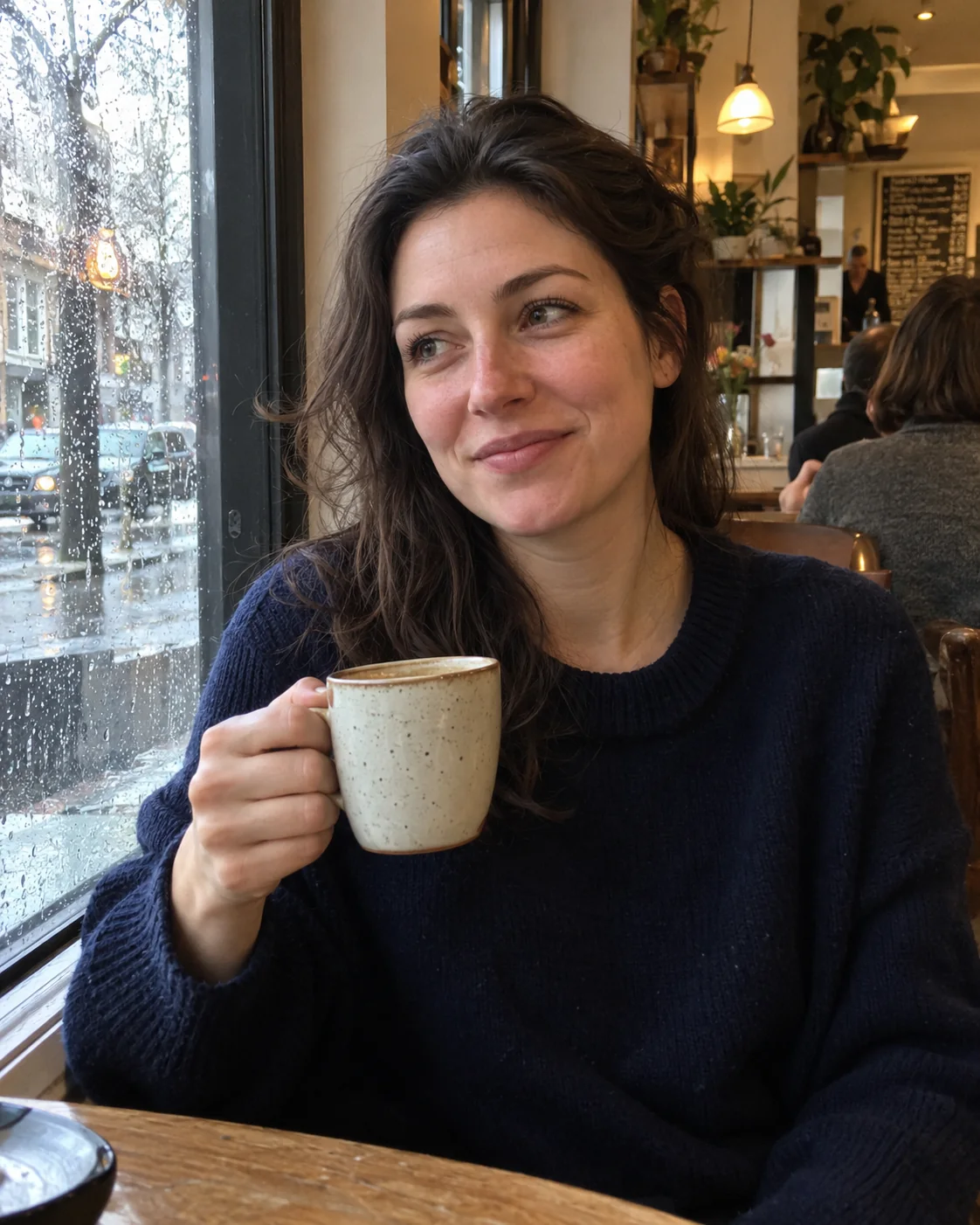
Rainy café portrait
This candid portrait uses a familiar phone-camera perspective, slightly uneven posture, and mixed window and café light. Small details such as flyaway hair and rain on the glass support the everyday setting without asking for generic “imperfection.”
Create a photorealistic 4:5 vertical casual smartphone photograph, as if a friend took it spontaneously in a neighborhood café on a rainy afternoon. Show a clearly adult woman around 30, fully clothed in a simple navy knit sweater, sitting by a rain-streaked window with a ceramic coffee cup in one hand. Frame from mid-torso up, subject slightly off-center, one shoulder relaxed lower than the other, gaze directed toward someone just outside the frame, caught between sentences. Soft gray window light from camera-left mixes with a faint warm café practical light; preserve natural skin texture, subtle under-eye variation, a few flyaway hairs, fabric pilling, and tiny water streaks on the glass. Smartphone-wide perspective at ordinary conversational distance, slight imperfect framing and restrained handheld softness, realistic depth of field with readable café context. Keep exposure and white balance believable, one coherent light direction, no beauty retouching. No text, no watermark, no collage, no cinematic teal-orange grade, no artificial skin shine, no exaggerated bokeh.
Stoneware coffee still life
The still life trades skin and pose cues for material behavior. A slightly uneven rim, throwing rings, matte glaze, and contact shadows give the model specific physical evidence to render.
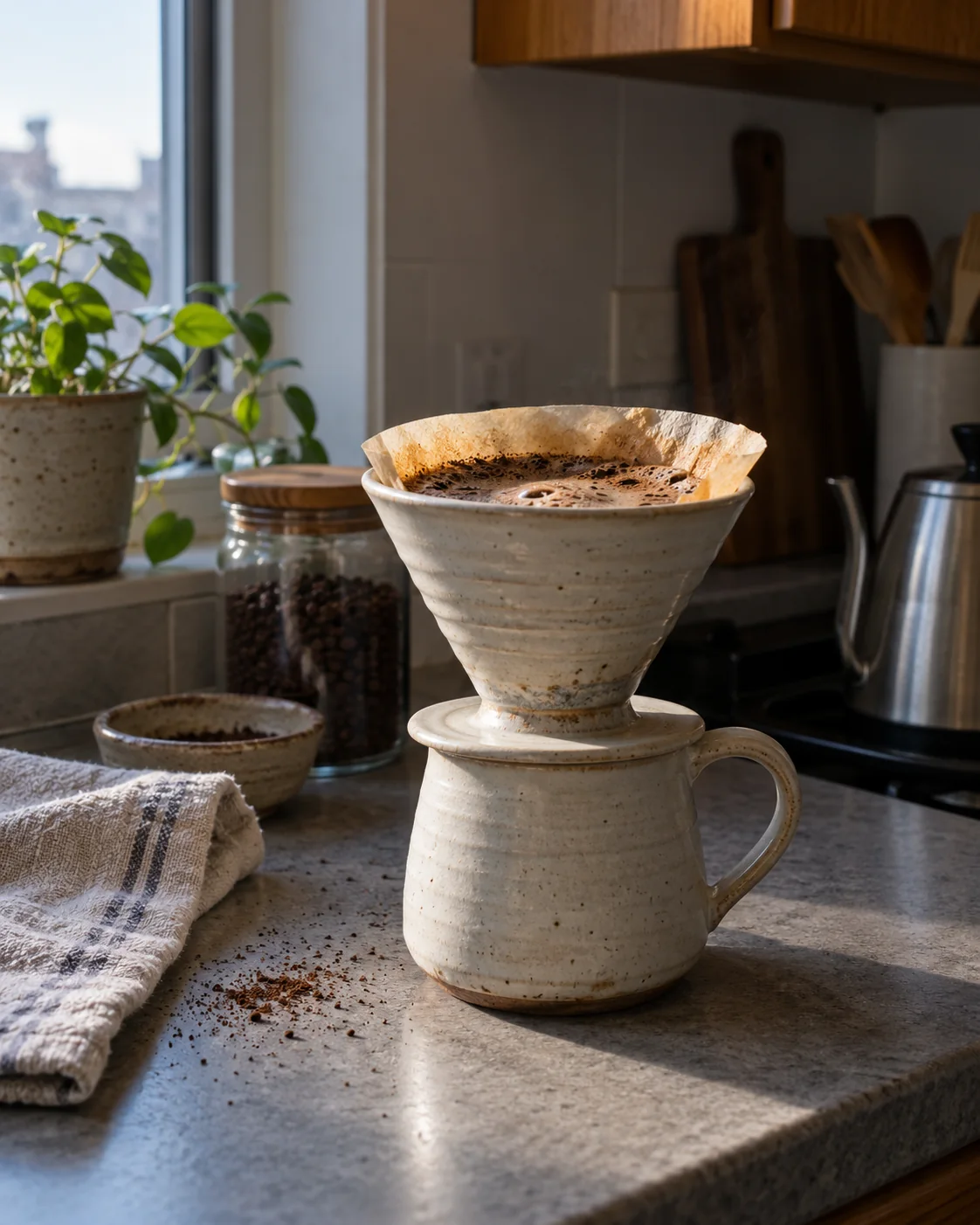
Create a photorealistic 4:5 vertical editorial photograph of a handmade pale-stoneware pour-over coffee set on a small apartment kitchen counter in early morning. The ceramic dripper has a slightly uneven rim, faint throwing rings, a tiny glaze variation near the foot, and a soft matte surface; a folded cotton towel and a few scattered coffee grounds sit nearby. Cool window light falls from frame-left, with one gentle warm reflection from a wood cabinet; show physically plausible contact shadows and subtle reflected light under the cup. Photograph at counter height with a 50mm-equivalent lens, natural perspective, moderate depth of field, crisp focus on the glaze and coffee surface, background softly but not excessively out of focus. Preserve small real-world irregularities and natural exposure variation. Quiet documentary still life, restrained colors, no styling perfection, no lettering, no labels, no watermark, no collage, no plastic-looking ceramic, no floating objects, no dramatic studio rim light.
Rainy flower-shop corner
This wider scene has two light sources with different color temperatures. The prompt assigns each a visible source and asks reflections, wet pavement, and shadows to agree with that setup.
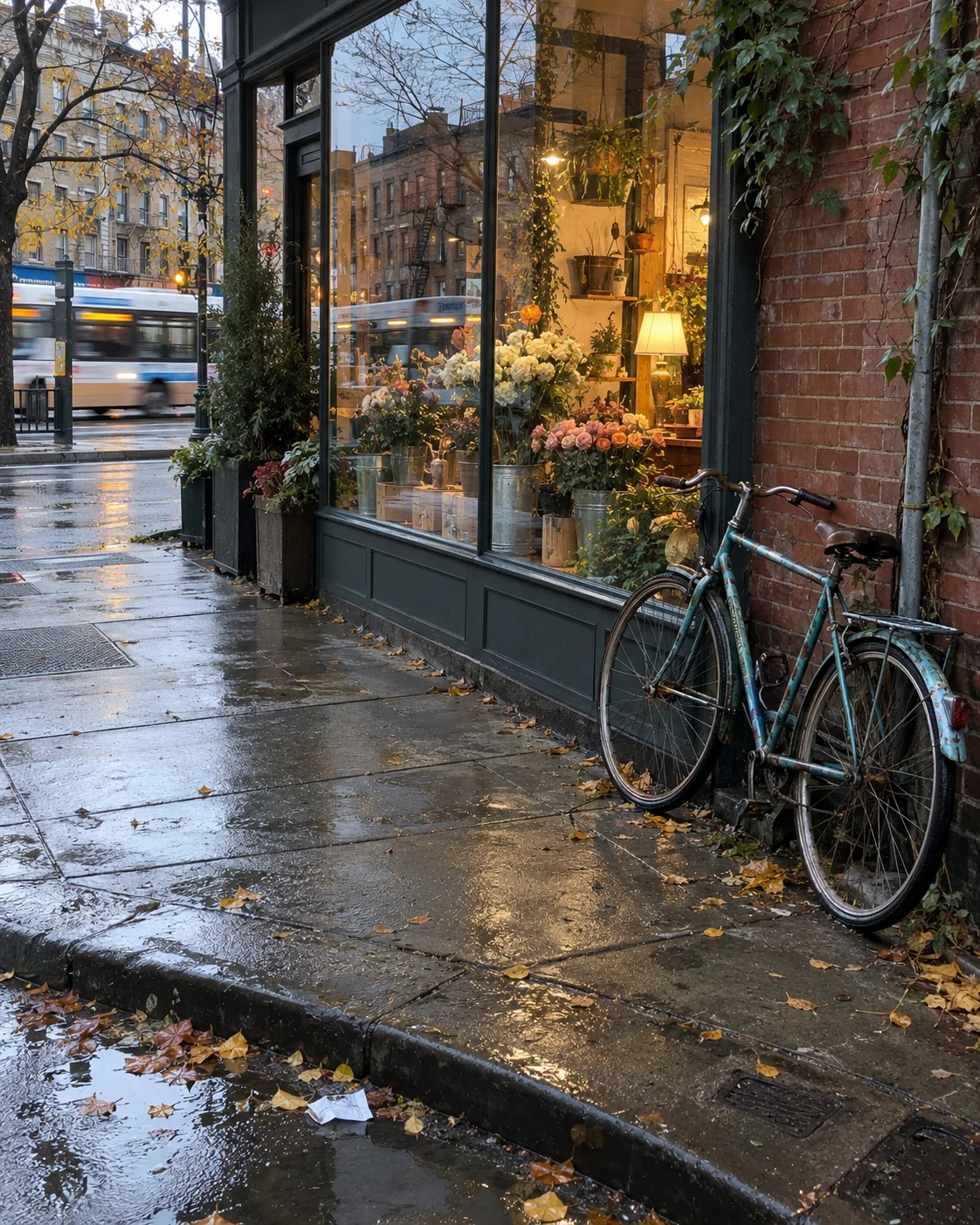
Create a photorealistic 4:5 vertical documentary smartphone photograph of a quiet city corner just after a brief rain shower, late afternoon. A worn teal bicycle leans against a brick wall beside a small neighborhood flower shop; a few damp leaves and one crumpled paper receipt sit near the curb, and the shop window reflects a passing bus as a soft streak. Frame from across the sidewalk at ordinary standing height, slightly off-level and imperfectly composed, with the bicycle near the lower-right and the shop window carrying the scene. Overcast sky provides soft cool ambient light while a modest tungsten lamp inside the shop adds a warm patch; keep reflections, wet pavement, and shadows physically consistent. Phone-camera perspective, realistic edge sharpness, moderate detail, slight motion softness in the distant bus, no artificial bokeh. Keep everyday imperfections, believable color response, and natural exposure. No people in foreground, no readable signage, no text, no watermark, no collage, no glossy CGI surfaces, no cinematic color grade.
More capture conditions
These examples extend the same prompt structure to an indoor craft portrait, a direct-flash night snapshot, and an architectural interior. Each brief uses different evidence for believable light, surfaces, and camera behavior.
Bookbinder at work
The subject is occupied with a task rather than performing for the camera. Window light, a modest task lamp, and worn work surfaces establish the capture conditions.
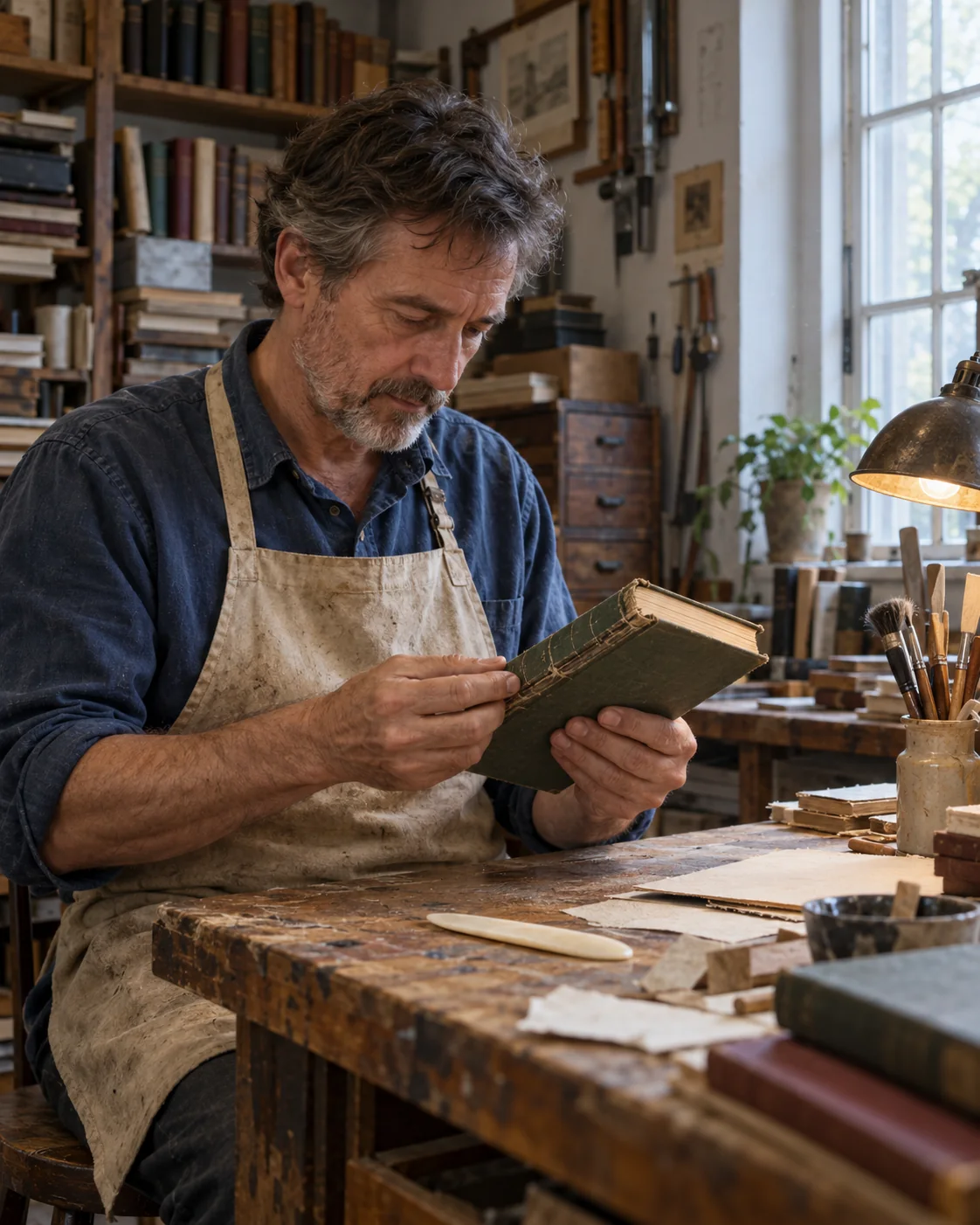
Create a photorealistic 4:5 vertical documentary portrait inside a small neighborhood book-repair shop on a quiet late morning. Show a clearly adult bookbinder in his early 50s, wearing a faded indigo work shirt and a natural canvas apron, seated at a scarred wooden bench while inspecting the spine of a cloth-bound book. Frame from waist up at seated eye level, subject placed slightly left of center, looking down at the book rather than posing for camera. A tall window on frame-right provides soft cool daylight across his face, hands, paper fibers, and worn linen book cloth; one dim amber task lamp adds a modest warm pool on the bench. Include believable dust near the window, paper offcuts, a bone folder, and small nicks in the tabletop, all in natural proportion. Simulate an unforced 50mm documentary photograph with moderate depth of field and gentle shadow detail; keep color and light physically coherent, skin natural, hands plausible, no retouching sheen. No legible text, no logos, no watermark, no collage, no theatrical spotlight, no artificial bokeh, no pristine staged workshop.
Direct-flash flower stall
The flash has a job: it lights nearby flowers and metal buckets, then falls off quickly into the dim shop. The ambient bulbs and fluorescent strip remain visible as separate sources.
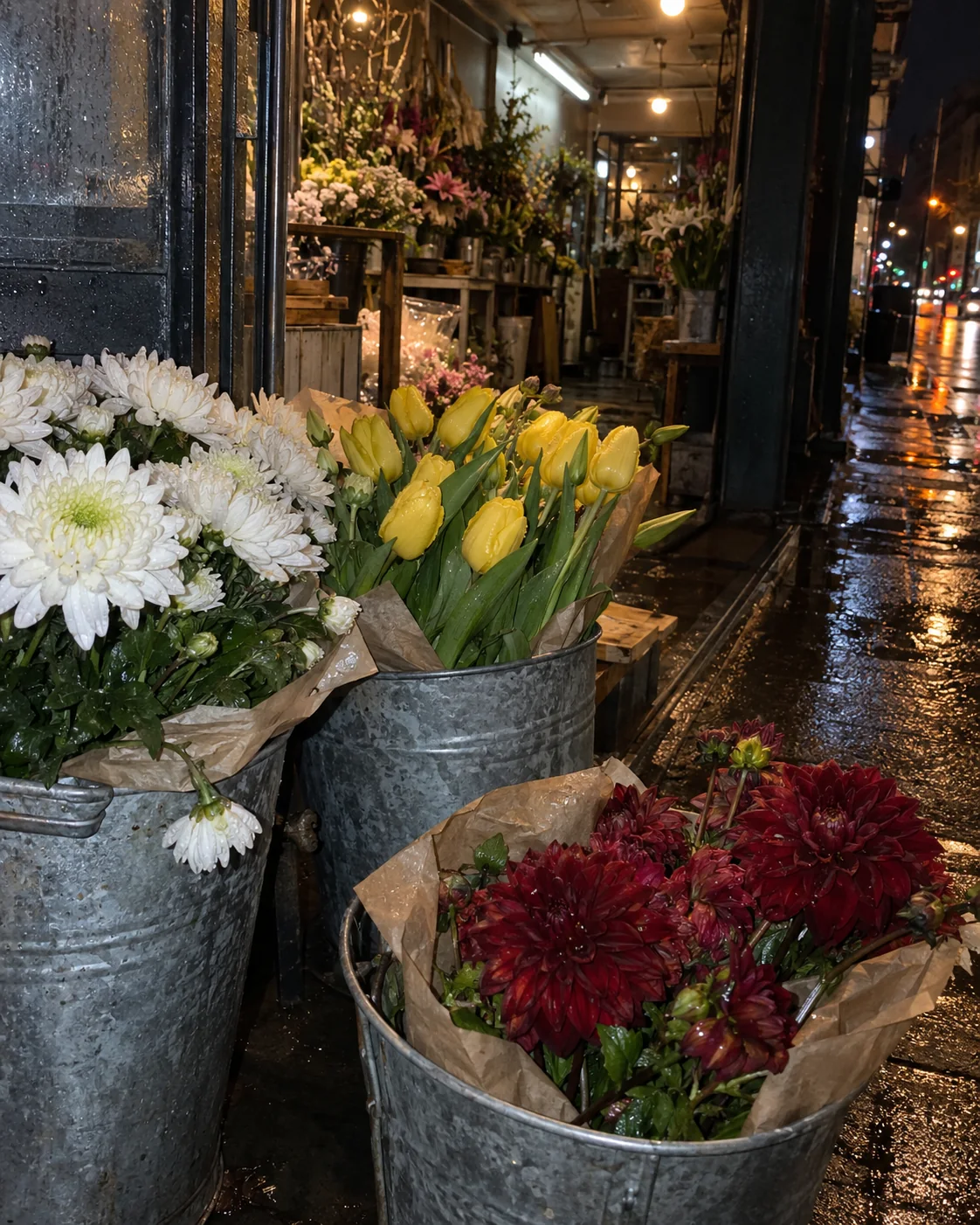
Create a photorealistic 4:5 vertical handheld smartphone photograph of a late-night flower stall just after rain. In the foreground, three galvanized buckets hold loosely arranged white chrysanthemums, yellow tulips, and deep-red dahlias, with a few bent stems and damp paper wrapping visible. Behind them, the narrow shop interior glows under ordinary warm ceiling bulbs and a cool fluorescent strip; the wet sidewalk catches a broken reflection of both light sources. Shoot from just outside the threshold using a modest phone flash: crisp near flowers and bucket rims, fast falloff into the dim shop, imperfect shadow edges, slight highlight clipping on one wet leaf, natural high-ISO grain in the darkest corner. Frame at chest height, a little off-level, with one bucket partly cut by the lower edge as in an unplanned snapshot. Preserve believable flower shapes, metal wear, wet pavement texture, and consistent reflections. No people, no readable signs, no added text, no watermark, no studio lighting, no artificial bokeh, no glossy CGI look.
Apartment stairwell
This architectural brief names the phone perspective but limits wide-angle distortion. The window exposure and stairwell shadows create a clear brightness gradient through the space.
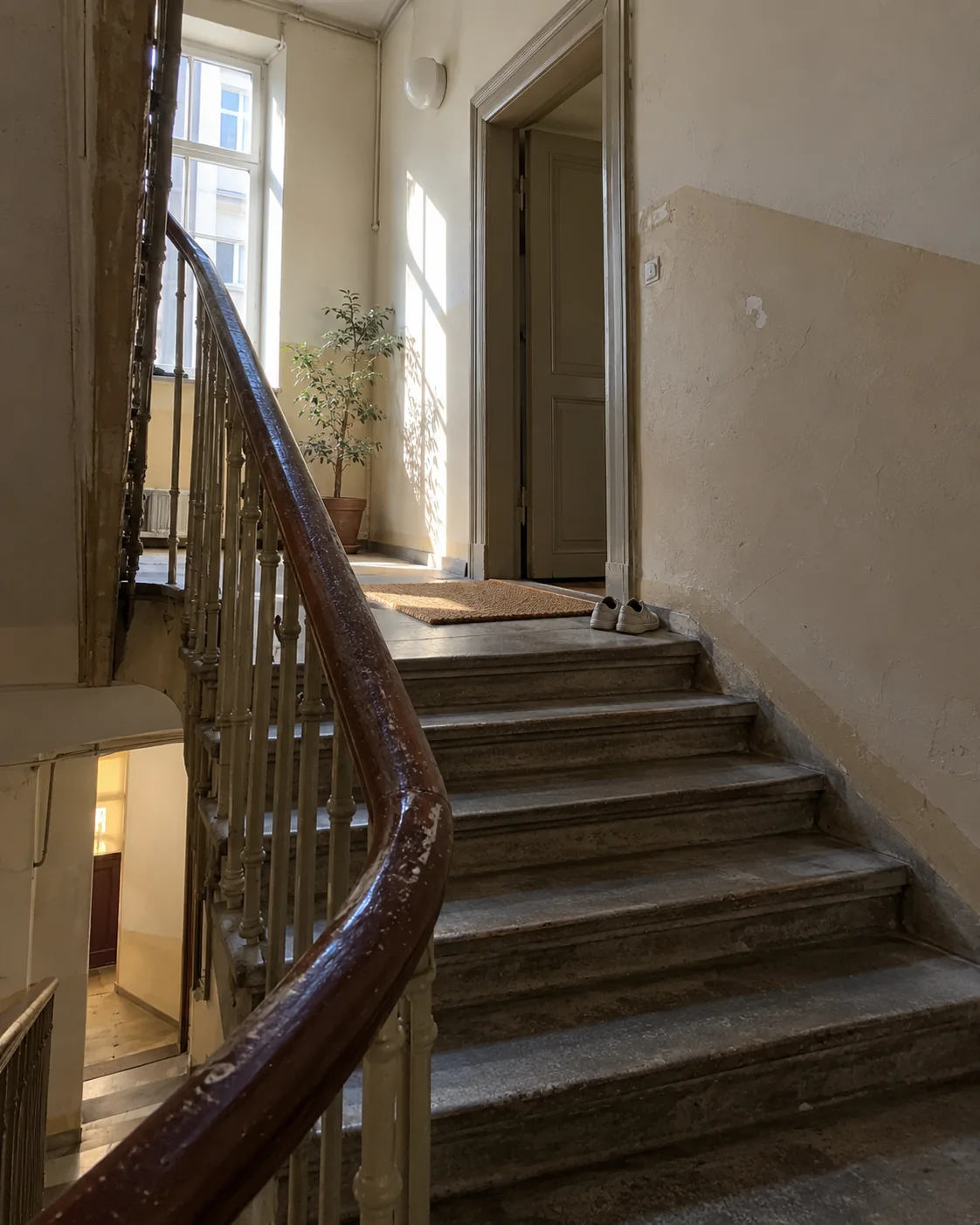
Create a photorealistic 4:5 vertical smartphone photograph of an old apartment stairwell in a quiet city building, early morning. View from the landing looking upward: worn painted handrail curves toward a half-open upper-floor door, scuffed cream walls show small patches and hairline cracks, and a narrow high window casts a clean rectangle of pale daylight across the next flight. Include a small entry mat and two ordinary shoes near a threshold, understated and naturally placed. Photograph from standing height with a phone's moderate wide-angle perspective, keeping verticals mostly natural without extreme stretching; the nearest rail is sharp while the upper landing falls gently out of focus. Preserve uneven wall sheen, dust along the baseboard, softened paint edges, and a plausible gradient from window light into the dim lower stairwell. Candid architectural documentation, restrained color, realistic exposure, no people, no dramatic renovation styling, no text, no watermark, no CGI sheen, no fisheye, no fake depth blur.
A practical prompt order
Put the details that define the shot near the beginning. This keeps the prompt anchored before you add surface texture and finishing constraints.
| Prompt block | Specify | Example |
|---|---|---|
| Format and medium | Aspect ratio and photo type | “4:5 vertical smartphone photograph” |
| Subject and moment | Who or what is shown, and what is happening | “A cup held during a pause in conversation” |
| Framing | Distance, camera height, crop, and placement | “Mid-torso up, slightly off-center, eye level” |
| Light | Source, direction, quality, and color | “Cool window light from frame-left” |
| Materials | Observable surface qualities | “Matte glaze, throwing rings, uneven rim” |
| Capture character | Lens perspective, focus, movement | “Phone-camera perspective, restrained handheld softness” |
| Constraints | Likely scene-specific errors to avoid | “No floating objects or artificial bokeh” |
Choose one capture character and make the rest of the prompt support it. A casual phone snapshot and a polished studio product shot call for different framing, focus, and light. Mixing both usually weakens the brief.
Describe evidence, not just “realism”
Replace broad requests such as “ultra-realistic” with observable cues:
- Skin and hair: slight tonal variation, fine flyaways, natural asymmetry, and restrained retouching.
- Ceramic, fabric, and wood: glaze variation, weave, pilling, grain, or small edge irregularities.
- Light: name its source and direction; keep highlights, reflections, and cast shadows consistent.
- Camera: set the viewpoint and framing. Use lens equivalents as visual guidance, not exact camera simulation.
- Moment: describe an action in progress or a pause, rather than forcing a perfectly posed subject.
Imperfections should fit the scene. Adding blur, grain, pores, and scratches everywhere can make the image look more synthetic, not less.
Use negatives selectively
Negatives work best when they target a plausible failure in the requested scene. For the café portrait, that means avoiding beauty retouching and artificial skin shine. For the still life, it means preventing floating objects or plastic-looking glaze. Avoid long generic negative lists that conflict with the lighting or capture style you requested.
When refining a result, change one block at a time: first composition, then light, then material detail. That makes it easier to identify which instruction helped or hurt.
WIP sources and attribution
The framework here draws on Emily’s Reality-First prompt system for front-loaded constraints and observable cues; Afugaki’s 30 realism modifiers for candid capture, camera behavior, texture, and feature consistency; DDJCXX’s photographic directing spec for framing and lens language; DeepBlue’s pose-matrix template for treating expression and gesture as independent choices; and Underwood’s phone-photo transformation prompt for the casual-snapshot framing.
These examples and images were created independently for PromptGenius; the cited posts informed the techniques, not the depicted scenes. For the casual-snapshot side of this — direct flash, film-stock colour, night street — see candid street and CCD prompts. For other GPT Image 2 workflows, see UI mockup prompts, composition reference cards, and the full GPT Image 2 collection.
Related Articles & Guides
 #gpt-image-2
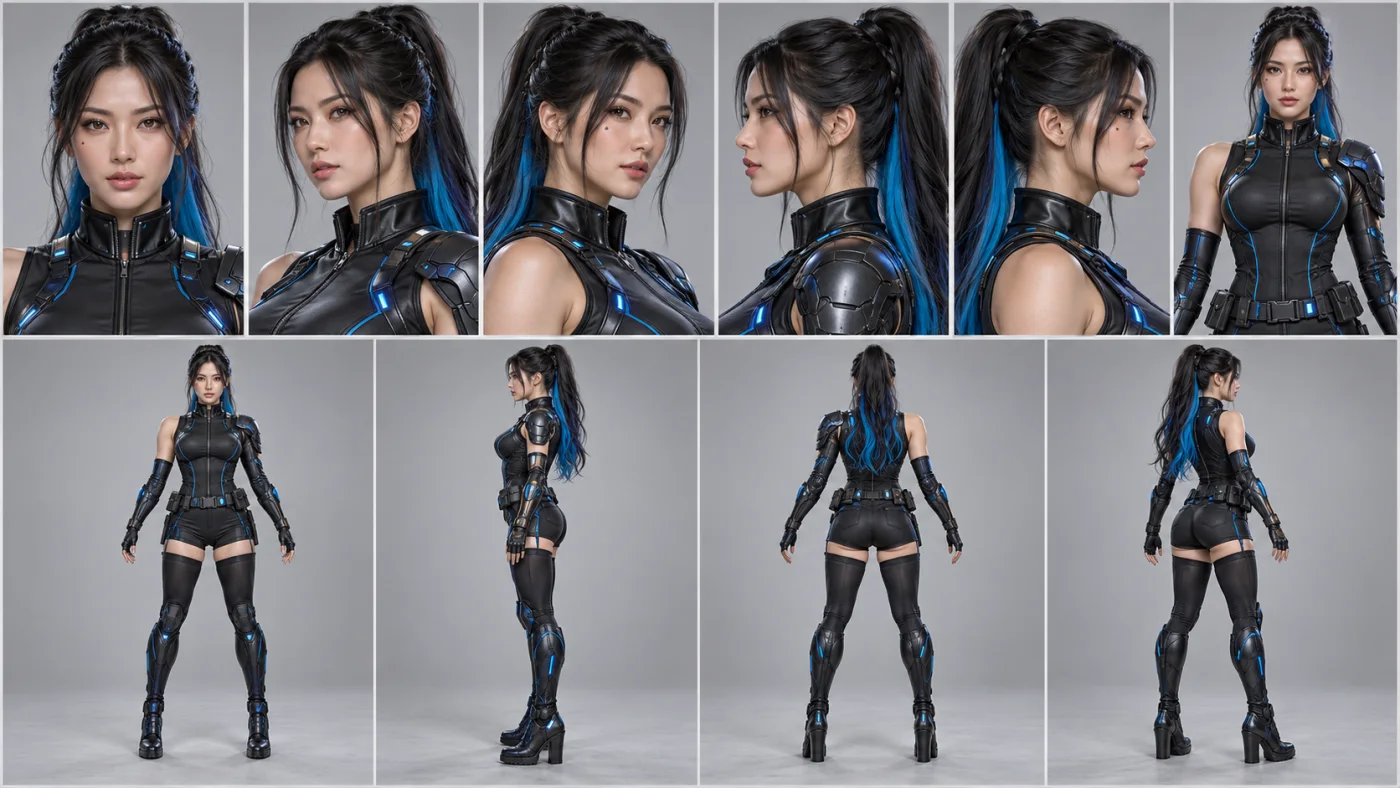
GPT Image 2 Character Sheet and Reference Prompts
Keep a recurring character consistent in GPT Image 2 with casting sheets, expression grids, pose studies, and reusable hair and wardrobe cards.
 #gpt-image-2
GPT Image 2 Typography Poster Prompts
Create GPT Image 2 posters with real rendered text — letterform grounds, Swiss grids, archival hierarchy, signage, covers, and event key art.
 #gpt-image-2
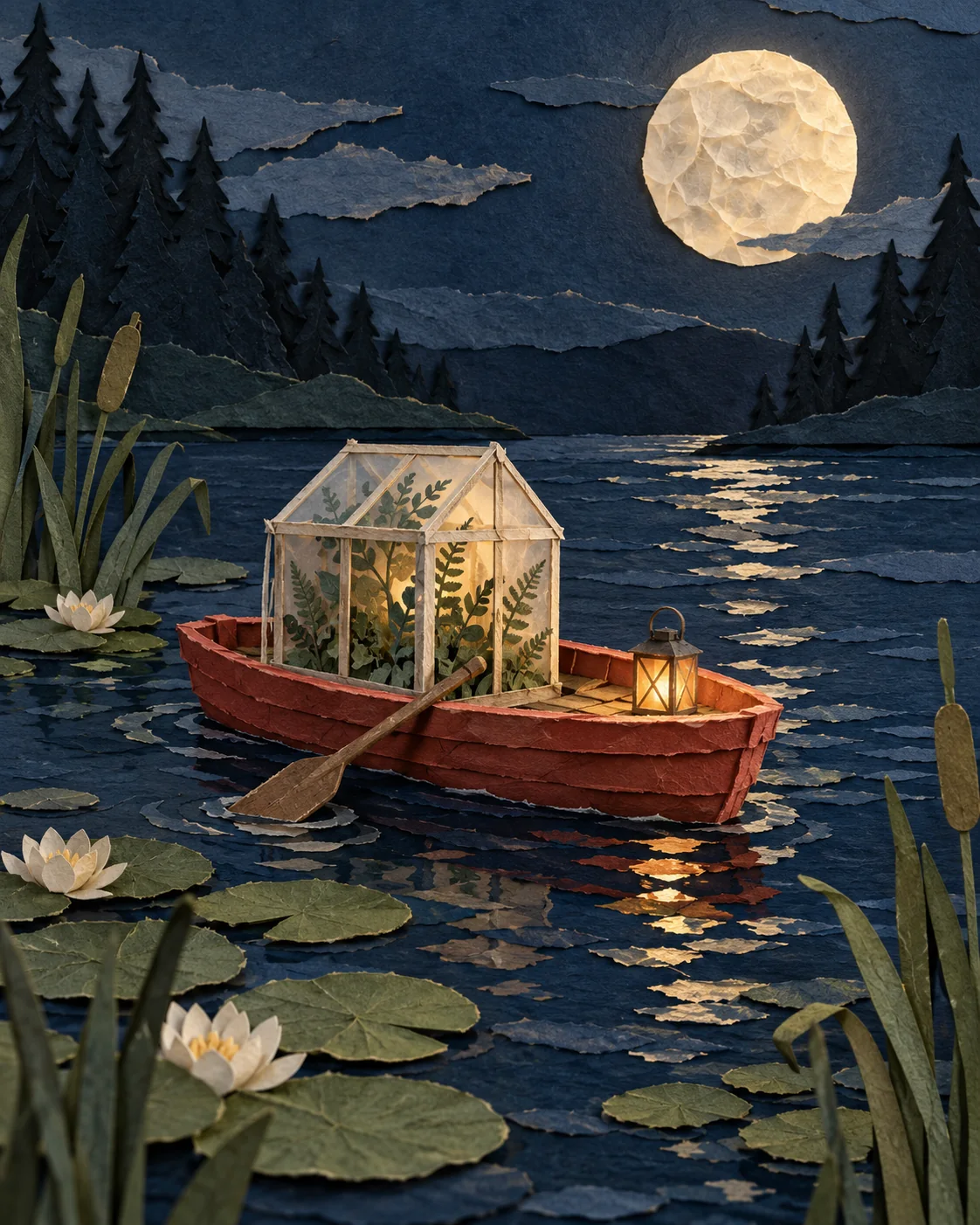
GPT Image 2 Art Style and Media Prompts
Explore original GPT Image 2 art prompts for paper collage, oil pastel, sumi-e ink, felted wool, palette-knife oil, and botanical watercolor, with reusable techniques.